Editing
Real estate photo editing: what agents expect
The checklist agents run on a delivered gallery: straight walls, true colour, visible window views, one look across the set, and disclosed virtual edits.
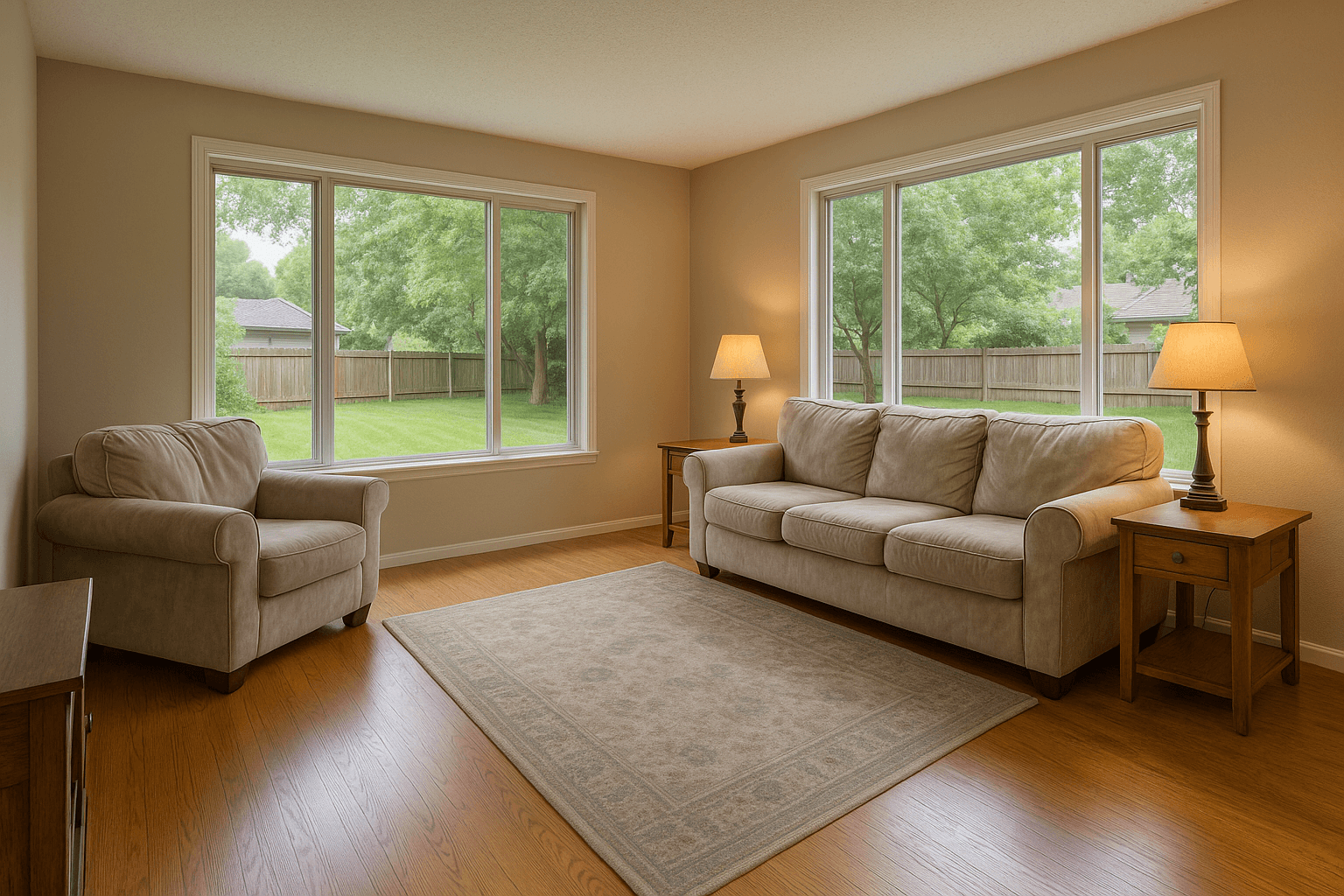
An agent does not open a delivered gallery and admire the tone curve. They scroll it at the speed a buyer will, on a phone, looking for the frame that makes them wince. Real estate photo editing is judged by whether anything in the set gives the agent a reason to pause. That is a different bar from looking good.
The stakes are the agent's as much as yours. The National Association of Realtors' Home Buyers and Sellers Generational Trends report (2026) found that 81% of recent buyers who searched online rated listing photos “very useful”, the highest of any website feature, and that 52% of buyers found the home they bought on the internet. The photos are the listing's first showing, and the agent knows it. Here is what they check, in the order they tend to check it.
Straight verticals
The first thing an agent notices, even when they cannot name it, is a leaning wall. A wide lens pointed slightly up or down tips every vertical line in the room, and the eye reads the tilt as a cheap photo before it reads anything else. Verticals should be plumb in every frame: door frames, window edges, cabinet lines, the corner where two walls meet.
Get most of this on site with a level tripod and the camera at chest height. Fix the rest in the edit. In Studio, the Geometry tool has an Auto Geometry function that analyses the architectural lines and corrects the perspective, plus a Vertical control for the frames it does not catch. HDR Merge includes lens and vertical correction as part of the merge, so a bracketed set comes back corrected without a separate pass.
True colour, especially the whites
Agents look at cabinets, trim and bedding. If the whites are yellow, the house reads as dated. If they are blue, it reads as cold. Mixed lighting is the usual cause: warm bulbs and daylight from the window in the same frame, each pulling the white balance a different way.
The fix starts with a neutral reference. Studio's White Balance Picker lets you click a neutral surface to calculate the temperature and tint correction, and the Temperature and Tint controls adjust from there. Hold that correction across the whole room, not just the frame you happened to be looking at. Floors, paint and countertops are things a buyer will see in person, and they should match the photo that brought them to the door.
The window pull
The view out of the window is often part of what is for sale: a yard, trees, a skyline. A single exposure either blows the window to white or sinks the room into shadow. Agents have learned to expect both at once, a bright room and a visible view in the same frame.
This is the job of HDR Merge. Shoot brackets of the same composition, upload the set, and the Service blends the exposures. Window pulls and the exposure blend are built into HDR Merge. For a frame where the view is there but flat, the Windows tool's View Enhance function improves the visibility, range and clarity of the existing view without replacing it with a different scene. That last clause matters to agents: the view in the photo has to be the view the buyer will see from the window.
The sky
An overcast day flattens an exterior: grey light, no shadows, a white gap above the roofline. A reschedule for weather is often not worth the trip, so the edit handles the sky.
The Sky tool in Studio offers four replacements: Clear Blue, Light Clouds, Soft Overcast and Dramatic Clouds. Each replaces only the detected sky and preserves rooflines, trees, wires and other foreground edges. Two cautions from the agent's side. The sky has to fit the light on the house, because a sunny sky over a gloomy facade is the tell agents spot immediately. And every exterior in the set should agree on the weather. One front elevation in sunshine and a backyard under cloud reads as two different days.
Decluttering, and where it stops
Occupied homes photograph honestly, which means cords, fridge magnets, bins and the photographer in the mirror. Agents expect those gone. They also expect the property itself untouched, because a buyer who finds a radiator the photo did not show stops trusting the whole listing.
Studio's Declutter tool detects temporary or distracting objects and shows them as selectable masks before anything is removed, so you approve or deselect each one. The same approval step runs on the Remove People function in the People tool, the Photography function in the Equipment tool, and the Signs, Trash / Bins and Vehicles functions in Property Cleanup. HDR Merge removes the photographer and camera automatically and blacks out TV screens. The line to hold: remove possessions, never property. Water damage, a cracked tile, a missing fixture: those stay in the frame, and if the seller wants them gone, that is a repair, not an edit.
Consistency across the set
One shoot processed three ways looks like three listings. Agents flip through a gallery fast, and a frame that is warmer, darker or crunchier than its neighbours breaks the rhythm. Consistency is the thing most often missing from an otherwise competent edit. HDR Merge processes every photo in an order to the same standard, which gets a bracketed set most of the way there. For manual adjustments, decide once per room, apply it to every frame in that room, and review the set as a strip, where the inconsistencies show at thumbnail size. Check for:
- Same white balance in every room that shares the same light
- Same exposure target across the set: bright and airy, or moody, not both
- Same sky and weather in every exterior
- Same level of sharpening and clarity, so no frame looks crunchy beside a soft one
- Same geometry discipline: verticals plumb in every frame, not most of them
Turnaround, stated honestly
Agents want the photos before the listing goes live, and the listing date is often set before the shoot is. The useful thing is not a promise but a plan: tell the agent when you expect to deliver, deliver when you said, and tell them early if something slips. A specific day stated in advance beats a vague fast every time.
Better Listing Media does not publish turnaround figures, because nothing in the platform measures one, and a number that is not measured is a guess. What the platform does is keep the edit and the handoff in one place: the edited photos land in your workspace, you review them in Studio, and delivery goes out from the same screen, through a portal that carries your brand.
Disclosure of virtual edits
Virtual twilight and virtual staging change the photo in ways a buyer should know about. Some MLS boards require a label on staged images, and even where yours does not, a buyer who feels misled does not write an offer. Agents who have been burned once will ask about this first.
Two things make it easy. In Studio's Brand tool, on the desktop app, you can set a disclosure tag, twilight or staged, on any photo. The badge is drawn in the corner and baked into the photo when you export it from Studio, and its wording is fixed, so it reads the same on every listing. Nothing is tagged automatically: you choose which photos carry a label. On the delivery side, the client gallery labels AI-edited images by the name of the Service that produced them and includes the originals in their own section, so the staged frame and the unstaged room sit side by side.
The approval step is yours
Every image on Better Listing Media is approved by the photographer before it is delivered. The Service does the merge or the conversion; you review the result, refine what needs it, and press Approve & deliver. There is no separate quality team between you and the client. The person who stood in the room is the one who knows whether the colour is right.
That is also the simplest way to meet everything above. Before you approve, walk the set the way the agent will: phone-sized, fast, looking for the frame that makes you pause. Fix that one. Then send.
Sources
- 81% of recent buyers who searched online rated listing photos “very useful”, the highest of any website feature. NAR, Home Buyers and Sellers Generational Trends, 2026
- 52% of buyers found the home they bought on the internet. NAR, Home Buyers and Sellers Generational Trends, 2026