Thirty-three tools. One rail.
Every tool the Studio draws, grouped the way you work a frame. Seventeen run free under your hand, sixteen use AI and state their price first. Thirteen run in this browser.
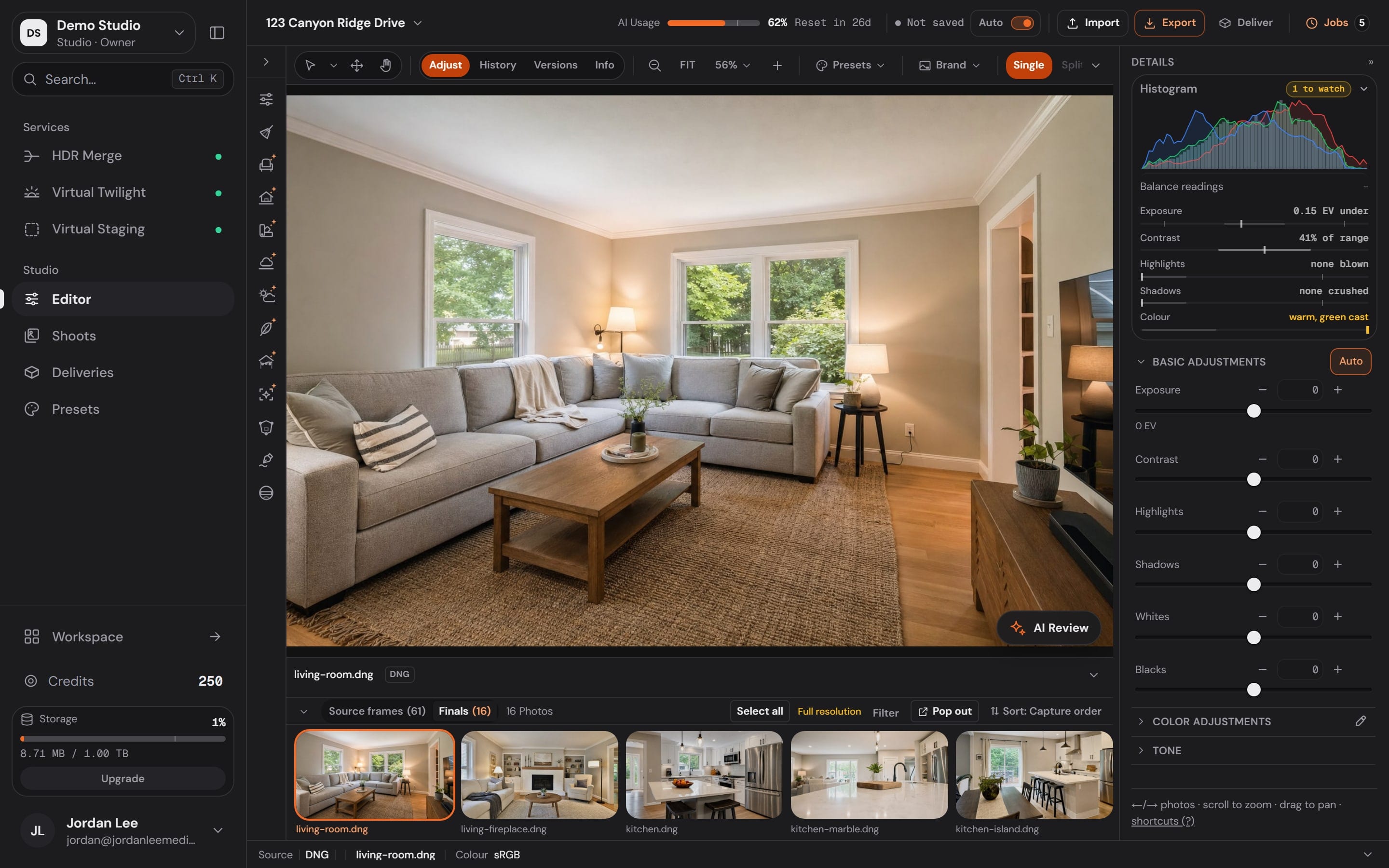
The editor
One window for the whole shoot.
The shoot on the filmstrip, the photograph on the canvas, the panel for whatever tool is open.
The rail
Every tool, in the order you work a frame.
26 on the rail in 7 groups, 7 more above the canvas. A tool moves within its group; the groups stay put.
AI usage
Metered tools draw from here, and say so first.
The meter sits in the top bar. A metered tool states its price on the tool before it runs.
The canvas bar
Adjust and the pointers sit above the canvas.
Select, Move, Hand and Zoom beside the Adjust door. History and Versions keep every edit a step you can walk back.
The editor
One window for the whole shoot.
The shoot on the filmstrip, the photograph on the canvas, the panel for whatever tool is open.
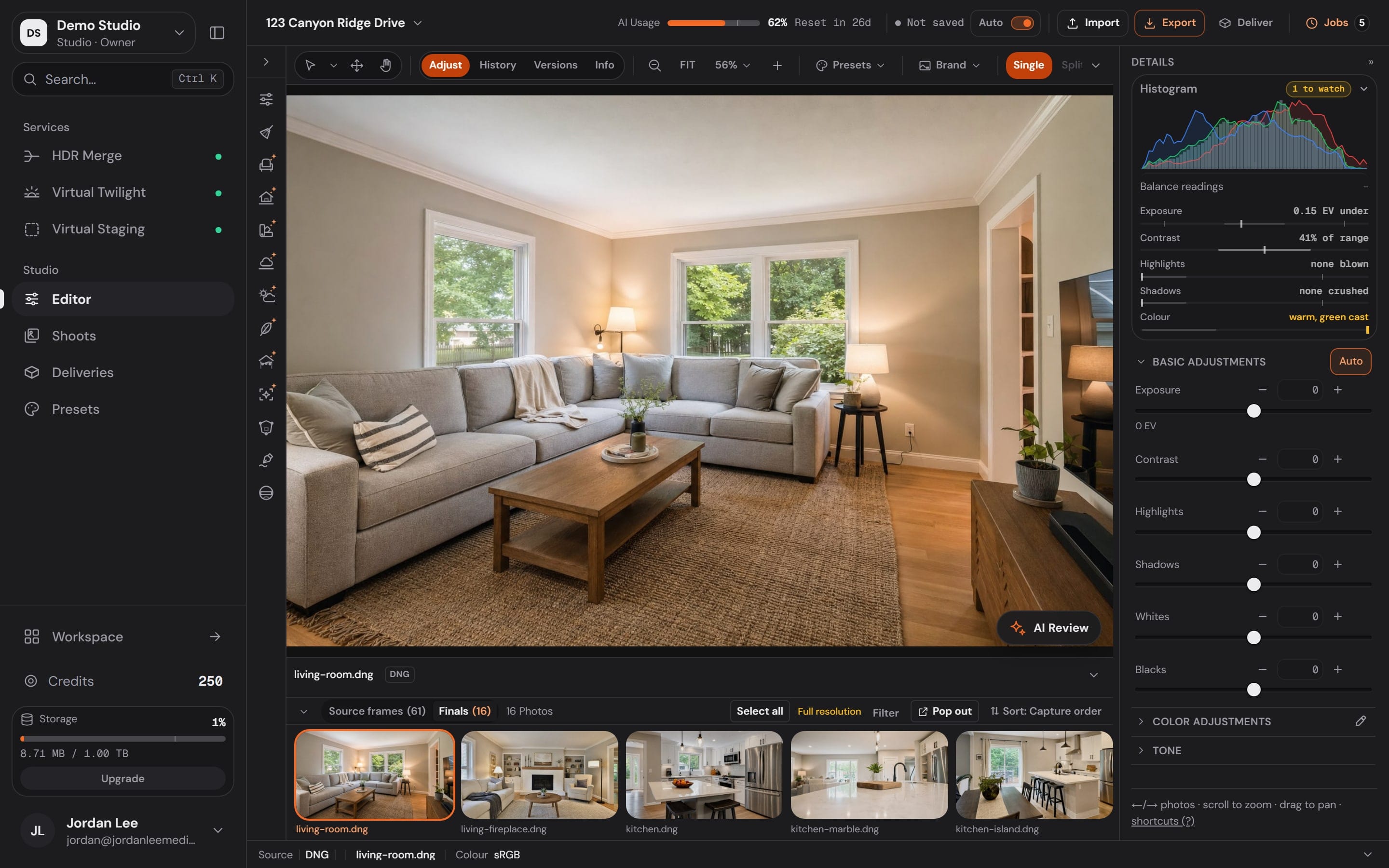
The rail
Every tool, in the order you work a frame.
26 on the rail in 7 groups, 7 more above the canvas. A tool moves within its group; the groups stay put.
AI usage
Metered tools draw from here, and say so first.
The meter sits in the top bar. A metered tool states its price on the tool before it runs.
The canvas bar
Adjust and the pointers sit above the canvas.
Select, Move, Hand and Zoom beside the Adjust door. History and Versions keep every edit a step you can walk back.
Free under your hand,or metered and stated first.
Where a model does the work, the tool wears the AI mark on the rail and prints its price on the tool before anything runs. The rest is pixel maths on your own machine, as many times as you like.
17 free
Run on the device, nothing to meter.
- Adjust
- Crop
- Geometry
- Lens
- Detail
- Select
- Move
- Mask
- Cabinets
- Flooring
- Markup
- Privacy
- Draw
- Brand
- Hand
- Zoom
- Eyedropper
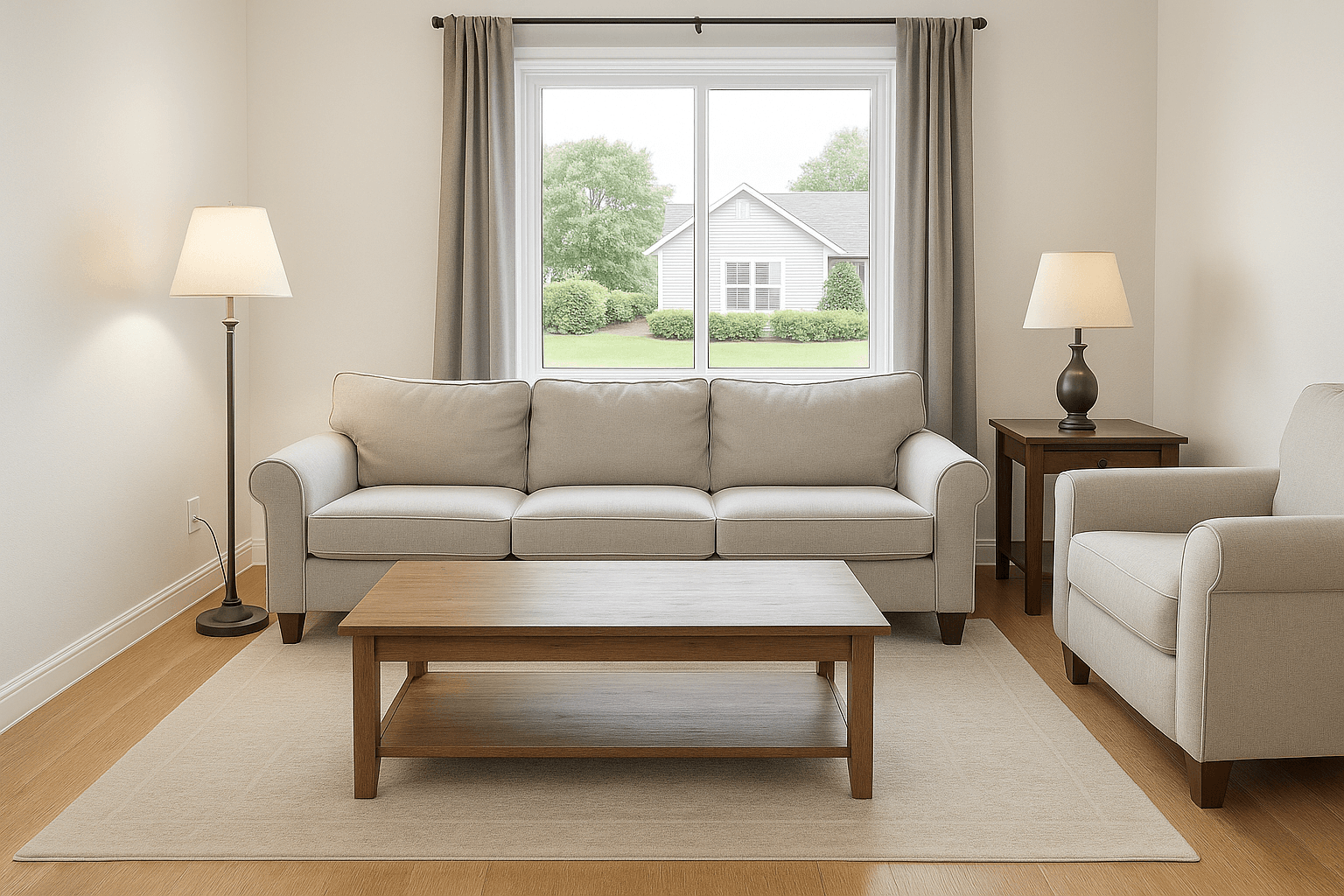
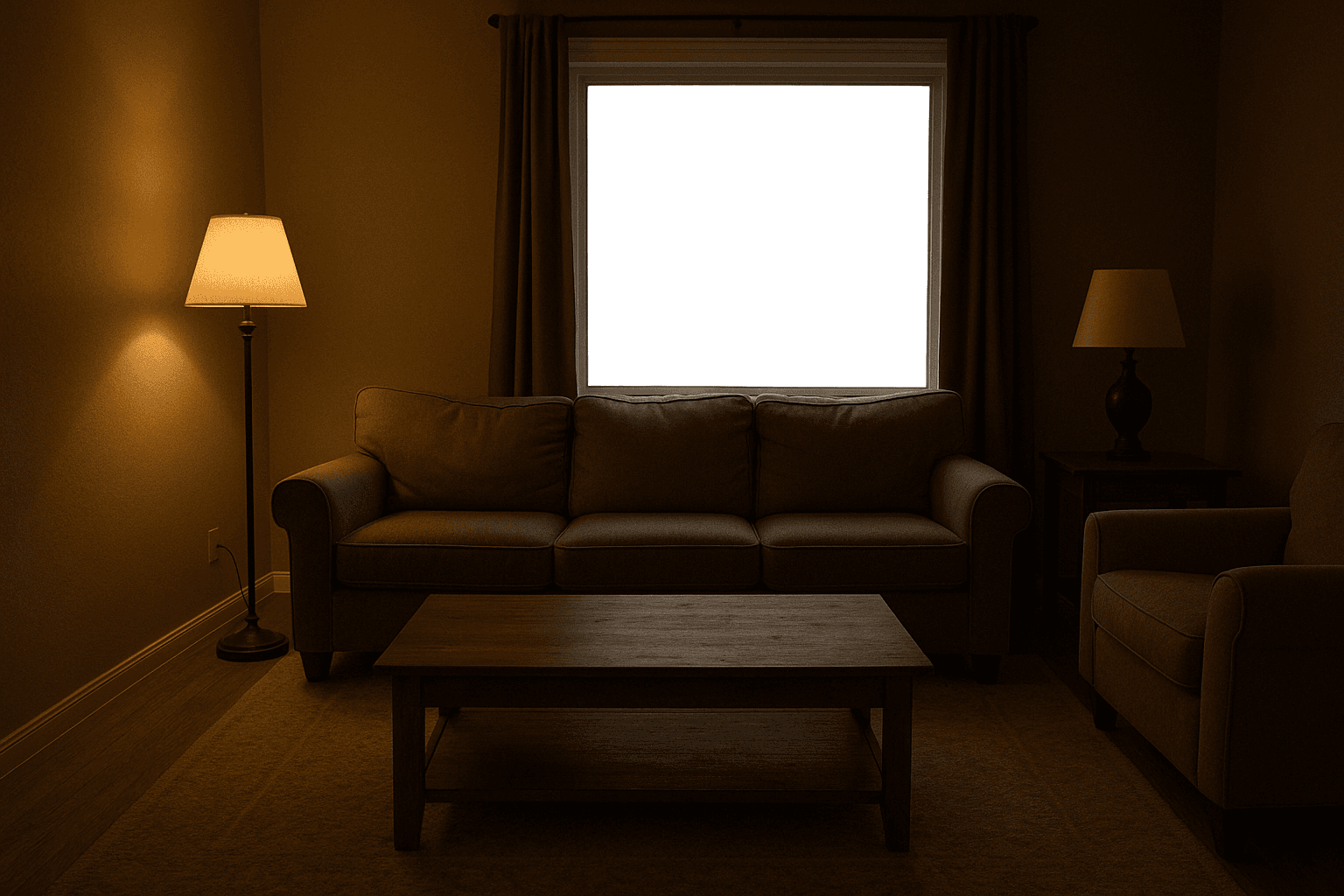
Adjust, a free tool: exposure and temperature on one frame. Drag the handle.
16 use AI
A model does the work, so a run is metered.
- Magic EraserAI
- DeclutterAI
- ReflectionAI
- PaintAI
- WindowsAI
- LightingAI
- FireplaceAI
- ScreensAI
- ExteriorAI
- WeatherAI
- HolidayAI
- SkyAI
- SeasonAI
- StageAI
- GenerativeAI
- AerialAI
- The price is on the tool before it runs.A metered tool prints what one run costs on its button. Nothing runs until you press it.
- Free and metered are told apart on the rail.The AI mark sits on the chip itself, not only inside a panel, so you know before you open it.
- A run draws from your AI usage.The meter lives in the top bar of every editor window, with the day it resets.
The AI tools
Mark it. See the price.Run it on the photo you have open.
Every AI tool works the same way: mark the area or take the whole frame, read the price on the button, run it. The result lands as a new version beside the original, so nothing is ever overwritten.
- Magic EraserAIPaint over what should go and AI rebuilds what was behind it, or heal and clone it away by hand.
- DeclutterAIClear clutter from a whole room or a painted area with AI, keeping every fixture and piece of furniture.
- FireplaceAILight the fire in a fireplace with AI, gas or wood, with the warm glow it casts.
- SkyAIReplace only the sky with AI: clear blue, light clouds, soft overcast or dramatic clouds.
- ExteriorAIRefresh the lawn, the pool or the foliage with AI, one subject at a time.Last chapter
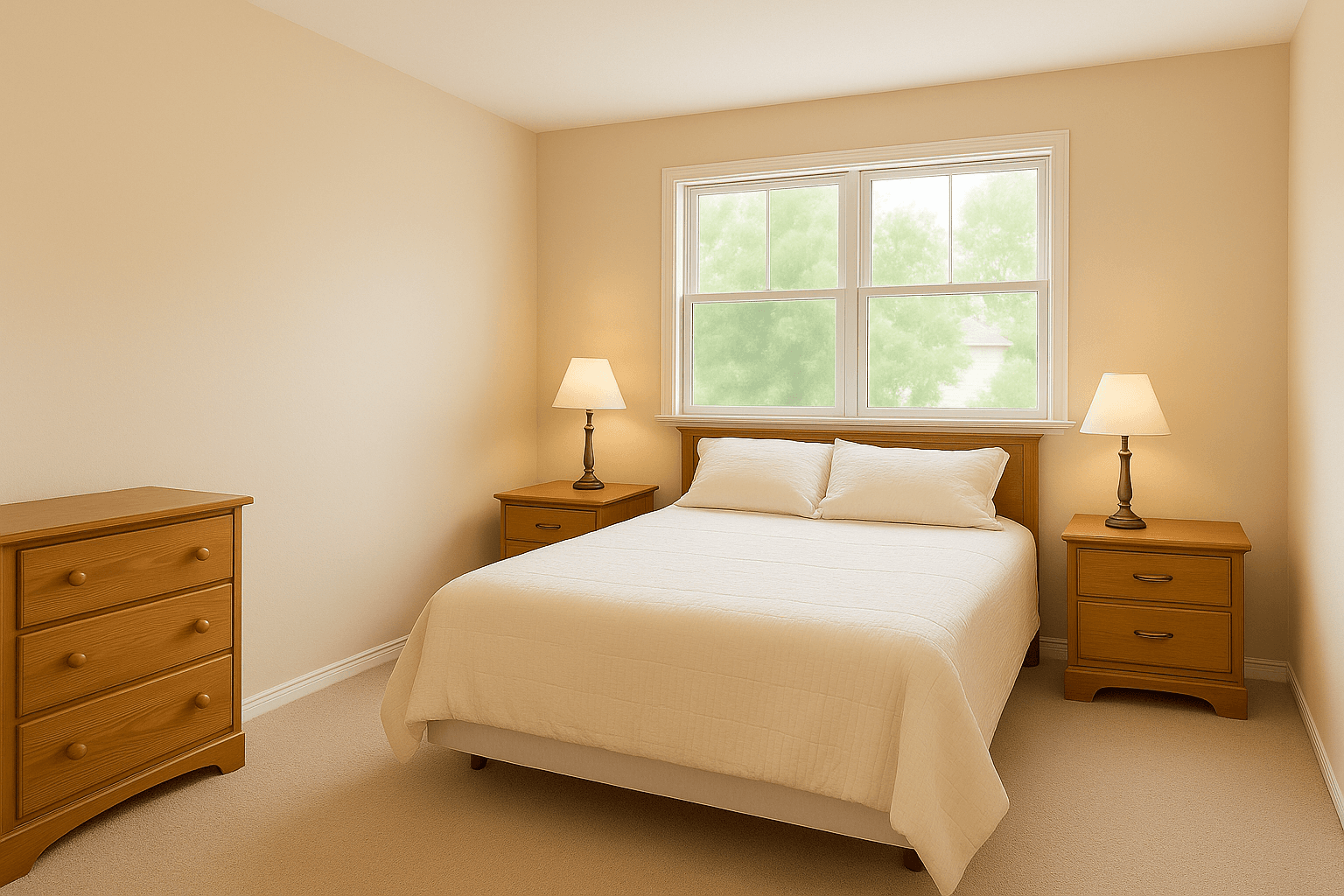
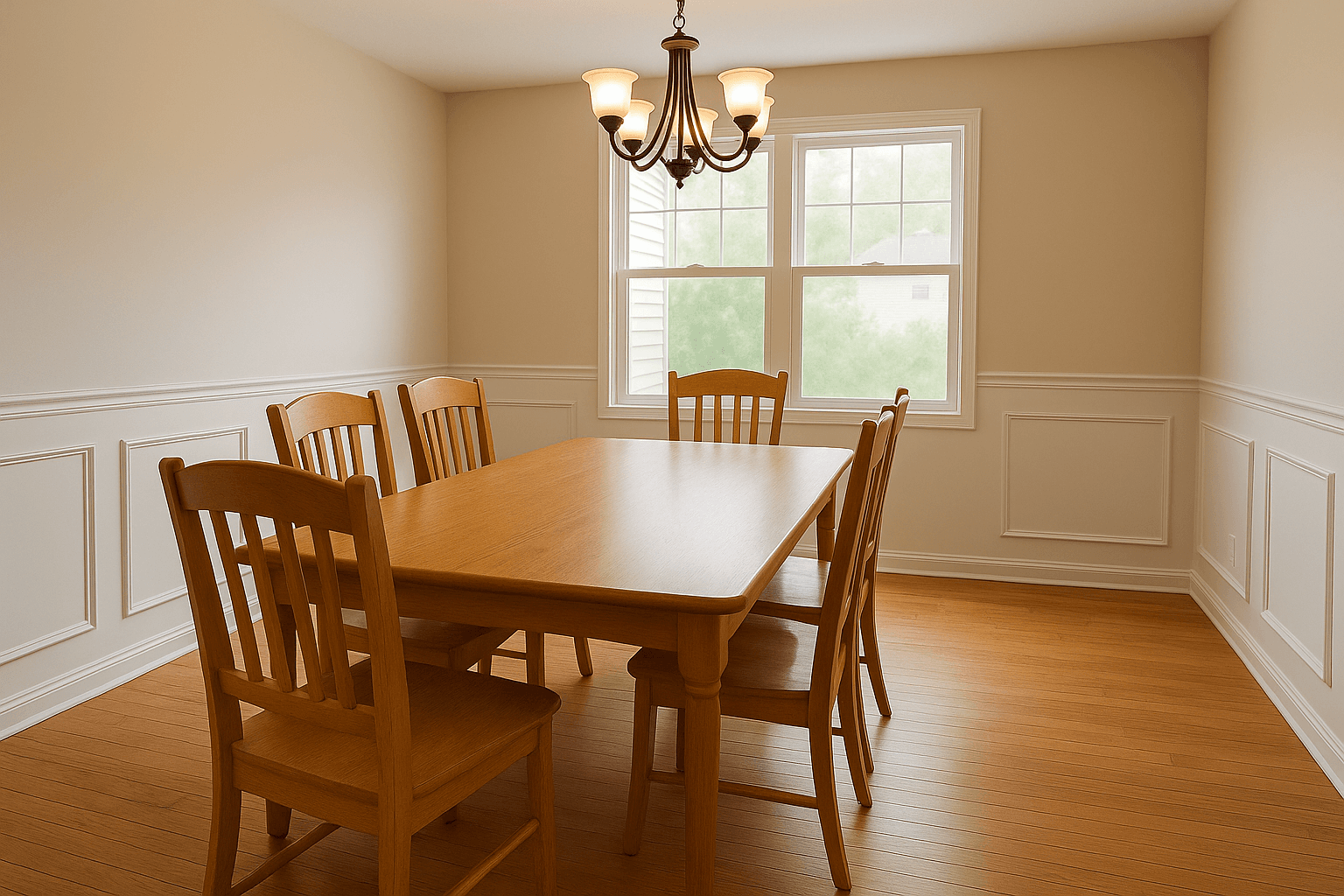
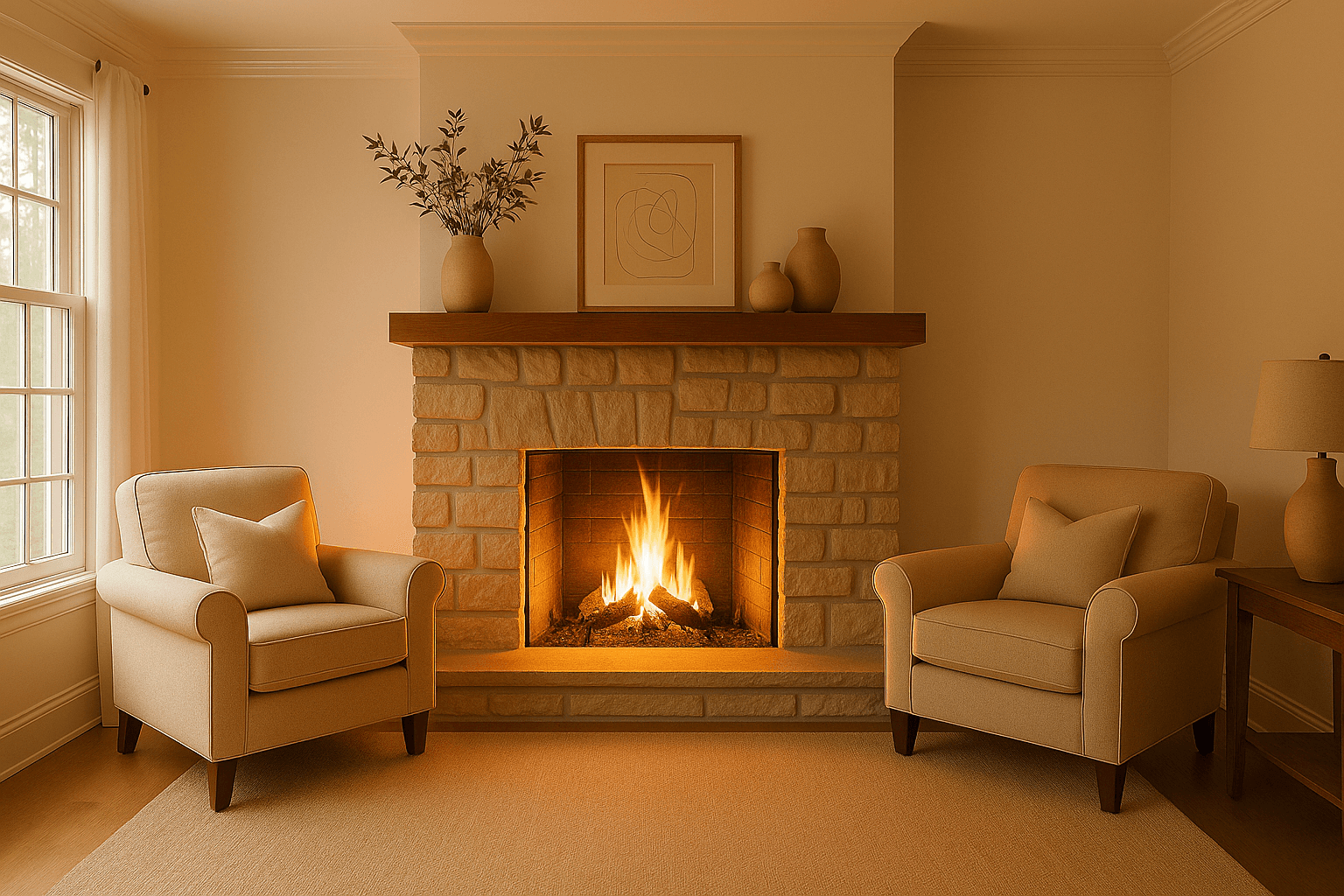
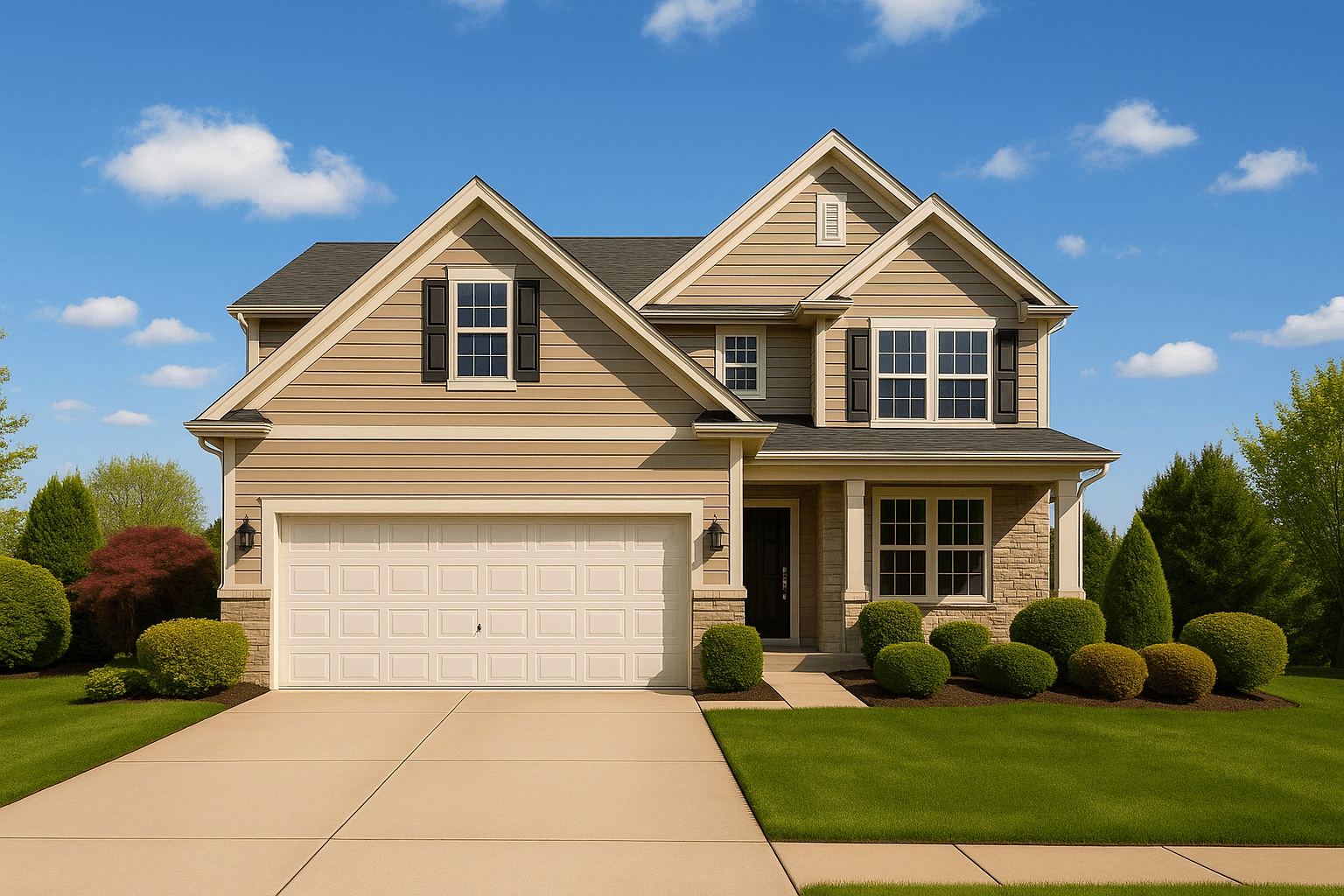
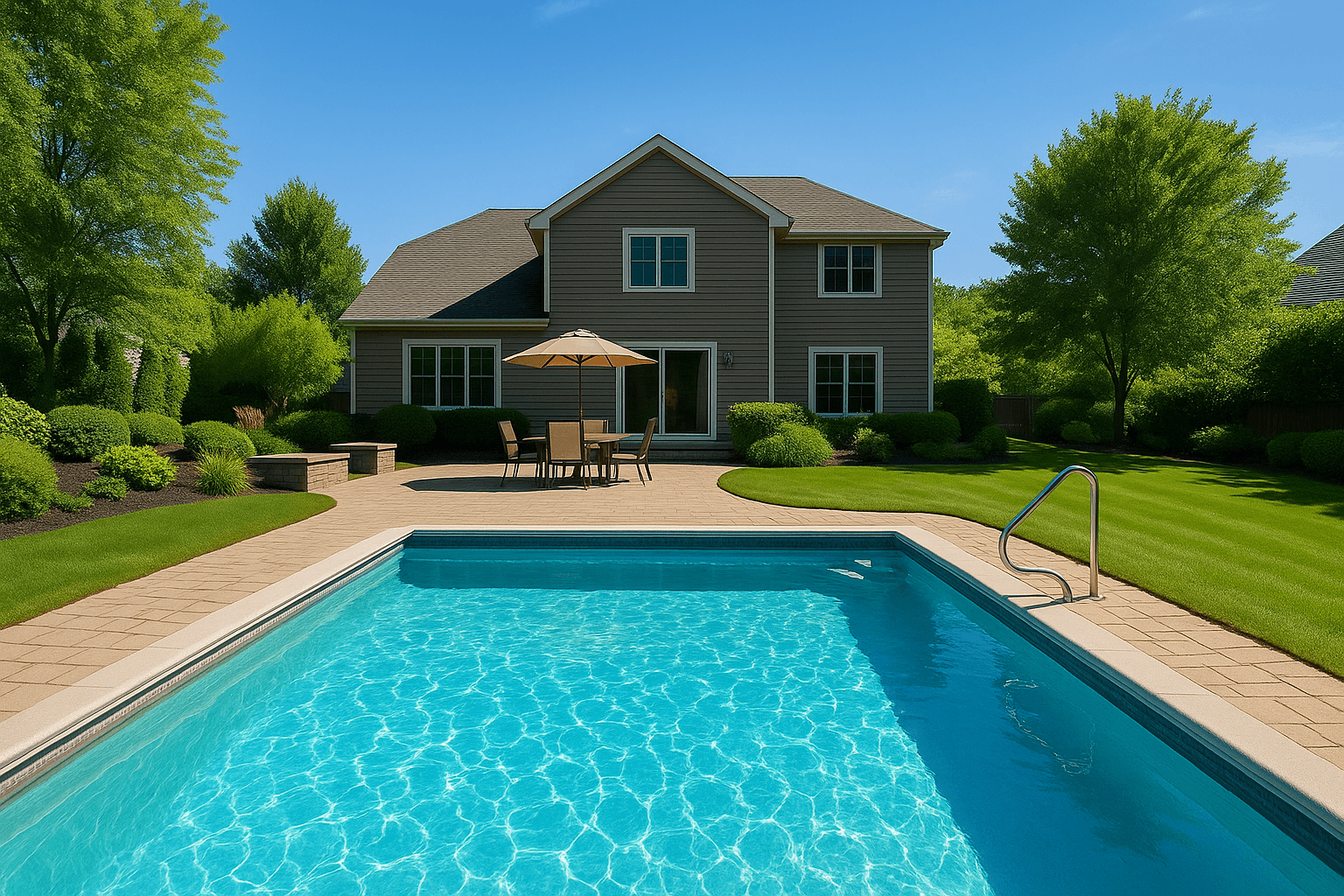
Magic Eraser. Paint over the cables and the box. The wall and carpet behind them are rebuilt; every pixel outside the mark stays as shot.
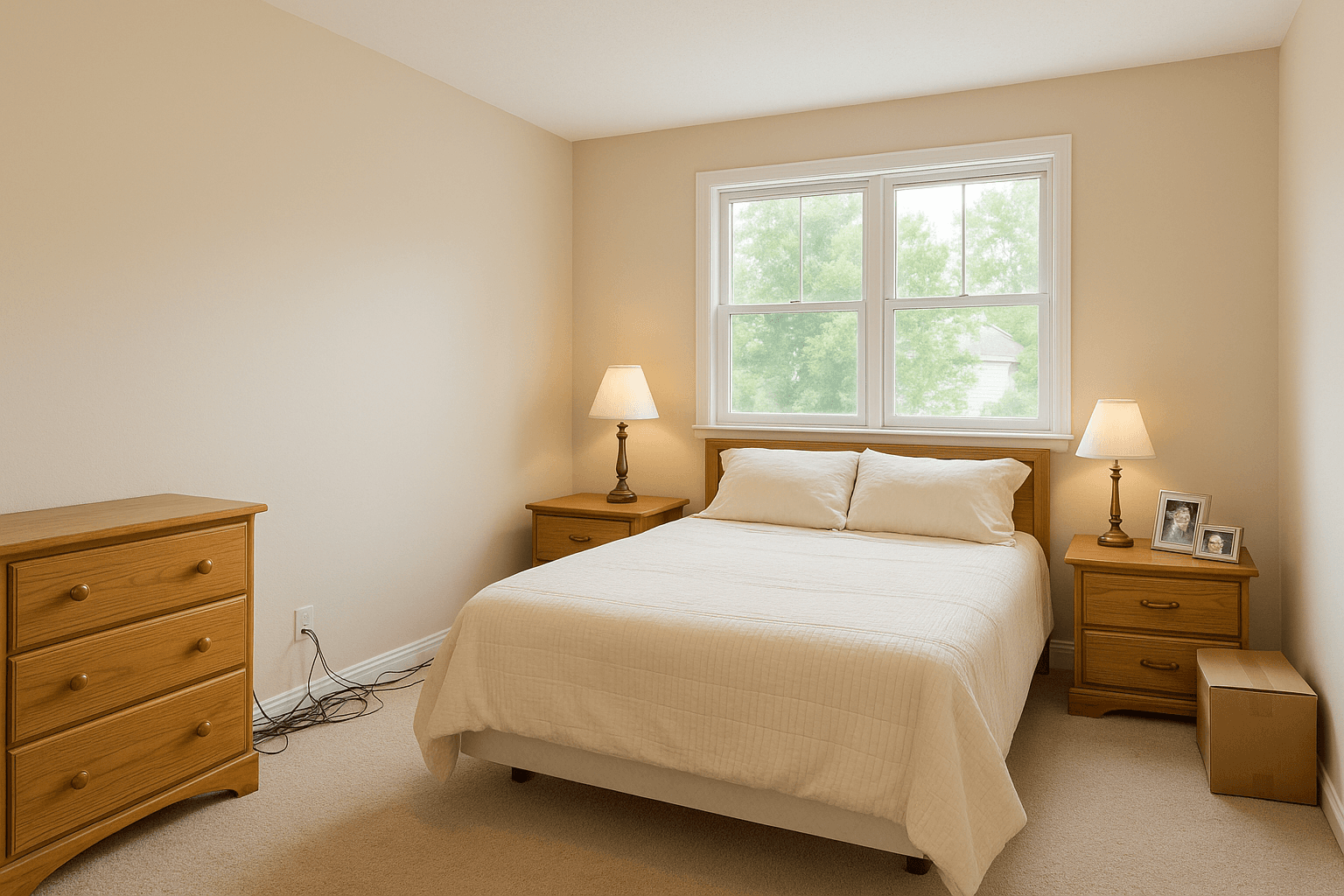
Declutter. One click finds the clutter and lists it. Approve each item; only what you approve is generated over.
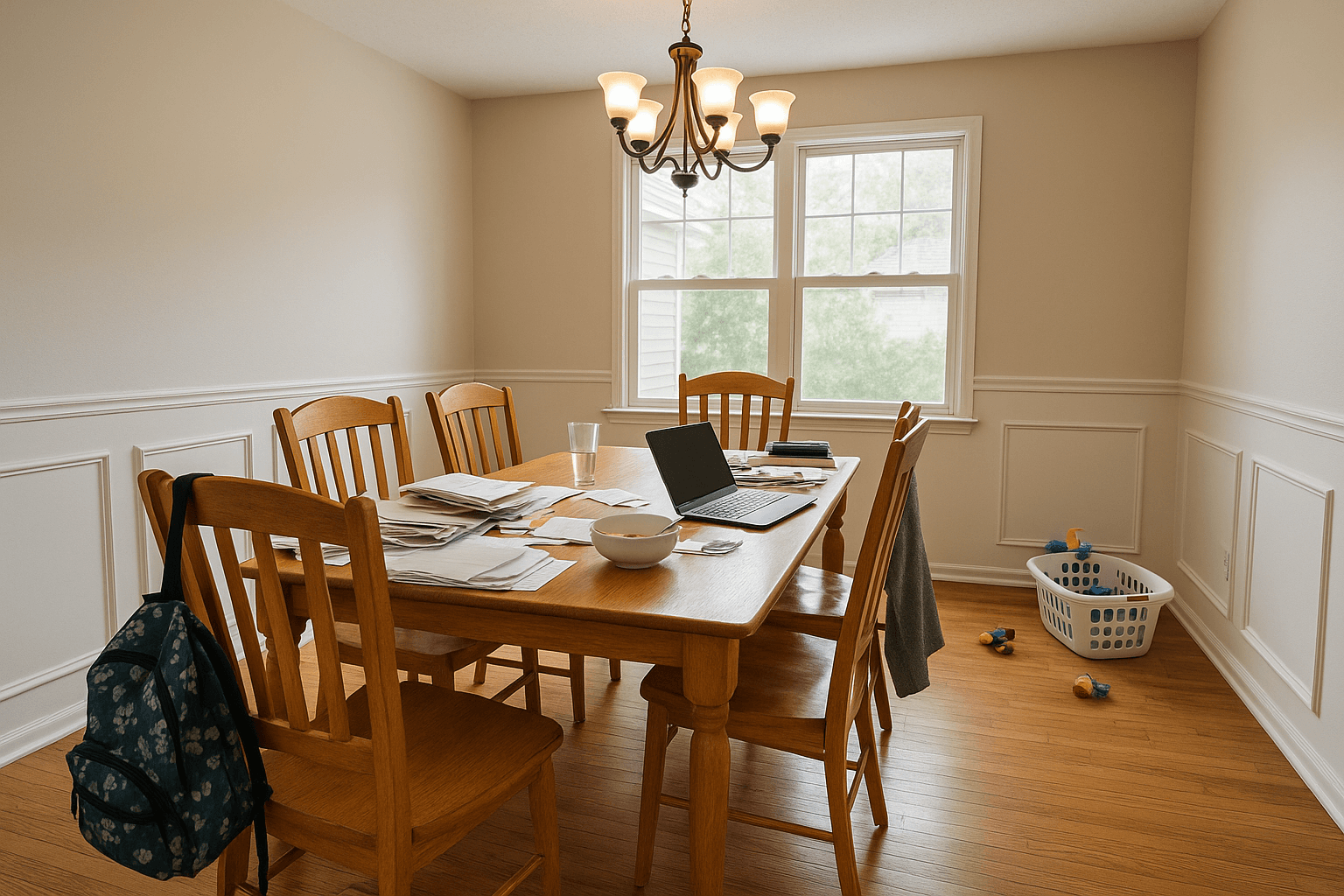
Fireplace. Gas or wood. The flame stays inside the opening and casts its glow on the room.
Sky. Only the sky changes. The roofline, the trees and the wires keep their edges.
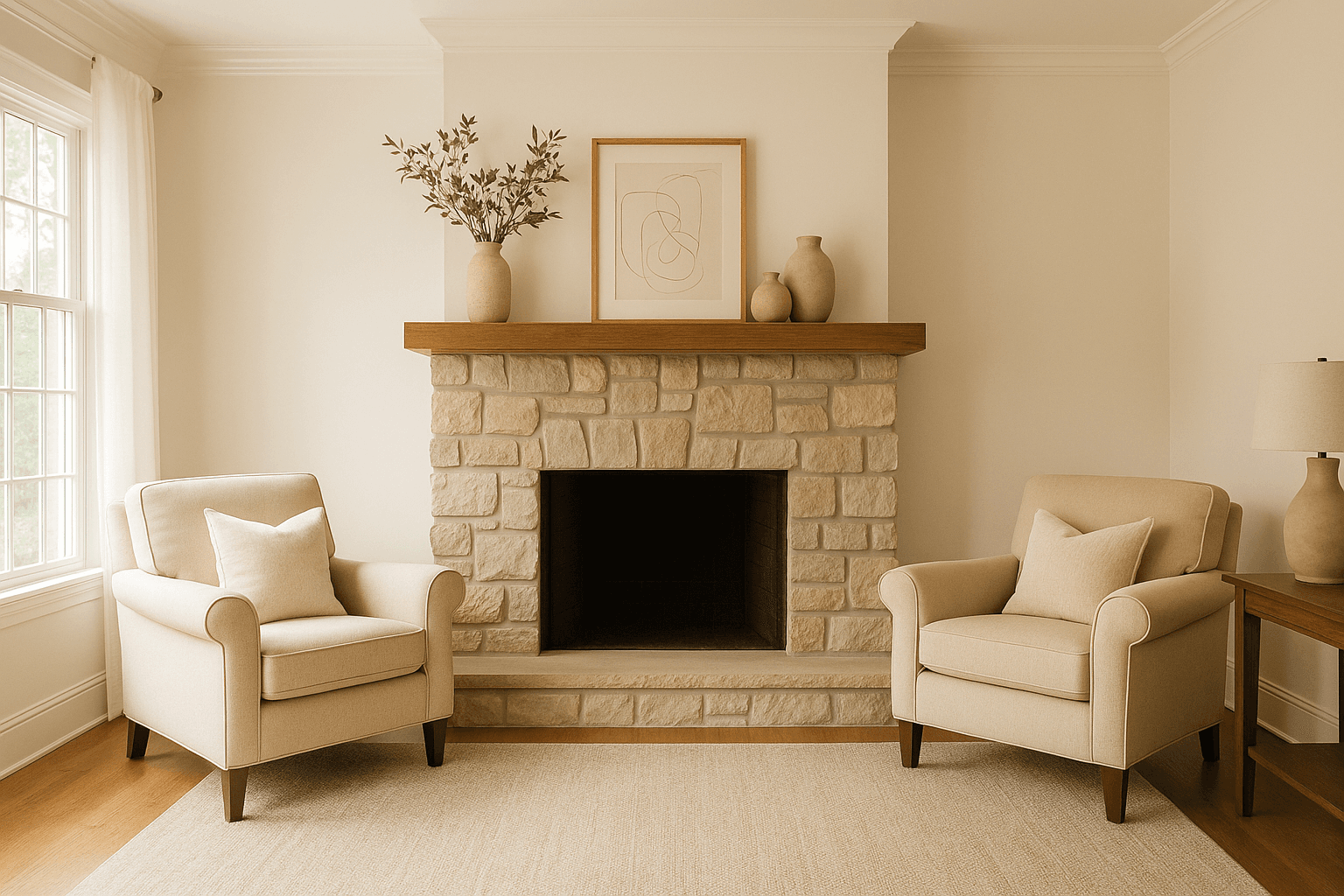
Exterior. Lawn, pool or foliage, one subject at a time. The pool keeps its shape; only the water clears.
- As shotMagic Eraser
Magic EraserAI
Paint over the cables and the box. The wall and carpet behind them are rebuilt; every pixel outside the mark stays as shot.
- As shotDeclutter
DeclutterAI
One click finds the clutter and lists it. Approve each item; only what you approve is generated over.
- As shotFireplace
FireplaceAI
Gas or wood. The flame stays inside the opening and casts its glow on the room.
- As shotSky
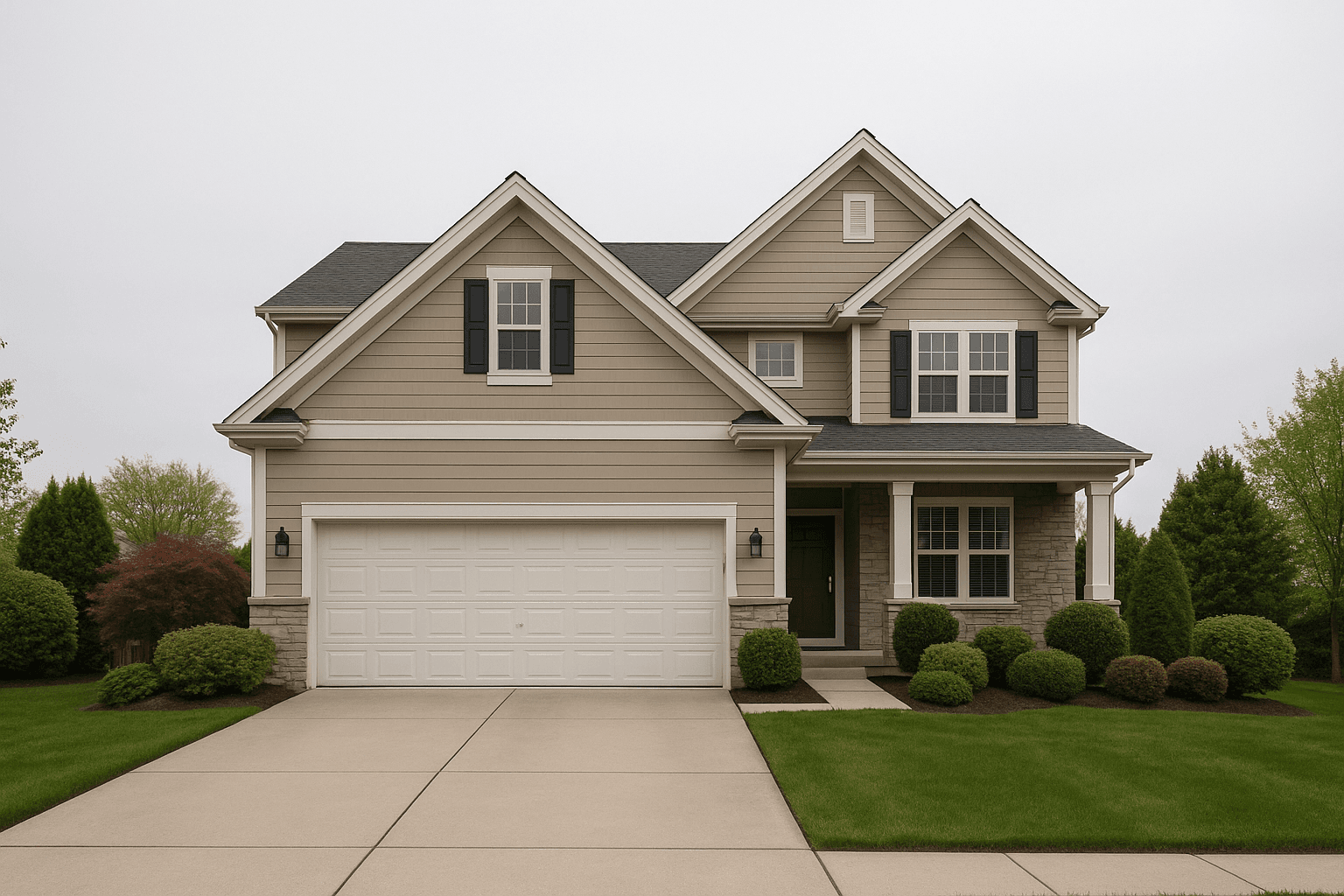
SkyAI
Only the sky changes. The roofline, the trees and the wires keep their edges.
- As shotExterior
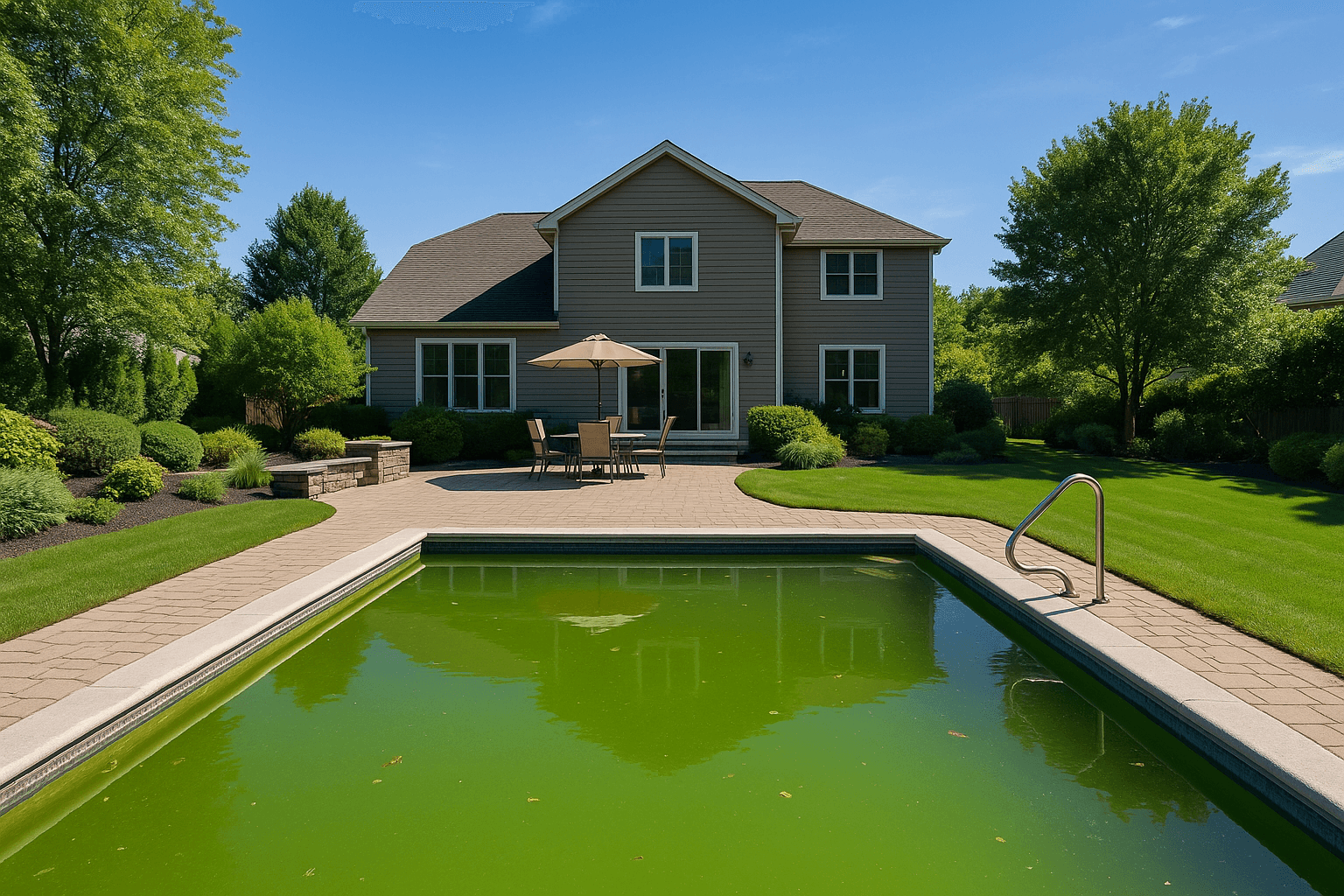
ExteriorAI
Lawn, pool or foliage, one subject at a time. The pool keeps its shape; only the water clears.
The rail, group by group.
The 7 groups in rail order, then what lives above the canvas. 14 of the cards open a demo that runs here, in your browser, on the site's own photographs.
Correct
Fix the capture before anything else.
4 tools, 3 to try
Remove
Take out what should not be in the frame.
3 tools, 1 to try
Recolour
The colour, and the material, of a surface.
3 tools
Light & glass
Windows, light and glass.
4 tools
Scene
The setting around the property.
5 tools
Generate
What was not in the frame.
2 tools, 1 to try
Deliver
What goes on a finished photo, and what must be hidden.
5 tools, 5 to try
Canvas bar
Above the canvas, not on the rail: the Adjust door, the pointers and the pickers.
7 tools, 4 to try
Every function
115 functions, in thirteen categories.
Every slider, picker and one-click action inside the panels, by tool and category. 60 run instantly on your computer; 55 are AI functions, marked on the rail. Open a row for what it does.
Adjustments
42 functions
Basic Adjustments
Set exposure, contrast, highlights, shadows, whites and blacks.
Set exposure, contrast, highlights, shadows, whites and blacks.
Set exposure, contrast, highlights, shadows, whites and blacks.
Set exposure, contrast, highlights, shadows, whites and blacks.
Set exposure, contrast, highlights, shadows, whites and blacks.
Set exposure, contrast, highlights, shadows, whites and blacks.
Color Adjustments
Correct white balance and fine-tune colour, by range or with a picker.
Correct white balance and fine-tune colour, by range or with a picker.
Correct white balance and fine-tune colour, by range or with a picker.
Correct white balance and fine-tune colour, by range or with a picker.
Correct white balance and fine-tune colour, by range or with a picker.
Correct white balance and fine-tune colour, by range or with a picker.
Crop & Transform
Crop, rotate, flip and straighten to any aspect ratio.
Crop, rotate, flip and straighten to any aspect ratio.
Crop, rotate, flip and straighten to any aspect ratio.
Crop, rotate, flip and straighten to any aspect ratio.
Crop, rotate, flip and straighten to any aspect ratio.
Crop, rotate, flip and straighten to any aspect ratio.
Geometry
Fix converging verticals and level the horizon, automatically or by hand.
Fix converging verticals and level the horizon, automatically or by hand.
Fix converging verticals and level the horizon, automatically or by hand.
Fix converging verticals and level the horizon, automatically or by hand.
Fix converging verticals and level the horizon, automatically or by hand.
Fix converging verticals and level the horizon, automatically or by hand.
Fix converging verticals and level the horizon, automatically or by hand.
Fix converging verticals and level the horizon, automatically or by hand.
Lens
Remove lens distortion, colour fringing and corner shading.
Remove lens distortion, colour fringing and corner shading.
Remove lens distortion, colour fringing and corner shading.
Remove lens distortion, colour fringing and corner shading.
Remove lens distortion, colour fringing and corner shading.
Detail
Sharpen, reduce noise and add clarity or texture.
Sharpen, reduce noise and add clarity or texture.
Sharpen, reduce noise and add clarity or texture.
Sharpen, reduce noise and add clarity or texture.
Sharpen, reduce noise and add clarity or texture.
Tone
Shape the tone curve, overall or per colour channel.
Shape the tone curve, overall or per colour channel.
Shape the tone curve, overall or per colour channel.
Shape the tone curve, overall or per colour channel.
Effects
Add a finishing vignette or film grain.
Add a finishing vignette or film grain.
Cleanup
9 functions, 8 AI
Retouch
Clone away marks, scuffs and small distractions.
Magic Eraser
Remove an object you select and fill the space naturally.
Declutter
Find the clutter in a room and clear it in one step.
People
Remove people from the frame.
Equipment
Remove tripods, lights and other photo gear left in the shot.
Reflections
Remove the photographer's reflection from mirrors and glass.
Property Cleanup
Remove signs, bins and vehicles from exteriors.
Remove signs, bins and vehicles from exteriors.
Remove signs, bins and vehicles from exteriors.
Interior
7 functions, 7 AI
Windows
Bring back the view through blown-out windows.
Lighting
Turn the lights on, or give a room warm evening light.
Turn the lights on, or give a room warm evening light.
Fireplace
Light the fireplace and choose the flame.
Light the fireplace and choose the flame.
Screens
Clean up or replace what is on a TV or monitor.
Clean up or replace what is on a TV or monitor.
Exterior
5 functions, 5 AI
Lawn
Green up and even out the lawn.
Landscaping
Freshen planting beds and landscaping.
Driveway
Clean stains off the driveway and paths.
Pool
Make pool water clear and blue.
Lighting
Turn on landscape lighting for an evening look.
Materials
5 functions, 5 AI
Walls
Repaint walls in a new colour.
Cabinets
Recolour kitchen and bath cabinets.
Floors
Change the colour of the floors.
Counters
Change the colour of the countertops.
Doors
Repaint doors.
Sky
4 functions, 4 AI
Sky
Replace a dull sky: clear blue, light clouds, soft overcast or dramatic.
Replace a dull sky: clear blue, light clouds, soft overcast or dramatic.
Replace a dull sky: clear blue, light clouds, soft overcast or dramatic.
Replace a dull sky: clear blue, light clouds, soft overcast or dramatic.
Weather
3 functions, 3 AI
Weather
Change the weather: clear, rain or snow.
Change the weather: clear, rain or snow.
Change the weather: clear, rain or snow.
Season
4 functions, 4 AI
Season
Show the property in spring, summer, autumn or winter.
Show the property in spring, summer, autumn or winter.
Show the property in spring, summer, autumn or winter.
Show the property in spring, summer, autumn or winter.
Holiday
16 functions, 16 AI
Holiday Décor
Add holiday decor inside or out, or describe your own.
Add holiday decor inside or out, or describe your own.
Add holiday decor inside or out, or describe your own.
Add holiday decor inside or out, or describe your own.
Add holiday decor inside or out, or describe your own.
Add holiday decor inside or out, or describe your own.
Add holiday decor inside or out, or describe your own.
Add holiday decor inside or out, or describe your own.
Add holiday decor inside or out, or describe your own.
Add holiday decor inside or out, or describe your own.
Add holiday decor inside or out, or describe your own.
Add holiday decor inside or out, or describe your own.
Add holiday decor inside or out, or describe your own.
Add holiday decor inside or out, or describe your own.
Add holiday decor inside or out, or describe your own.
Add holiday decor inside or out, or describe your own.
Generative
1 function, 1 AI
Custom
Describe a change in your own words.
Aerial
9 functions, 2 AI
Lot Lines
Draw property lines on aerials, by hand or automatically.
Draw property lines on aerials, by hand or automatically.
Property Highlight
Highlight the property on an aerial photo.
Location Markers
Add pins, callouts, distances and locations to aerials.
Add pins, callouts, distances and locations to aerials.
Add pins, callouts, distances and locations to aerials.
Add pins, callouts, distances and locations to aerials.
Cleanup
Remove distractions from aerial photos.
Lighting
Give an aerial photo a twilight look.
Markup
7 functions
Draw
Draw freehand on the photo.
Shapes
Add rectangles, circles, lines and custom shapes.
Arrow
Point things out with arrows.
Text
Add text and labels.
Measurement
Add dimension lines.
Brand
Add your logo or a watermark.
Add your logo or a watermark.
Privacy
3 functions
Privacy
Blur faces, licence plates and personal photos.
Blur faces, licence plates and personal photos.
Blur faces, licence plates and personal photos.
Every tool above runs in the Studio on your own shoots.
The Services do the heavy lifting; the tools finish the frame. Same window, same credits, on the web and in the desktop app.