
A fully custom website.Booking built in.

Pick a theme, edit every section and publish. Clients book and pay you on the same site.

Workspace
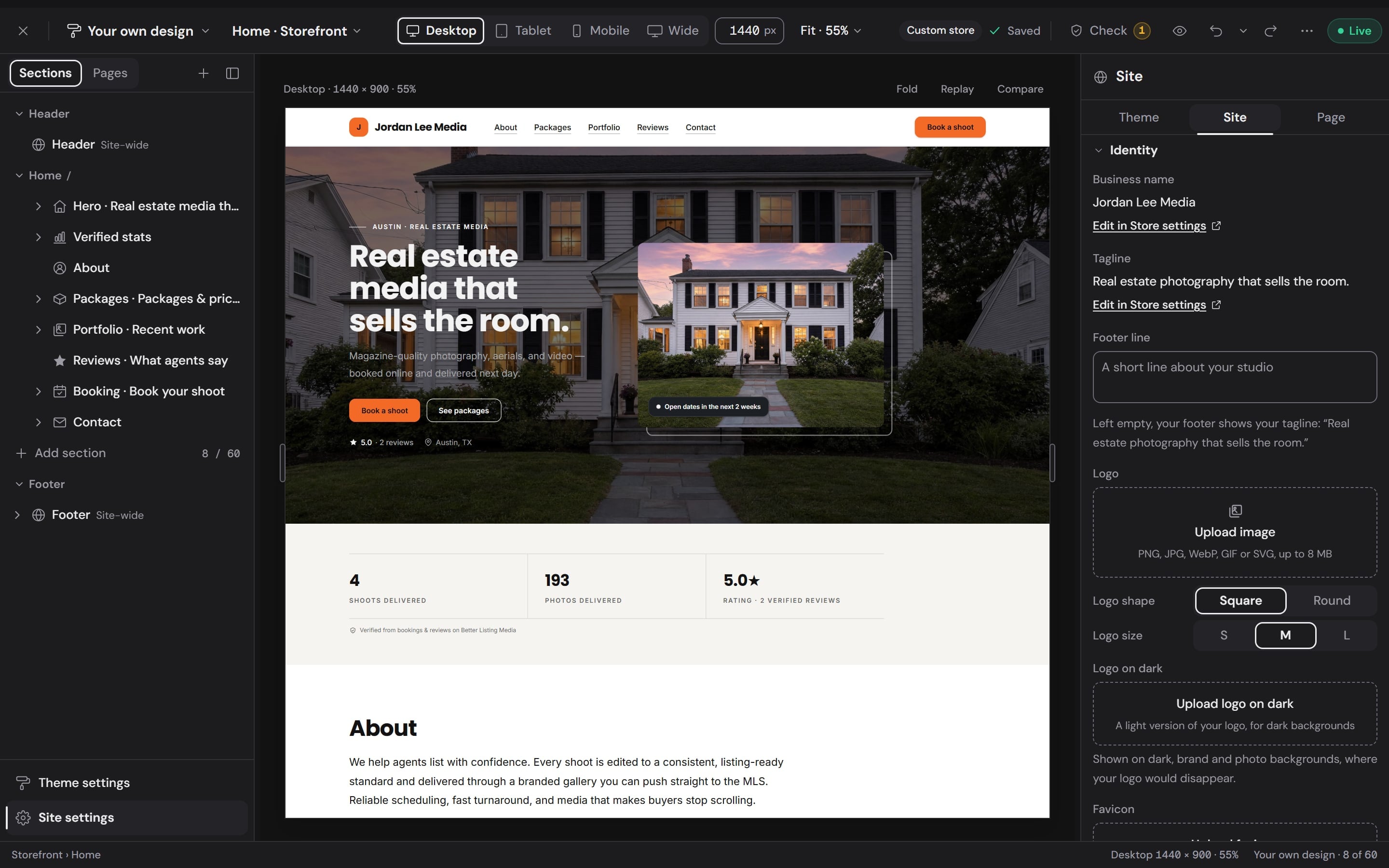
The storefront builder in a Workspace: the home page's sections listed on the left, the photographer's site on the canvas with a twilight exterior behind the headline, and the site settings on the right
Your website, the way clients see it.Built in your Workspace, one section at a time.
designed themes
6
palettes, four per theme
24
font pairings
24
kinds of section
18
section layouts
36
pages per site
30

Themes

6 themes, one store.Each built for a different kind of business.

A theme sets the layout, type and color of your whole site, your booking form and your delivery portal. Flip through all of them on the same photographer's photos and words.

Workspace
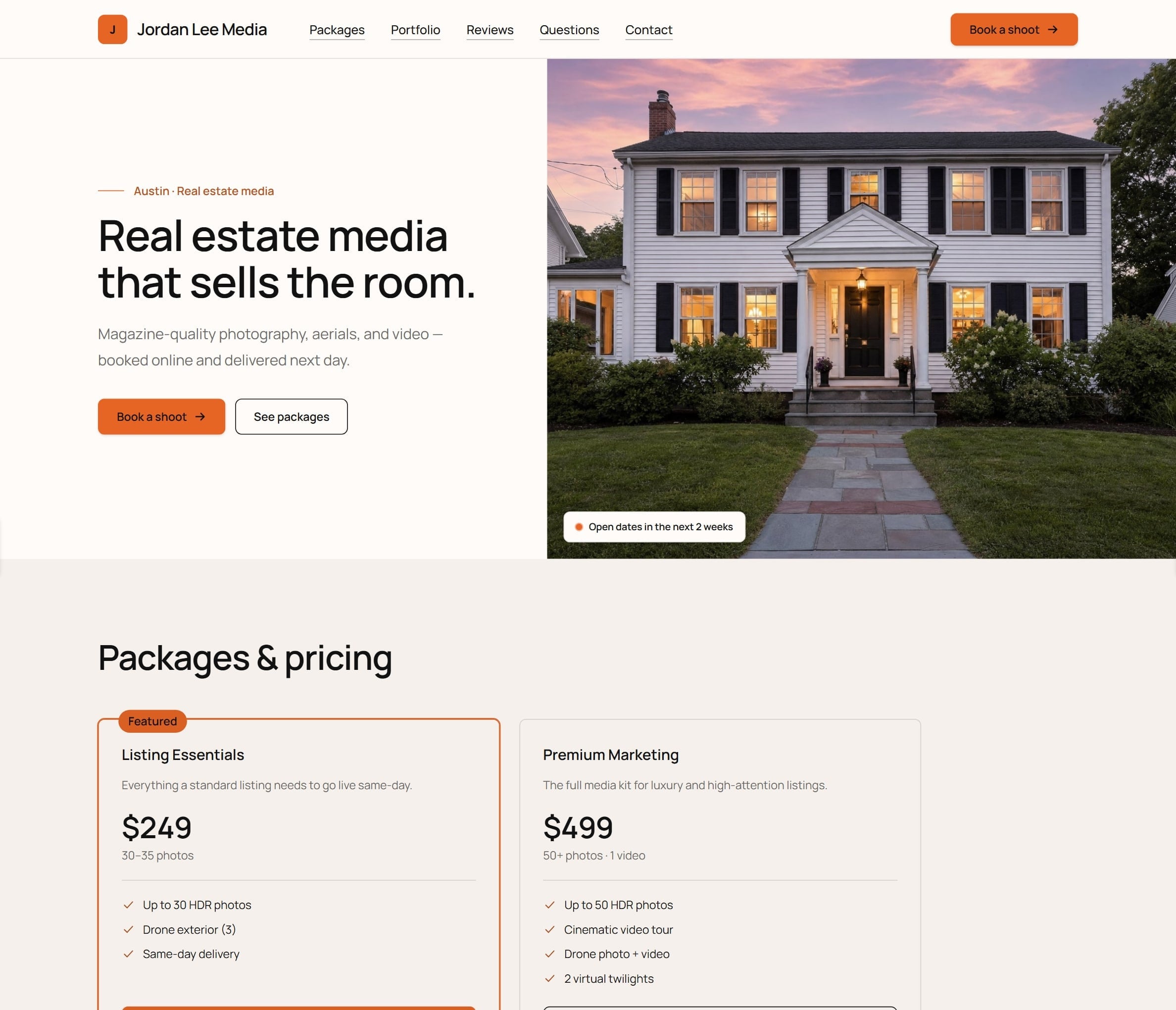
The photographer's site in the Daylight theme: The photograph first, the prices next, and one clear way to book.

Showing Daylight on the same photos and words

Daylight

The photograph first, the prices next, and one clear way to book.

Best for: Every new store and the free plan; volume MLS shooters

  • Harbour
  • Garden
  • Berry
  • Evening

Try a theme on first.Keep it only if you like it.

Try on shows any theme over the site you already have, on every device and on your booking form and delivery portal too. Pick one of its palettes or keep your own brand color. Nothing is saved until you choose.

Keep my pages, apply style
Your sections and words stay as they are and take the theme's colors, type and finish. It is one step to undo.
Use layout
Home is rebuilt in the theme's layout with your words and photos carried into it. Nothing is deleted, and one Undo puts it all back.
Cancel
Nothing was changed, so nothing needs undoing. Escape does the same.
Workspace
The Try on bar: Trying Nocturne, the palette menu, Keep my pages, apply style, Use layout and Cancel
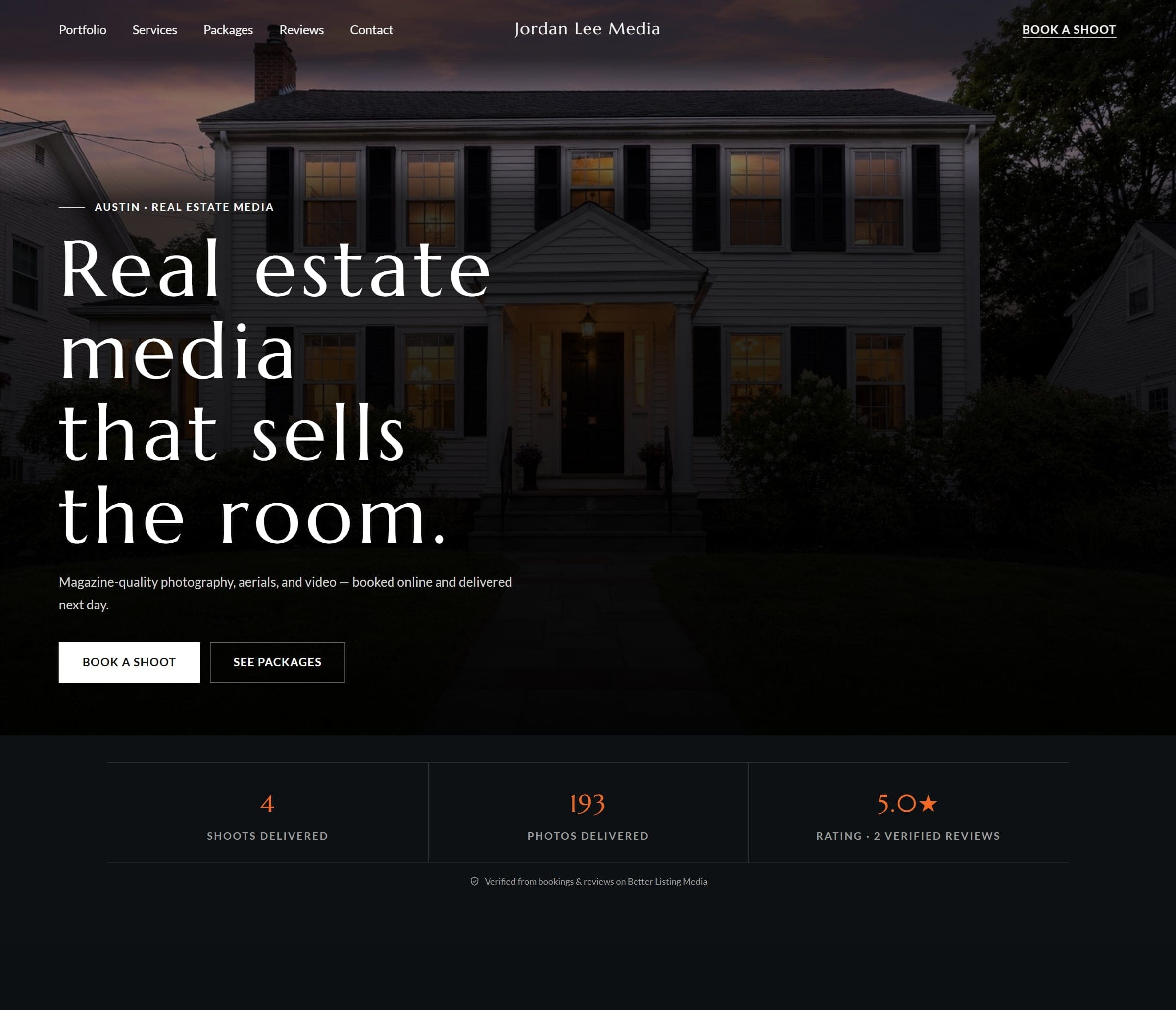
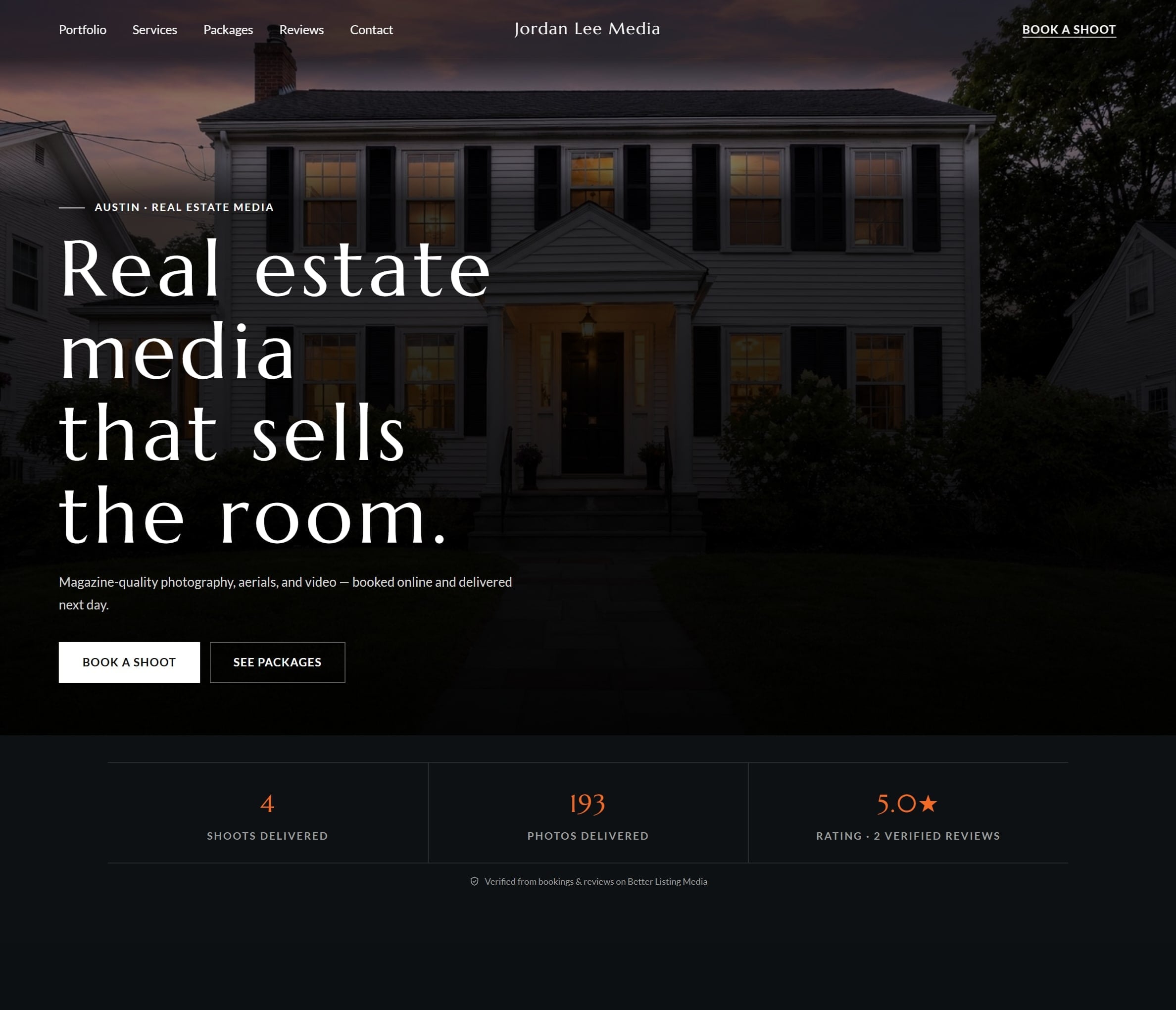
The same site while Try on shows the Nocturne theme: dark and full-bleed, with the same photographs and words
The photographer's site in their own design: an orange Book a shoot button over a twilight exterior
Your designTrying Nocturne
Drag the handle: the same page in its own design and while trying Nocturne.

Edit every part of it.No code, no template lock.

The builder runs in your Workspace with the section list on the left, your site in the middle and its settings on the right. Click something on the page and it opens for editing.

Workspace
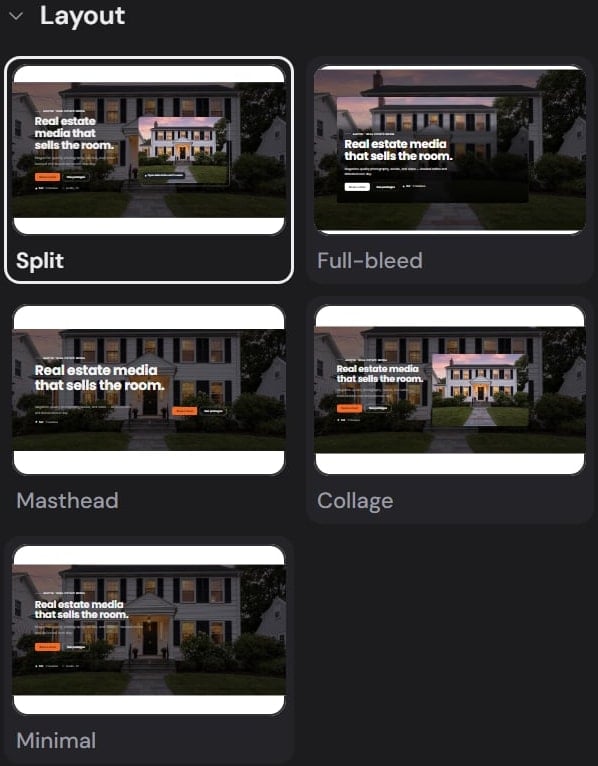
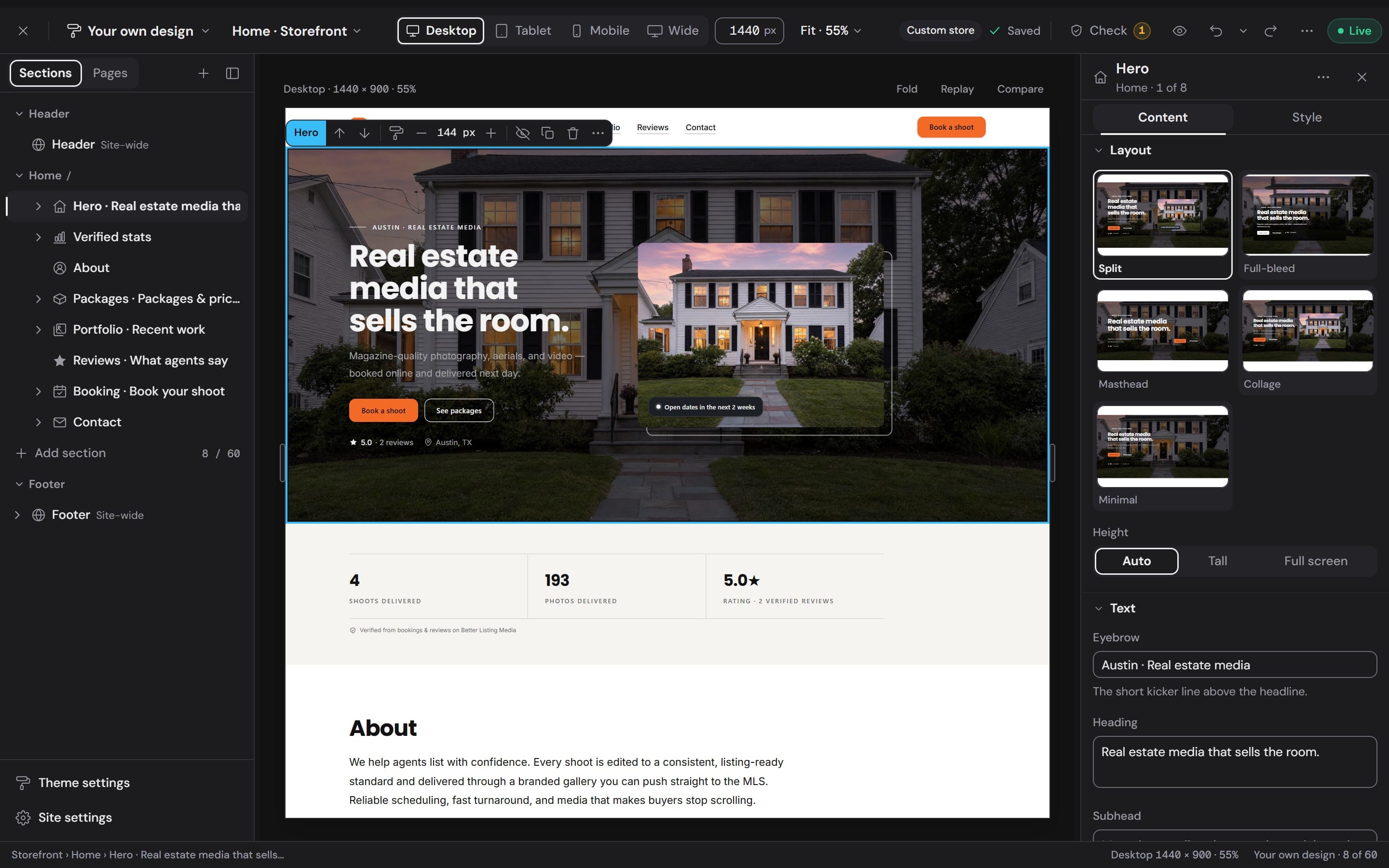
The builder with the hero selected: its toolbar on the canvas and its five layouts, Split, Full-bleed, Masthead, Collage and Minimal, in the inspector

Sections

Click any section to edit it.

The inspector opens on its words and photos, then its style. Choose a layout, set the height, and move, hide, duplicate or delete it from the toolbar above it.

  • Up to 60 sections on a page
  • Drag in the list to reorder
  • Undo and redo, with the full history
Workspace
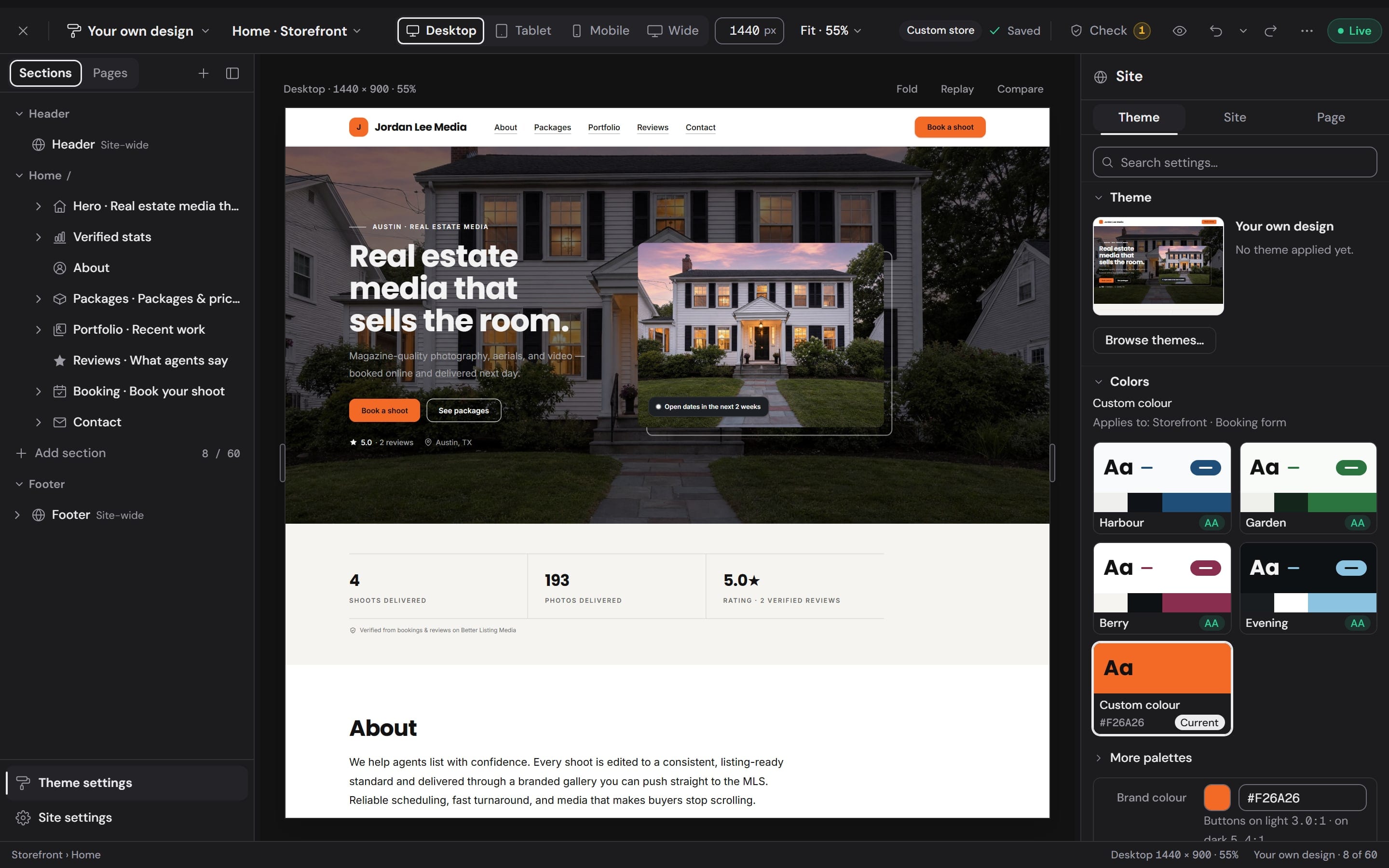
Theme settings: the current theme, then the Harbour, Garden, Berry and Evening palettes, each marked AA, and a custom brand color

Theme settings

Change the whole look in one place.

Colors, fonts, buttons, spacing, corners, imagery, icons, motion and the booking form's fields. Change one and every page follows.

  • 24 palettes, or your own brand color
  • 24 font pairings
  • Every palette shows its contrast rating
Workspace
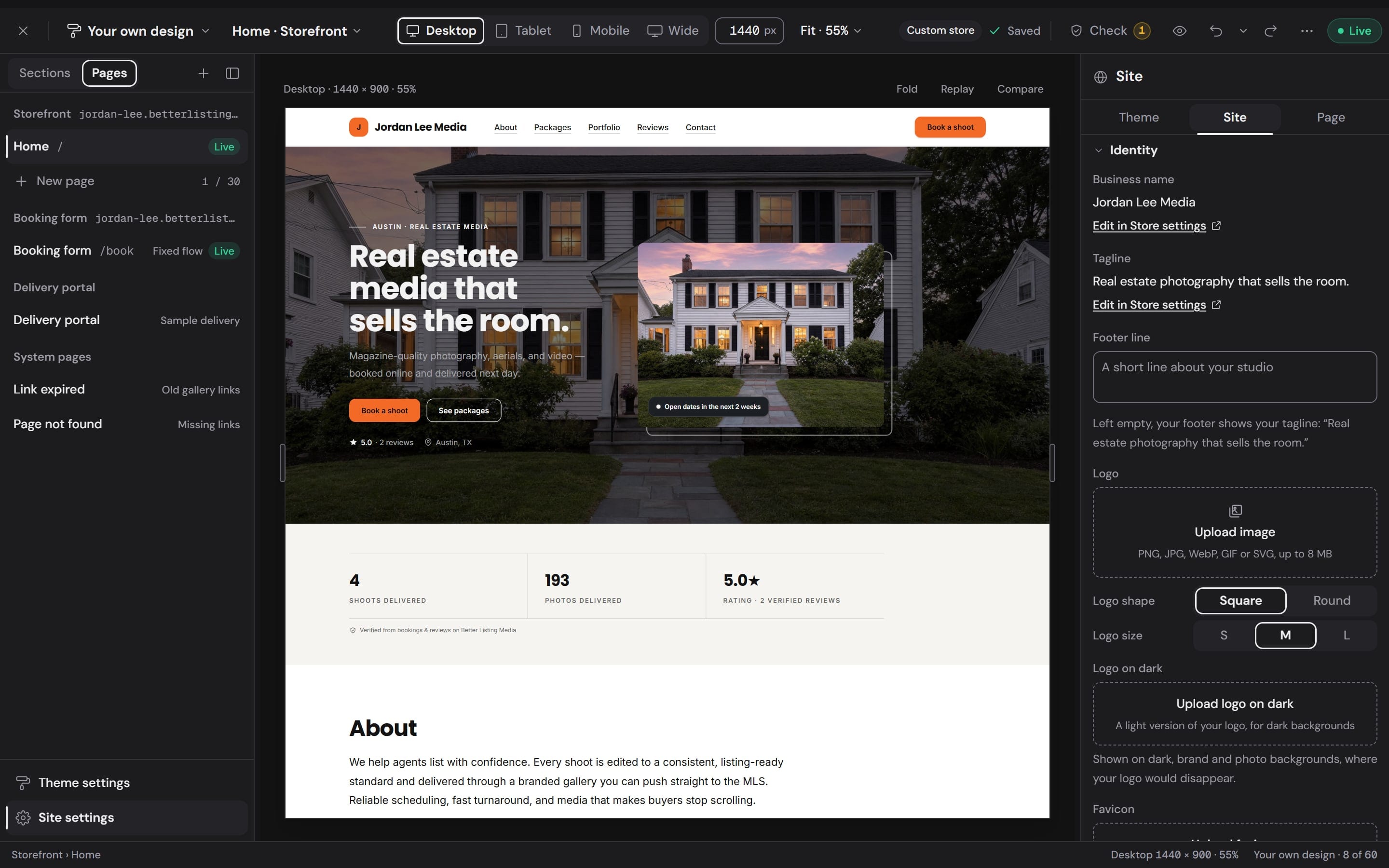
The Pages list: Home, the booking form, the delivery portal and the system pages, beside the site's name, tagline and logo settings

Pages and site

Add pages. Set your name and logo once.

Start a page blank or from About, Portfolio, Services and pricing, Contact or FAQ. Your name, tagline, logo and favicon carry onto every one of them.

  • Up to 30 pages
  • A logo for light and one for dark backgrounds
  • Your own Page not found and Link expired pages
Workspace
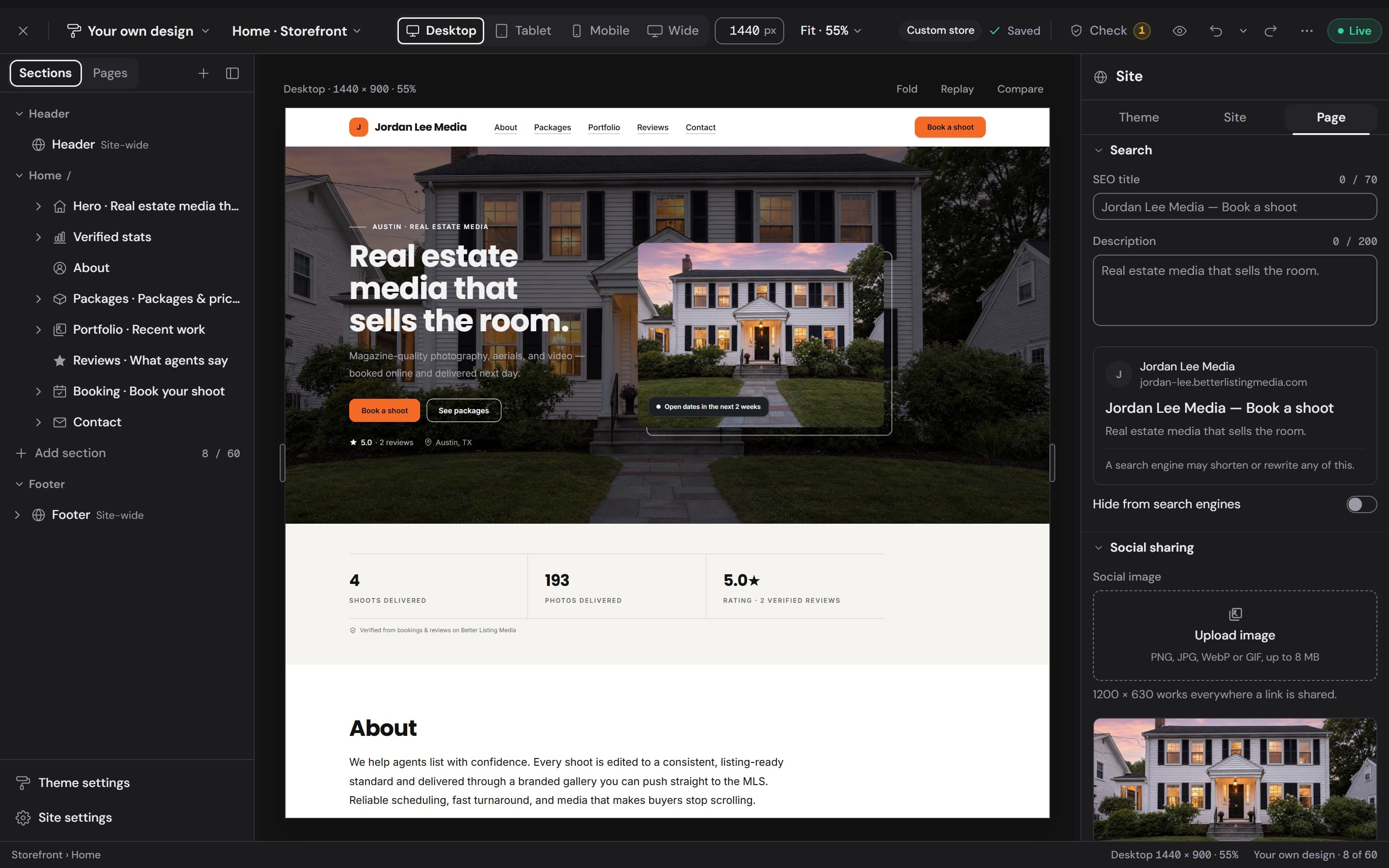
A page's search settings: the SEO title, the description, a preview of the search result and the social image

Search and sharing

Give every page its own title and description and see the search result as you type. Add a social image and preview the card a shared link shows.

  • A live search result preview
  • A share card at 1200 by 630
  • Hide a page from search engines
Workspace
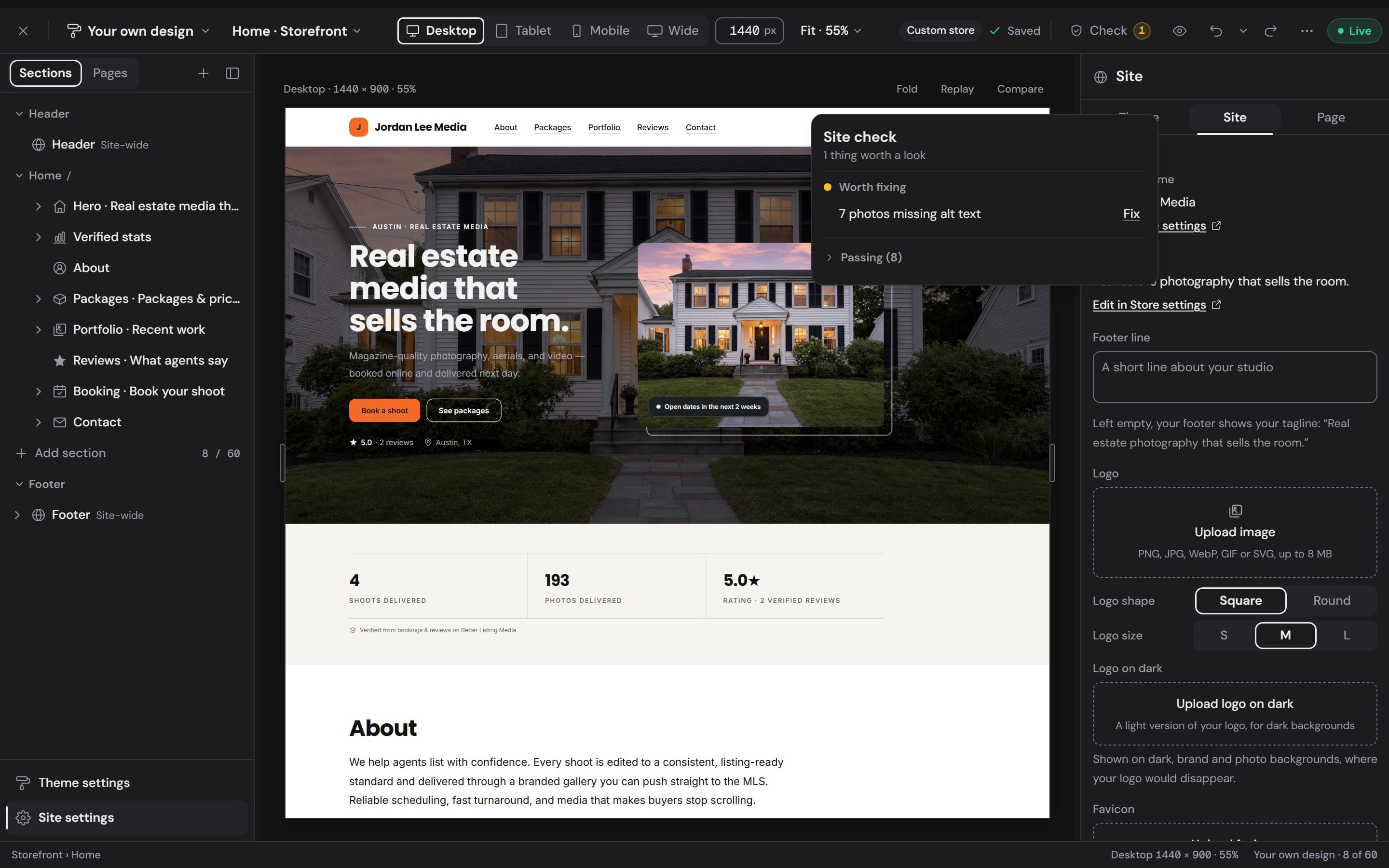
Site check open over the builder, listing what to fix before publishing

Site check

Check it before it goes live.

Site check lists what a visitor would trip over: demo photos still on the page, sample text left as written, photos with no alt text, empty sections and buttons with no link. Each one comes with its fix.

  • Fix opens the exact section or photo
  • Hold Compare to see the last saved version
  • Only a real blocker, like a missing web address, stops a publish

Section library

18 kinds of section.Each one designed before you add it.

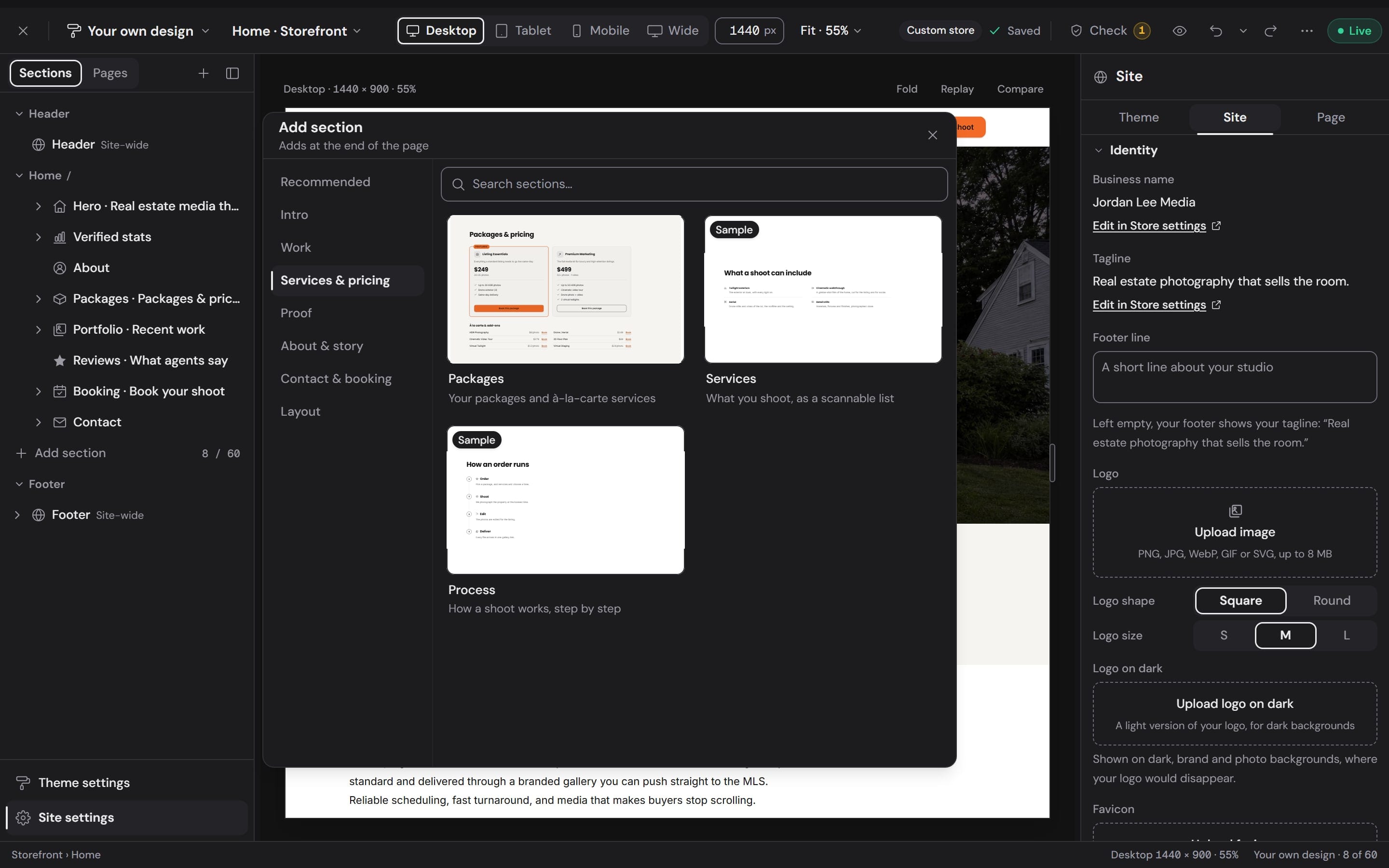
Add section opens a library of live previews drawn in your current theme, on your own photos where you have them. Search it, pick one, and it lands where you clicked.

Workspace
The Add section library open on Services and pricing: live previews of the Packages, Services and Process sections, with the library's categories beside them

Intro

  • Hero

Work

  • Portfolio
  • Listing gallery
  • Before / after

Services & pricing

  • Packages
  • Services
  • Process

Proof

  • Reviews
  • Verified stats
  • Logos

About & story

  • About
  • Text
  • FAQ

Contact & booking

  • Booking
  • Call to action
  • Contact
  • Coverage

Layout

  • Spacer
The hero's layouts in the inspector, each drawn from the photographer's own hero: Split, Full-bleed, Masthead, Collage, Minimal

36 layouts to choose from.

Every layout is drawn from your own section, so you choose by looking. The hero alone comes 5 ways: Split, Full-bleed, Masthead, Collage, Minimal.

Packages4
Pricing table, Card grid, Price list, Spotlight
Portfolio4
Masonry, Grid, Filmstrip, Carousel
Reviews3
Spotlight quote, Card grid, Marquee
Verified stats2
One row, Large figures
Before / after3
Slider, Side by side, Reveal
Process2
Steps, Timeline
FAQ4
Accordion, Stacked, Open rail, Columns
Services3
Cards, List, Columns
Text3
Reading column, Heading rail, Two columns
Contact3
Columns, One line, Card

See it on every screen.Edit it on any of them.

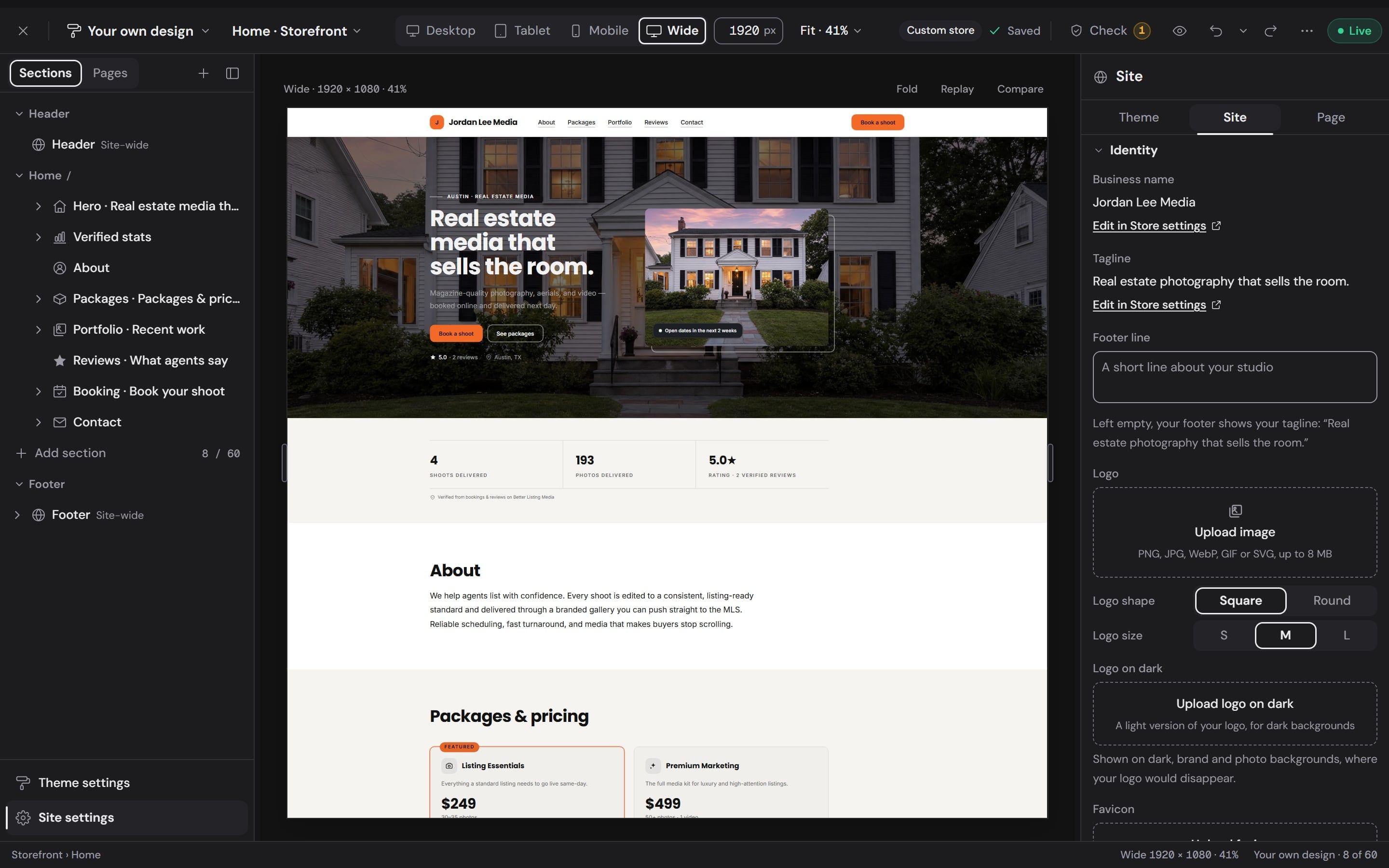
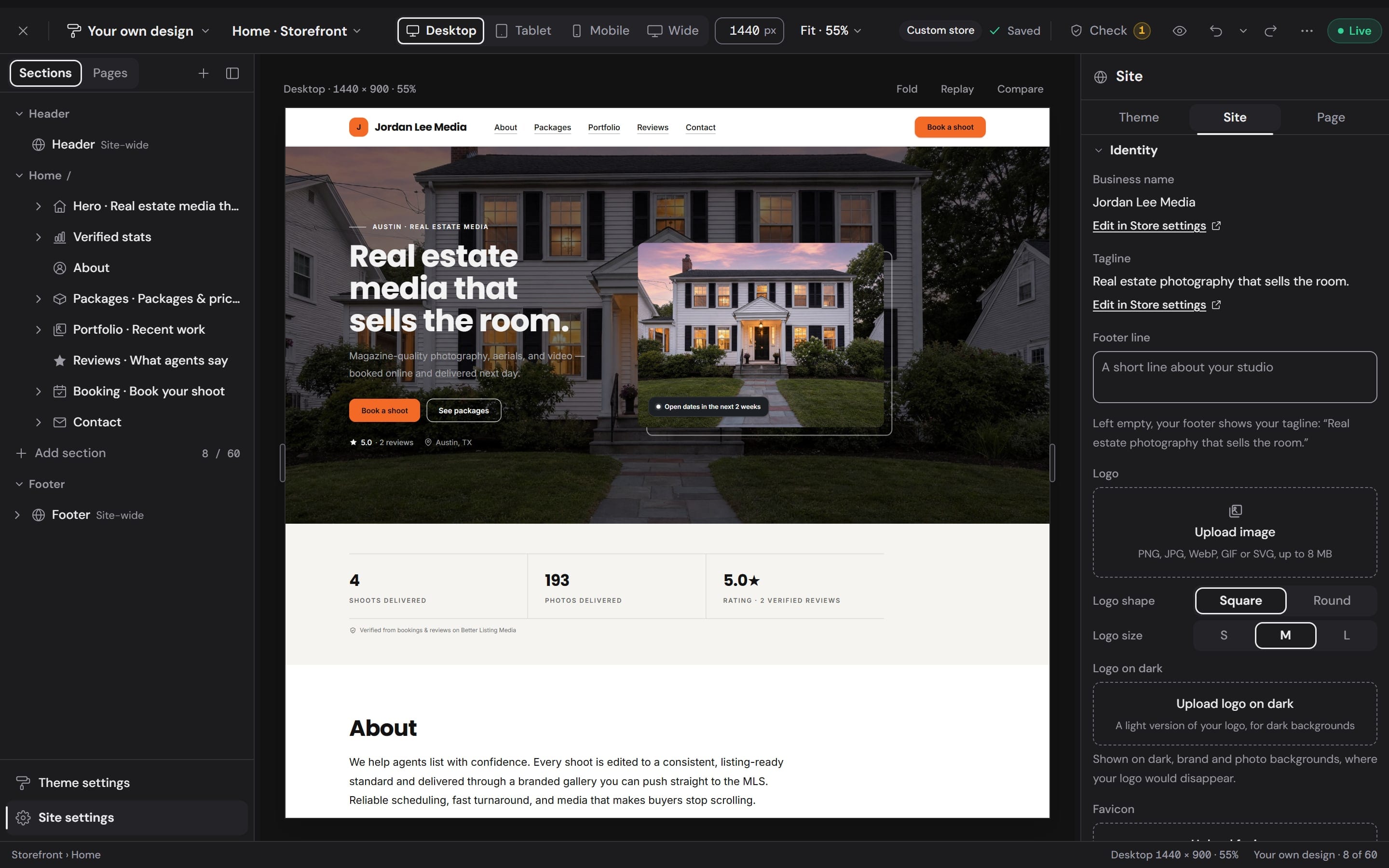
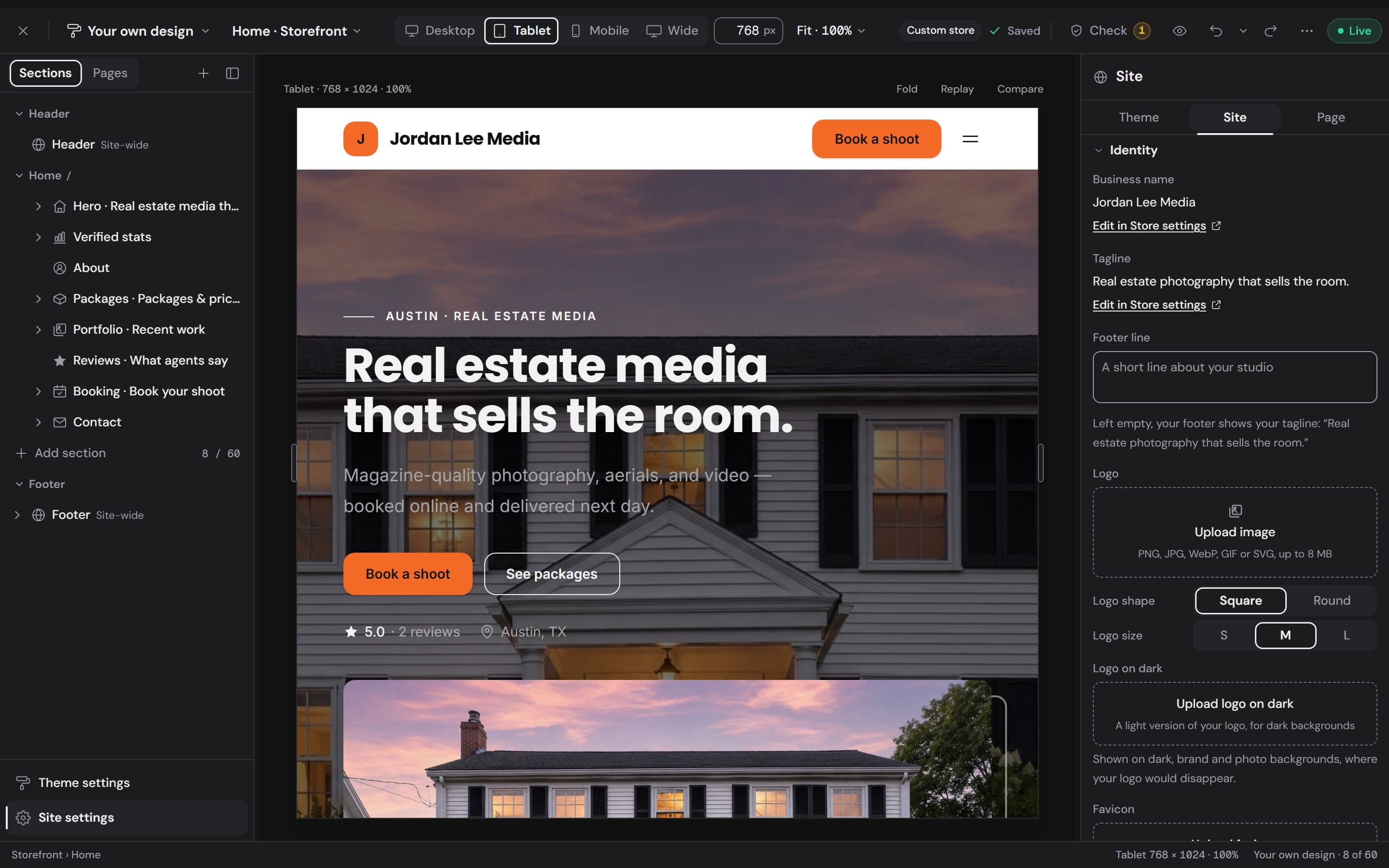
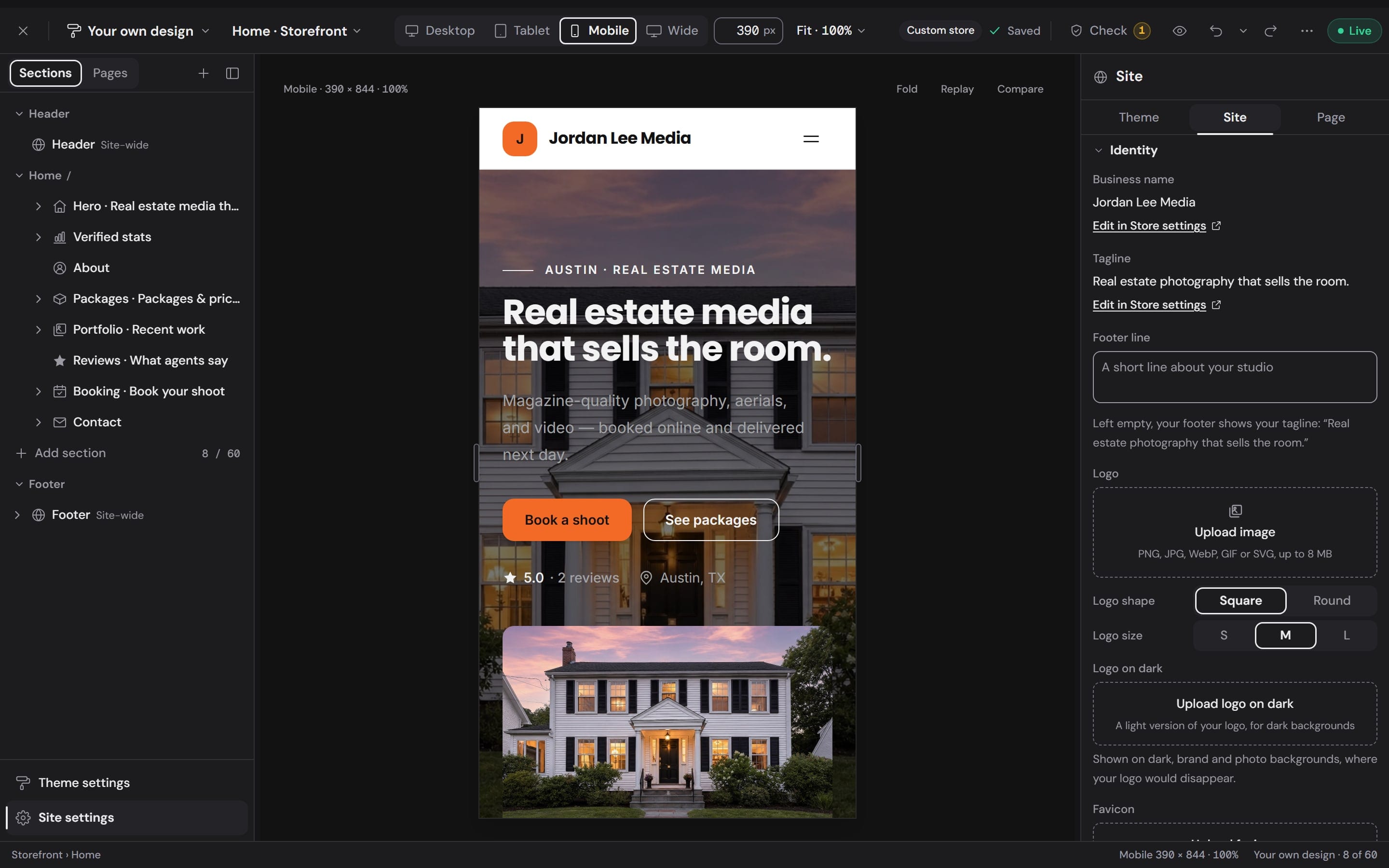
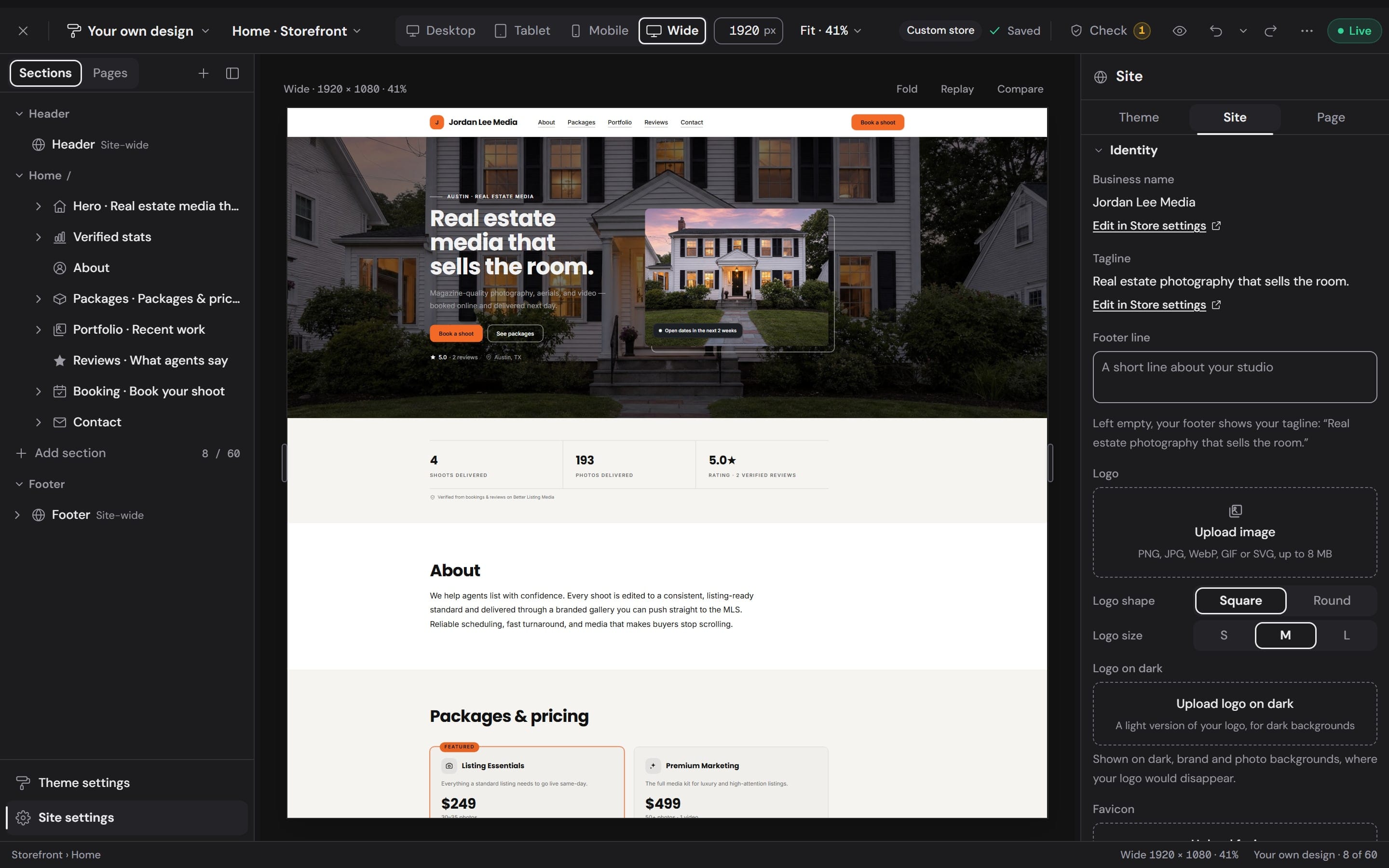
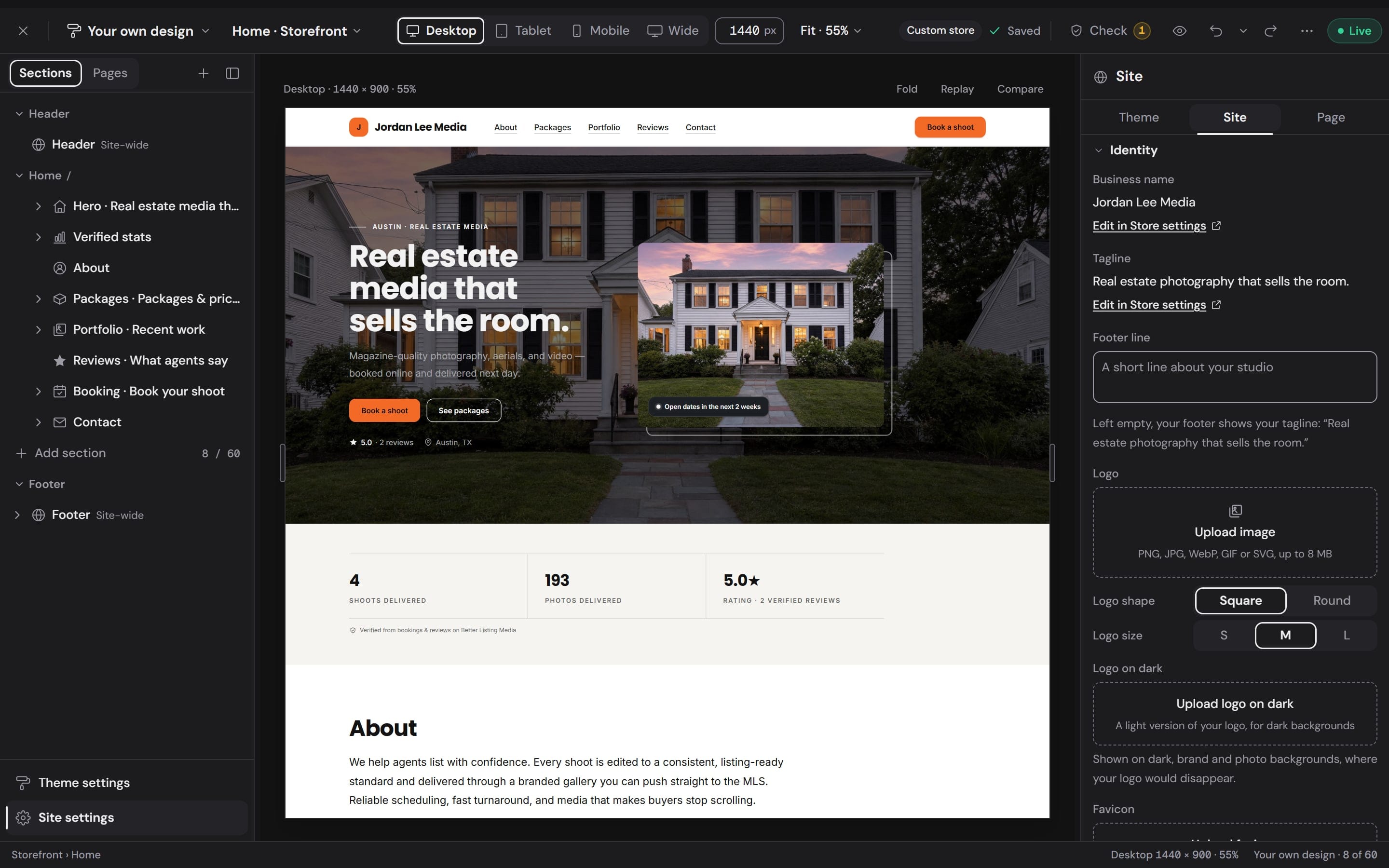
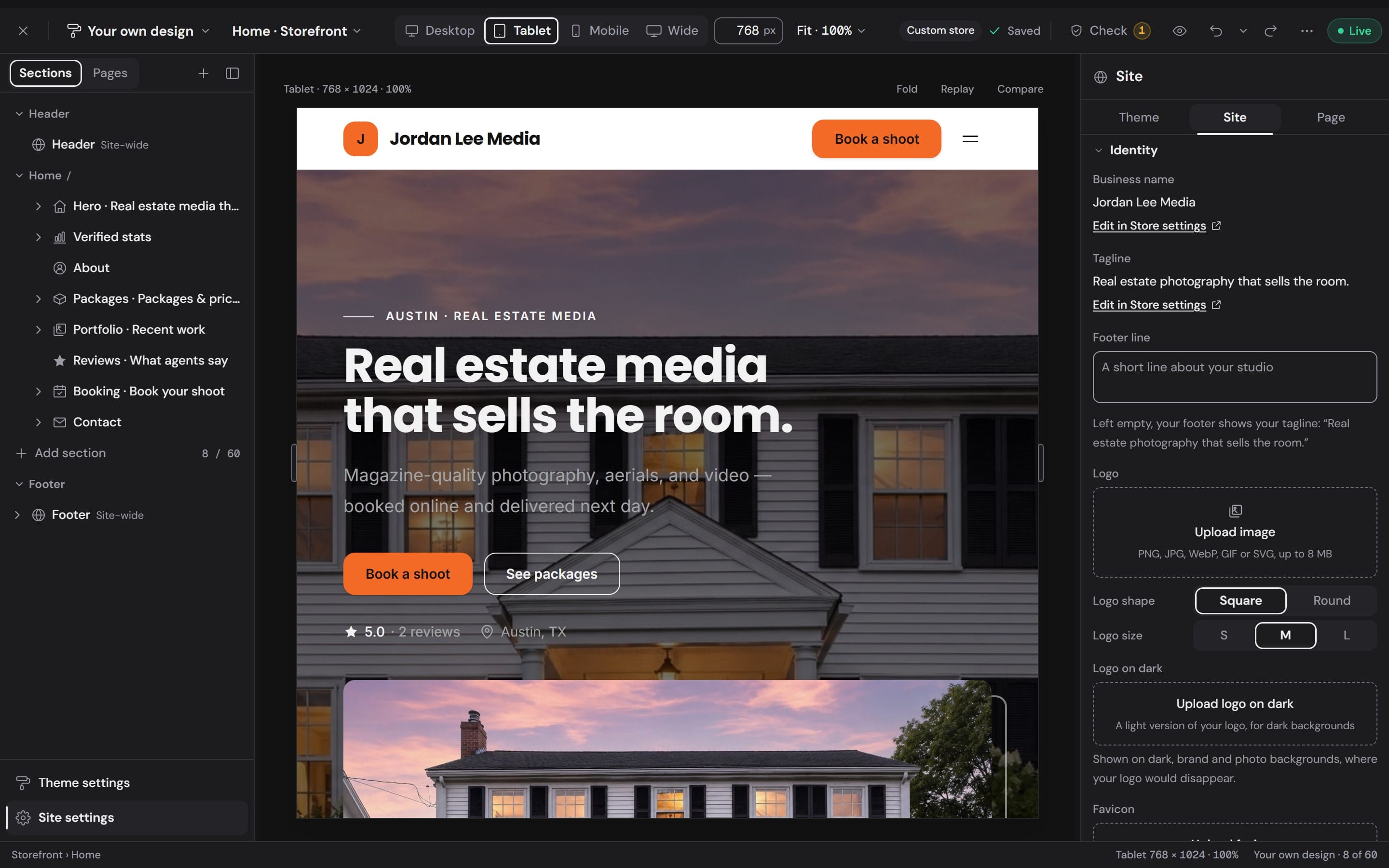
Switch the canvas between Wide, Desktop, Tablet and Mobile, or drag its edge to any width from 320 to 1920 pixels. The site lays itself out the way it will for a visitor, and every section stays editable.

  • Workspace
    The builder's canvas at Wide, 1920 pixels wide, with the hero selected

    Wide1920 px

  • Workspace
    The builder's canvas at Desktop, 1440 pixels wide, with the hero selected

    Desktop1440 px

  • Workspace
    The builder's canvas at Tablet, 768 pixels wide, with the hero selected

    Tablet768 px

  • Workspace
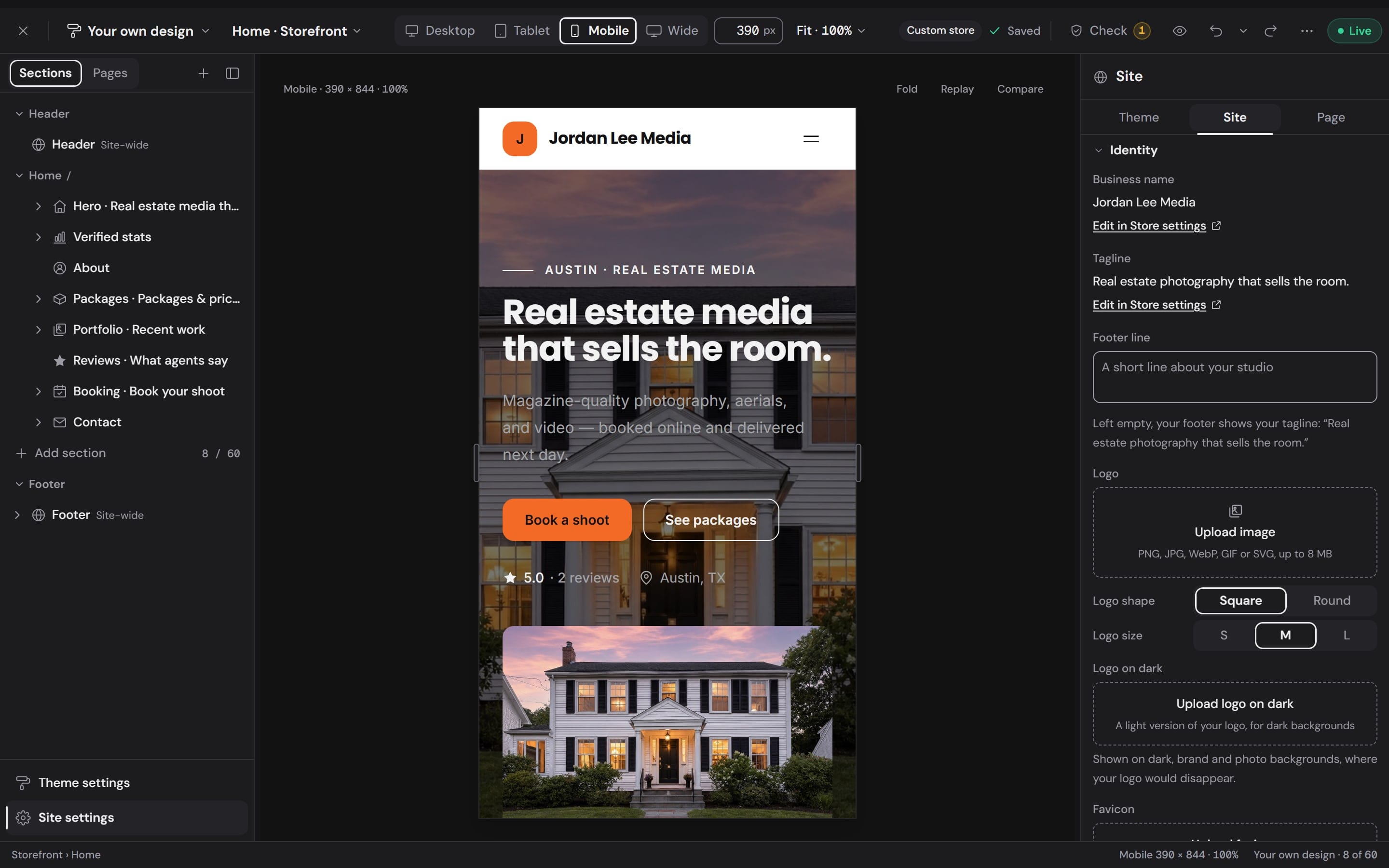
    The builder's canvas at Mobile, 390 pixels wide, with the hero selected

    Mobile390 px

Booking and delivery

Your booking form and your portal.Designed in the same builder.

Clients book on your site and get their photos on your portal, in your theme the whole way. Change the words and the look of both. The order of the checkout stays fixed, so booking stays quick.

Workspace
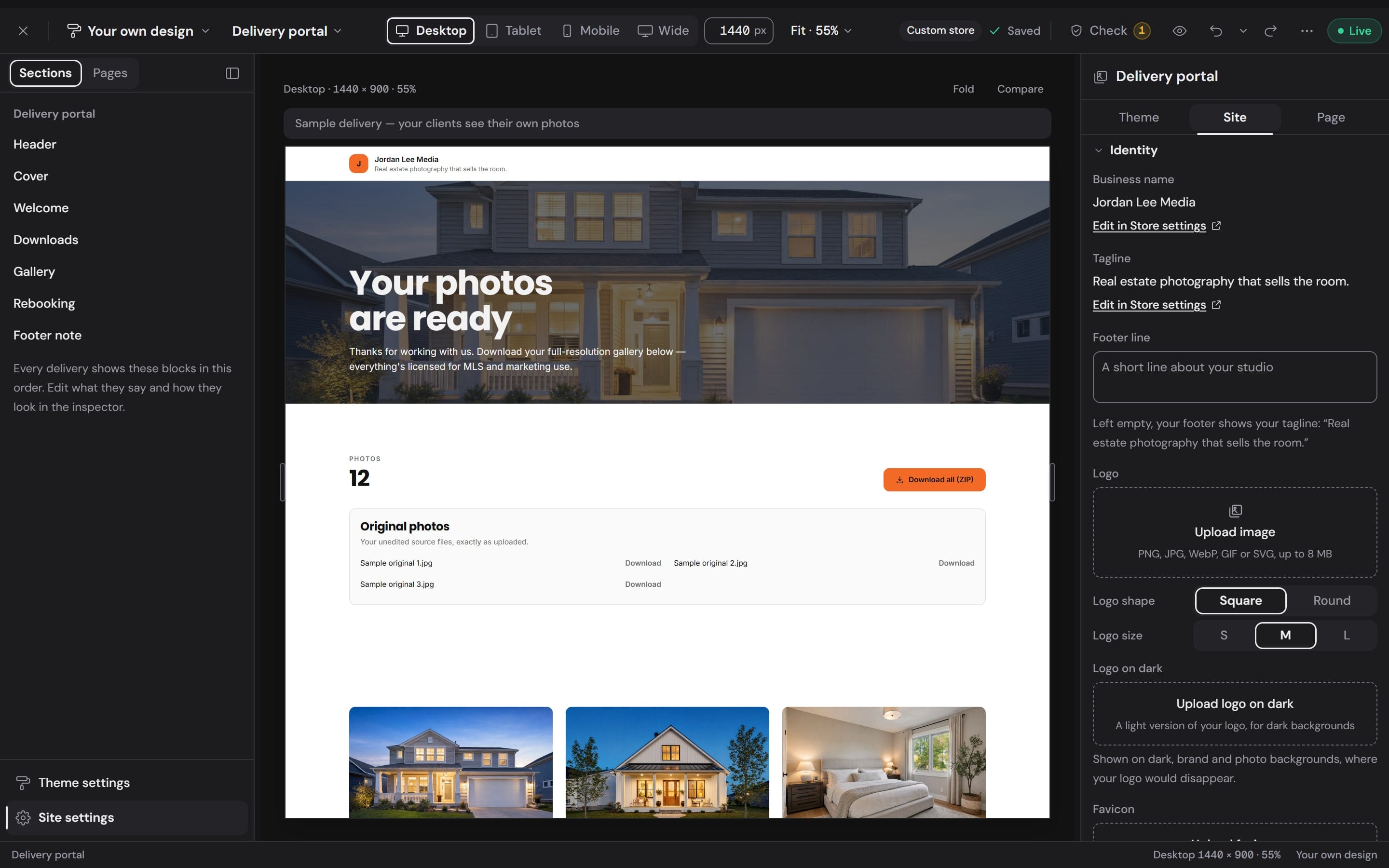
The delivery portal in the builder: its blocks listed on the left and the cover reading Your photos are ready above Download all
Workspace
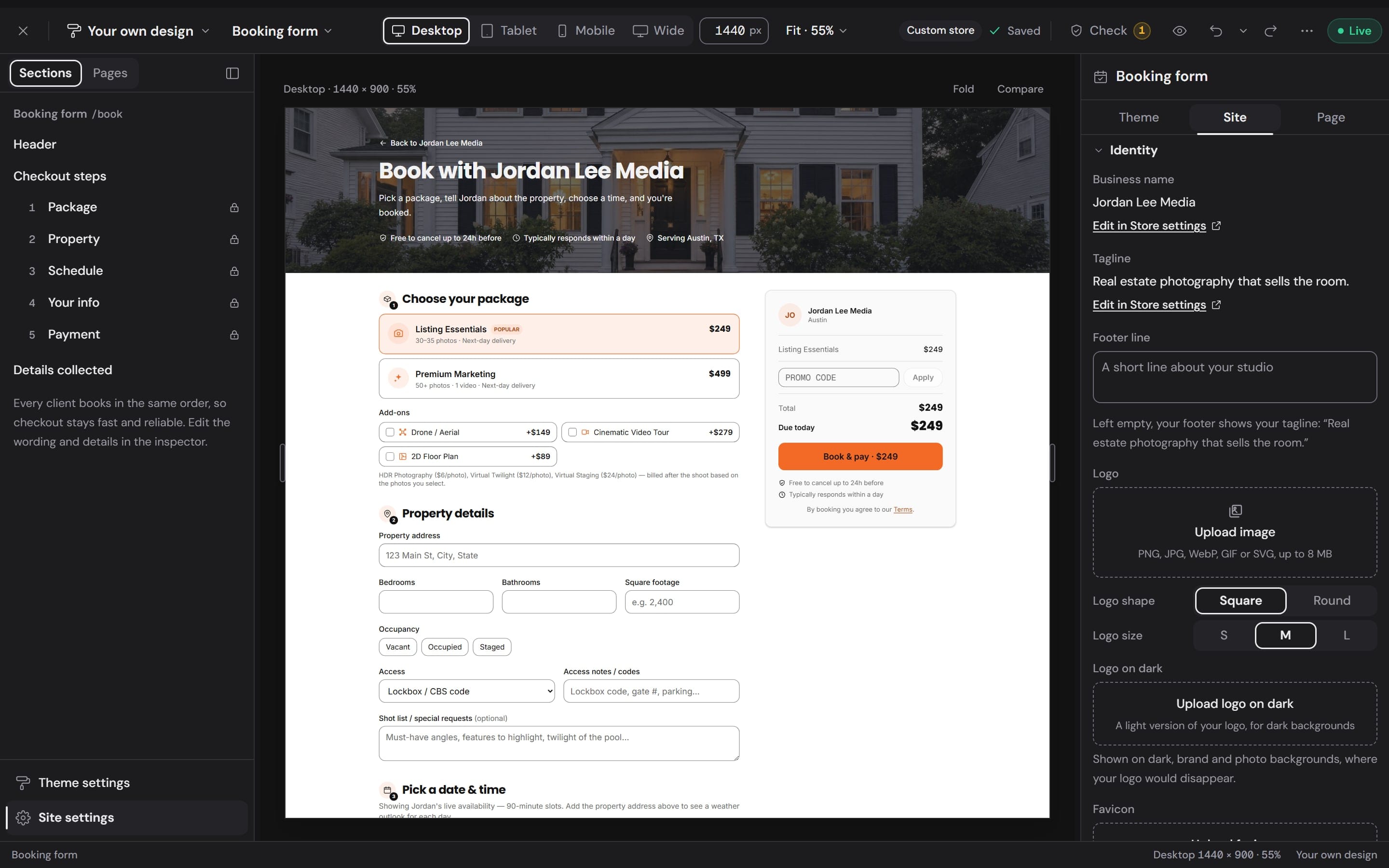
The booking form in the builder: the five checkout steps on the left, the packages and add-ons, and the order summary with Book and pay

The booking form

  1. Package
  2. Property
  3. Schedule
  4. Your info
  5. Payment
  • Prices by square footage, checked again on the server before a card is charged
  • Travel priced from your service area: a free radius, then surcharge rings
  • Packages, add-ons, bundles and promo codes
  • Your deposit and the details you ask every client for

Clients pay you through your own payment account. On every paid plan the booking fee is 0%; on the free plan and pay as you go it is 2.1%.

How bookings run in Workspace

The delivery portal

Every delivery opens on your portal, with these blocks in this order. Edit what each one says and how it looks.

  1. Header
  2. Cover
  3. Welcome
  4. Downloads
  5. Gallery
  6. Rebooking
  7. Footer note
How delivery works

Stats you could never type in.So clients can trust them.

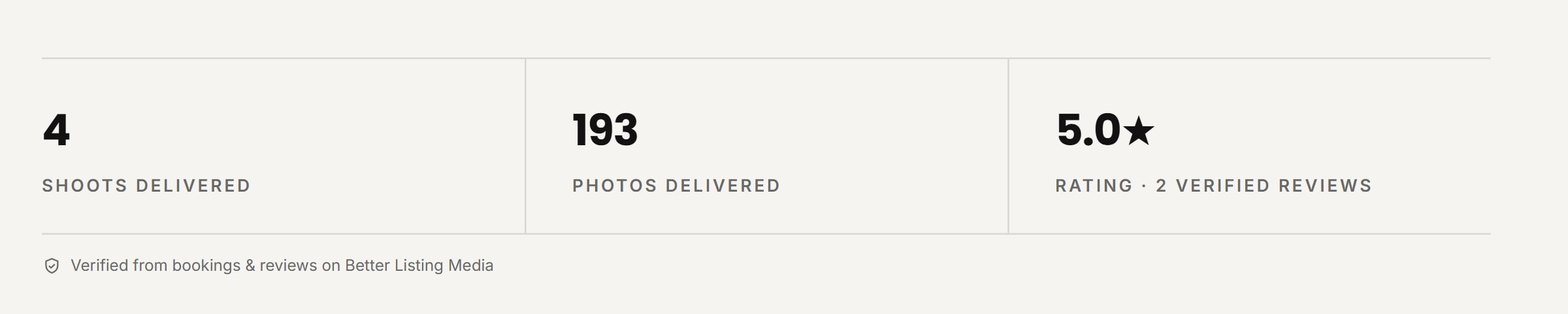
The band under your hero shows numbers Better Listing Media counts from your real work. You choose which ones appear. The values have no text box.

The verified stats band on a photographer's site: 4 shoots delivered, 193 photos delivered and a 5.0 rating from 2 verified reviews, marked verified from bookings and reviews on Better Listing Media
The band as it renders on a site, from the demo store's own records.
Shoots delivered
Orders delivered for you through Better Listing Media.
Photos delivered
Every photo handed over across those shoots.
Rating
Your connected Google Business Profile.
Clients who rebook
Paid bookings through your storefront, once three clients have booked.

Plans

Live on a free address today.Your own domain when you want it.

Every store publishes at its own betterlistingmedia.com address. Pick the name in Store settings, and the overview shows the site live with one click to open it or edit it.

The Subdomain field in Store settings: jordan-lee, then .betterlistingmedia.com, your free Better Listing Media web address
The Storefront overview: the site marked Live at jordan-lee.betterlistingmedia.com, with Open live store and Open editor
  1. Free

    No monthly fee

    Your site on the Daylight theme in its Harbour palette, with your own words and photos.

    • A one-page site: hero, recent work, verified stats, about, packages, reviews and booking
    • The booking form and the delivery portal
    • A free betterlistingmedia.com address
    • A small Powered by Better Listing Media line
    • A 2.1% fee on storefront bookings
  2. Starter

    $29.99 a month

    The full builder, on everything a client sees.

    • All 6 themes and 24 palettes, or your own colors
    • 18 kinds of section and 36 layouts
    • Up to 30 pages, with search and sharing settings
    • Your own booking form and delivery portal design
    • 0% fee on storefront bookings
  3. Professional and up

    From $299.99 a month

    Everything above, under a domain you own.

    • storefront.yourdomain.com (Storefront)
    • booking.yourdomain.com (Booking)
    • delivery.yourdomain.com (Delivery portal)
    • The Better Listing Media line removed
    • Also on Business ($499.99) and Enterprise ($999.99)
Compare every plan

A plan change applies to your site at once.

Questions,answered.

Do I need to know design or code?

No. You start from one of 6 designed themes and edit on the page itself: click a section to change its words, photos and layout. Every layout is drawn from your own content, so you choose by looking.

What do I get without a paid plan?

A real site on the Daylight theme in its Harbour palette: one page with your hero, recent work, verified stats, about, packages, reviews and booking, plus the booking form and the delivery portal, at a free betterlistingmedia.com address. You edit the content and the design stays as it is. Storefront bookings carry a 2.1% fee and the footer shows a small Powered by Better Listing Media line.

What does a paid plan add?

Starter, at $29.99 a month, unlocks the full builder: every theme and palette, every kind of section and layout, up to 30 pages, and your own design for the booking form and the delivery portal. Storefront bookings carry a 0% fee on every paid plan. Professional and up add a custom domain and remove the Better Listing Media line.

Can I use my own domain?

Yes, on Professional and up. Connect a domain you already own and the site, the booking form and the delivery portal each get their own address: storefront.yourdomain.com, booking.yourdomain.com, delivery.yourdomain.com. Your main website can stay where it is.

Will switching themes wreck the pages I have built?

No. Try on shows a theme over your own pages without saving anything. Keep my pages, apply style changes only the look. Use layout rebuilds Home in the theme's layout with your words and photos carried in, deletes nothing, and one Undo puts it all back.

Does Better Listing Media take a cut of my bookings?

Not on a paid plan: the fee is 0%. Without a paid plan a storefront booking carries 2.1%. Clients pay you directly through your own payment account, and the price they see at checkout is the price they are charged.

Can I type my own numbers into the stats band?

No, and that is the point. Shoots delivered, photos delivered, your rating and clients who rebook are counted from your real orders, your paid storefront bookings and your connected Google Business Profile. You choose which ones appear, never what they say.

Will my site work on phones?

Yes. Every theme lays itself out for phones, tablets and wide screens, and the builder lets you check and edit at Wide, Desktop, Tablet and Mobile, or any width from 320 to 1920 pixels.

Publish your storefront.Take bookings on it.

Sign up free, add your packages and photos, pick your address and publish. Move to the full builder whenever you are ready.

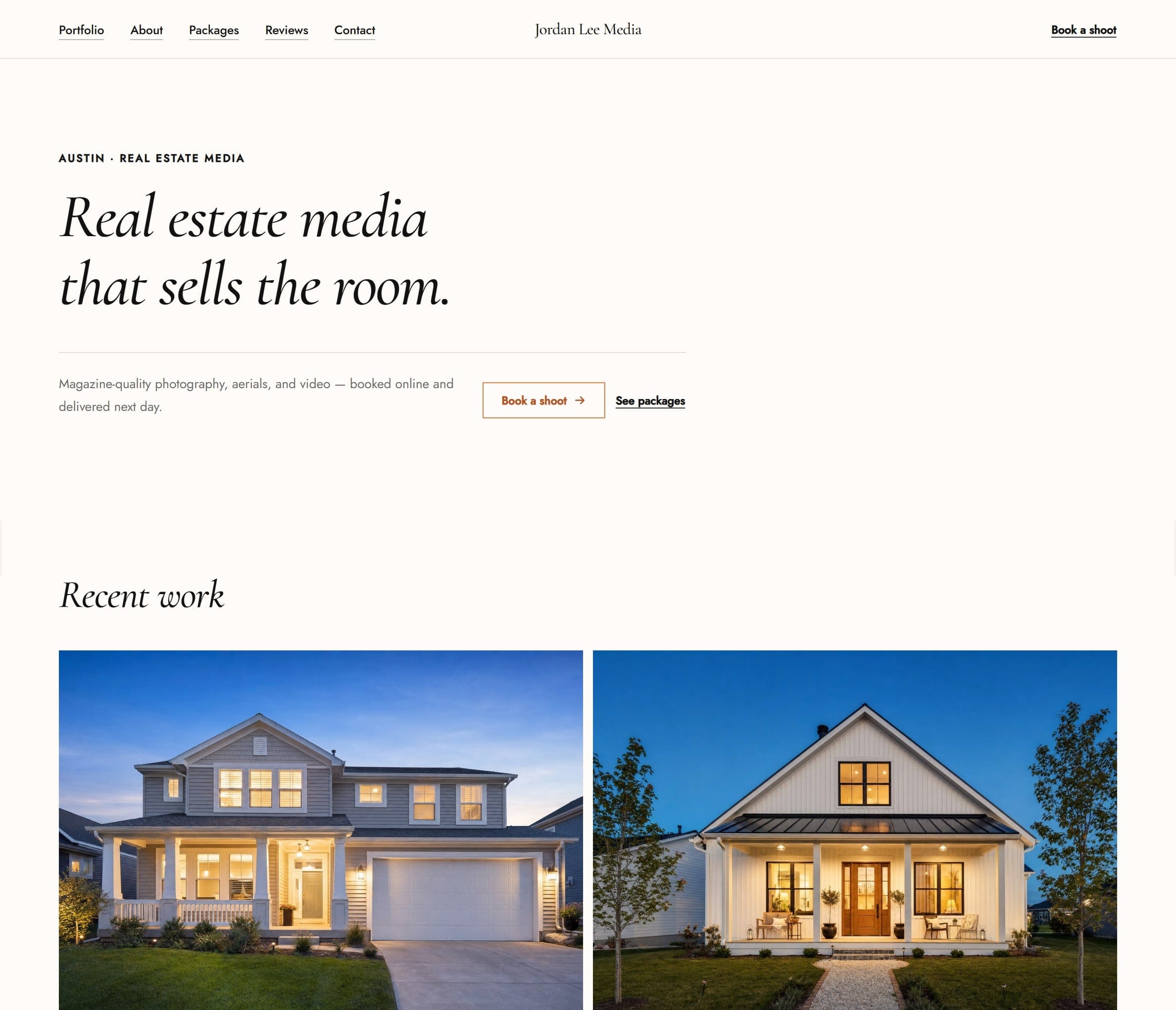
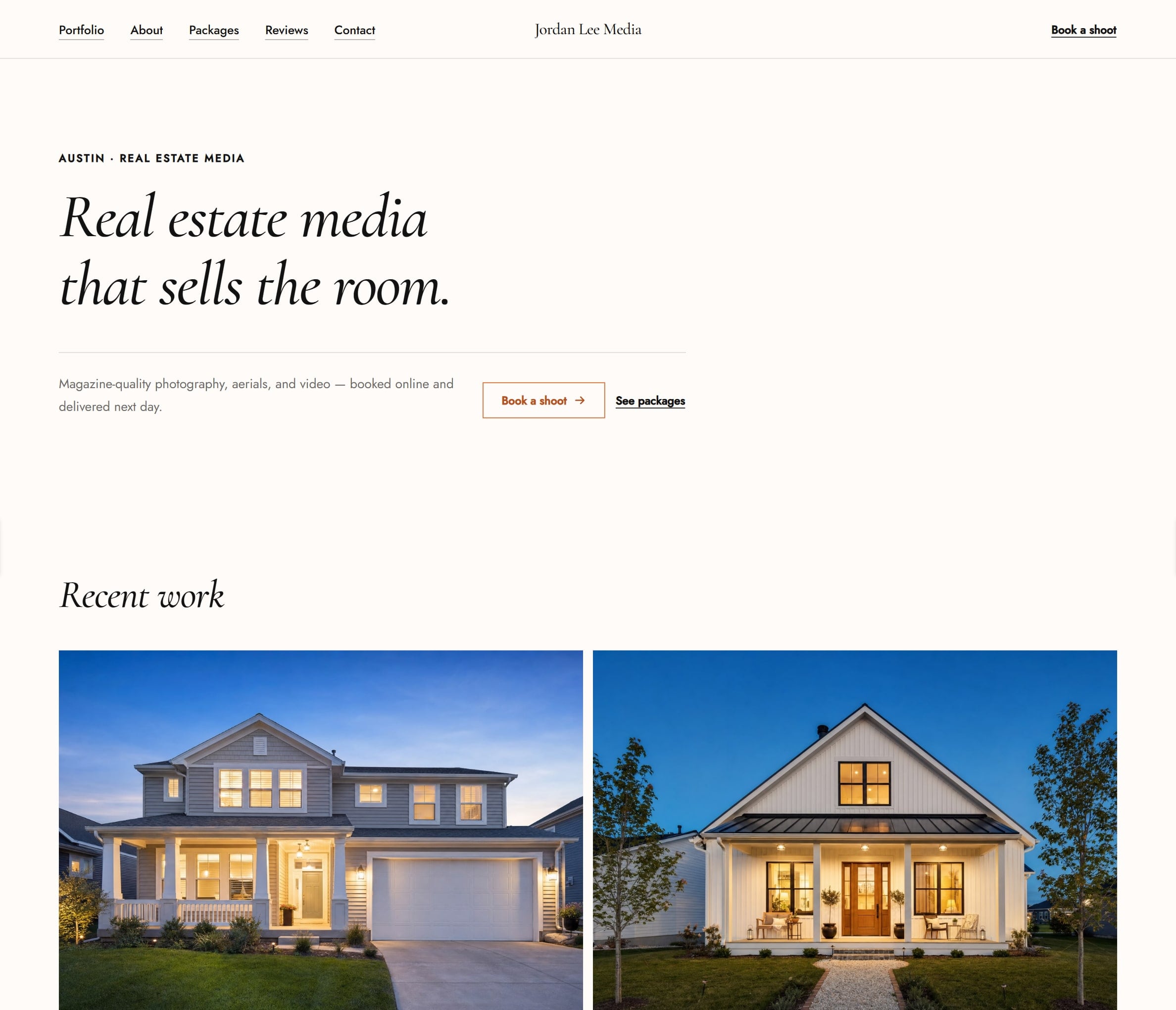
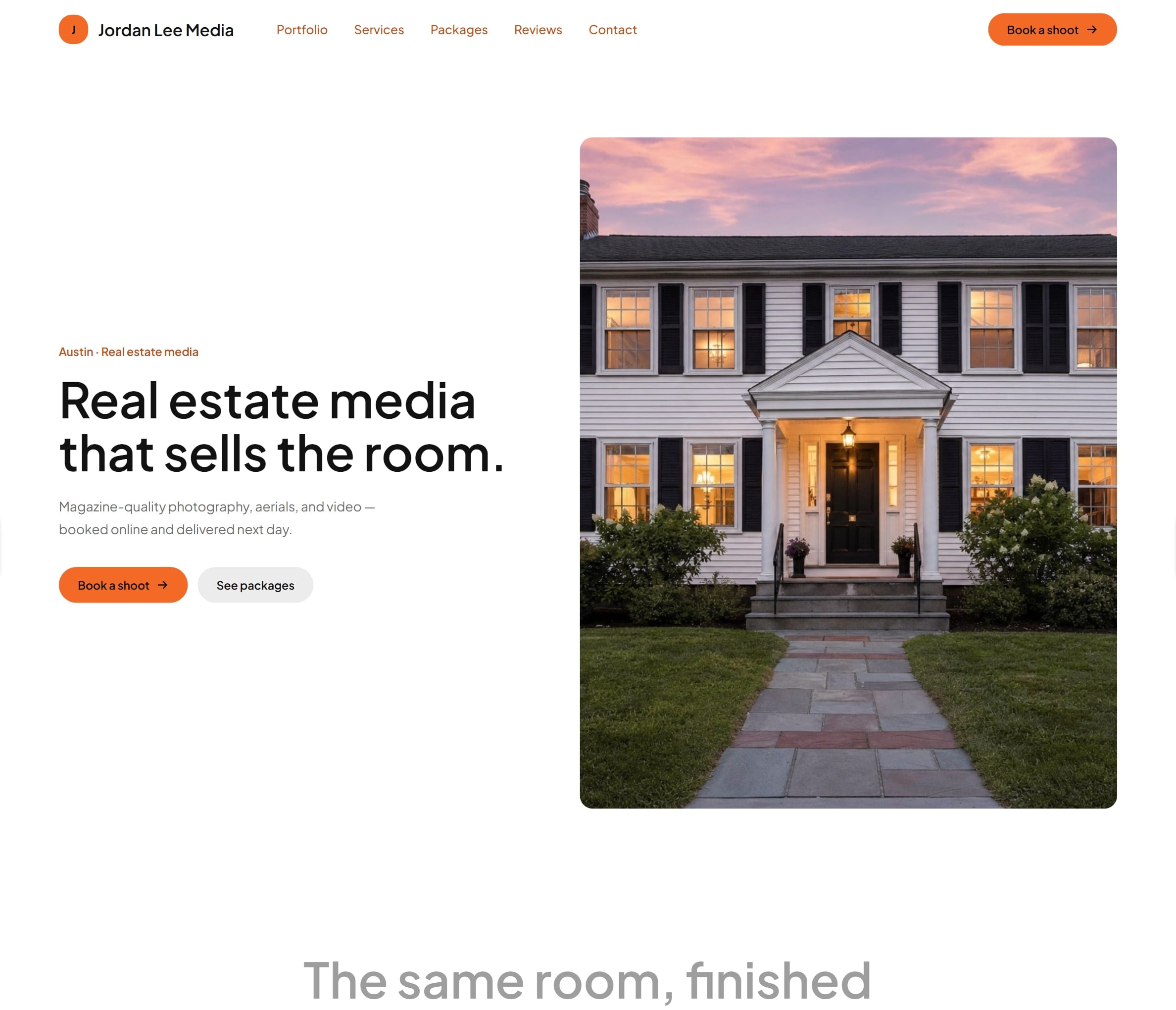
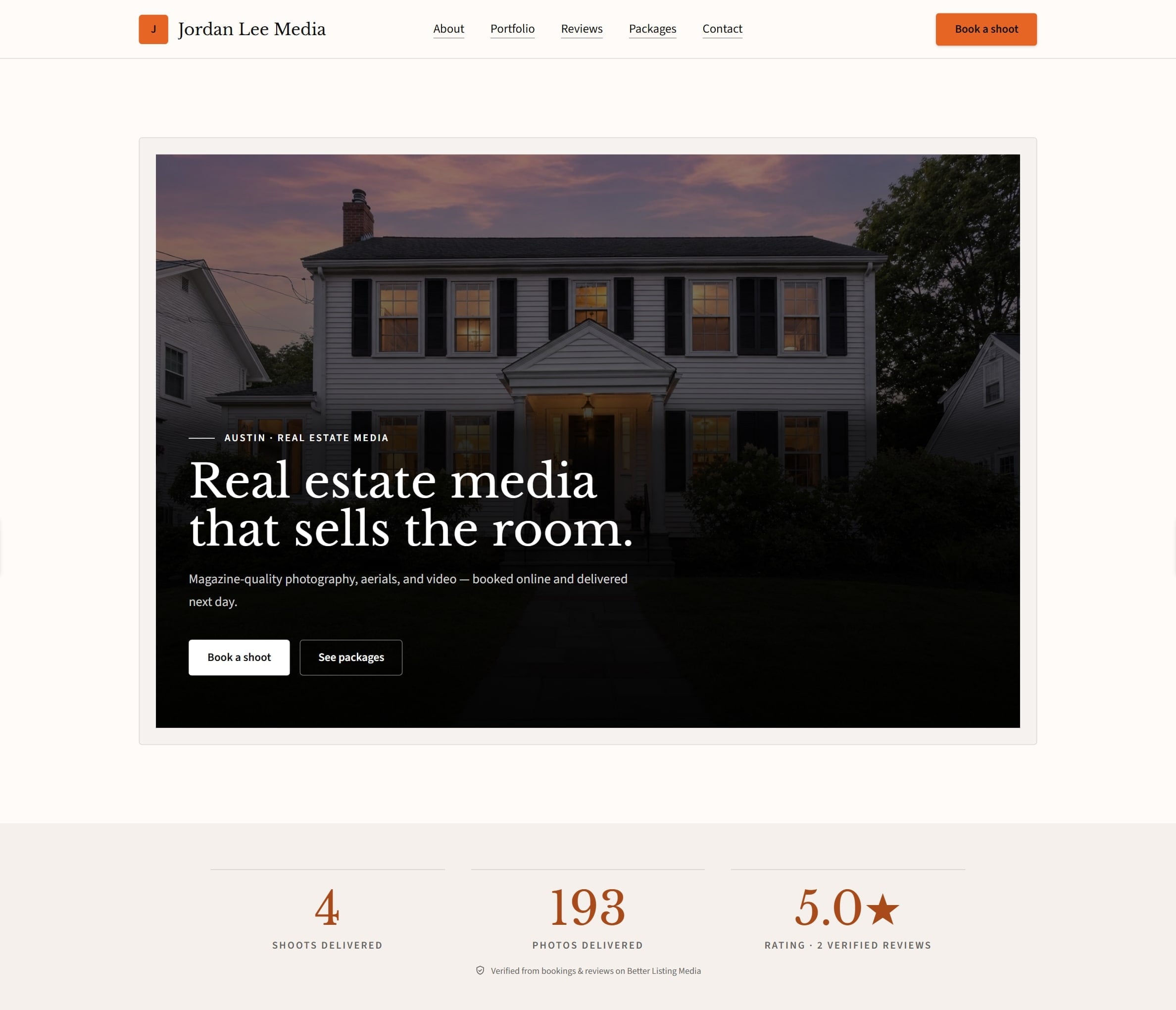
The photographer's site in the Atelier theme
Atelier
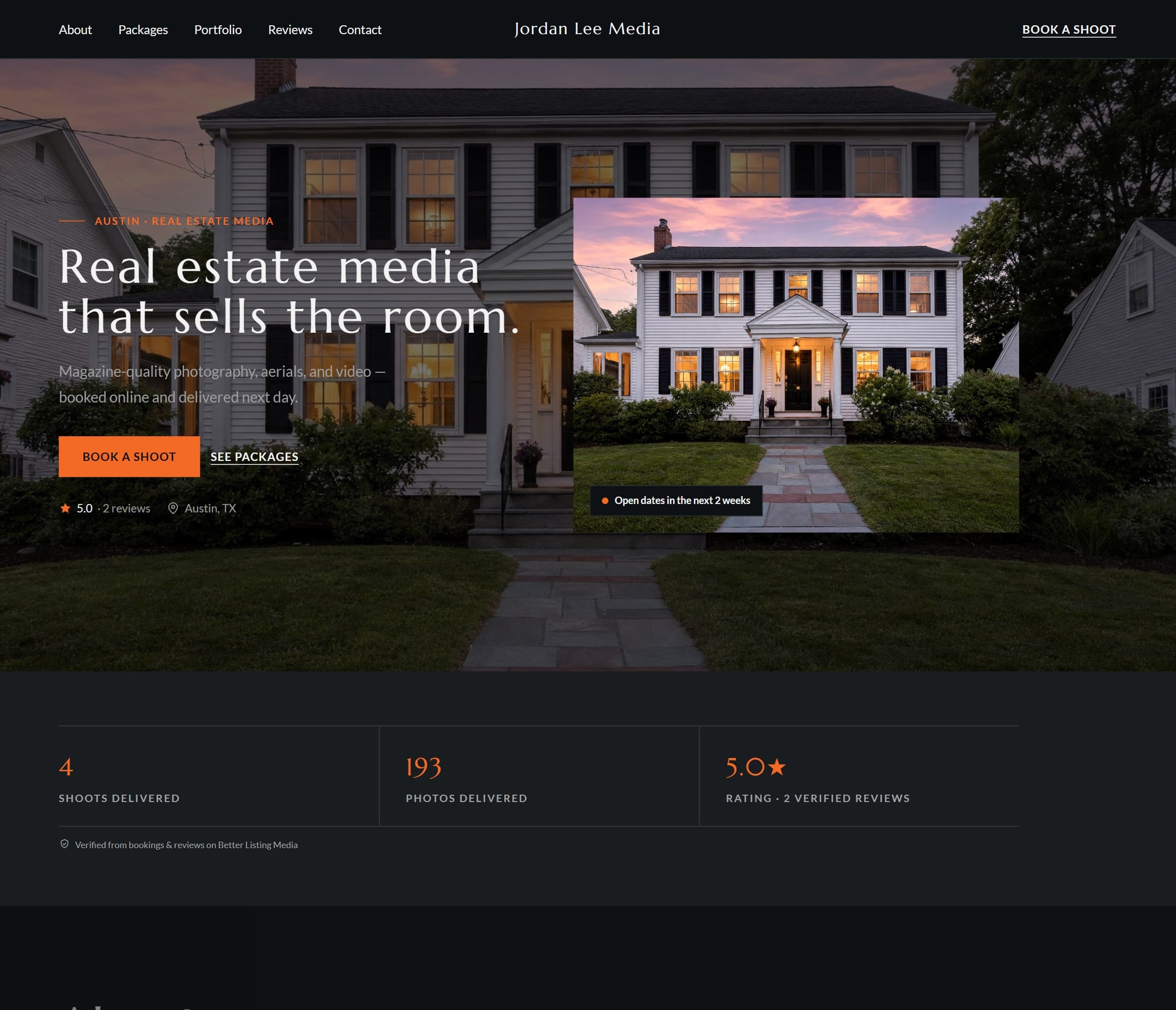
The photographer's site in the Nocturne theme
Nocturne
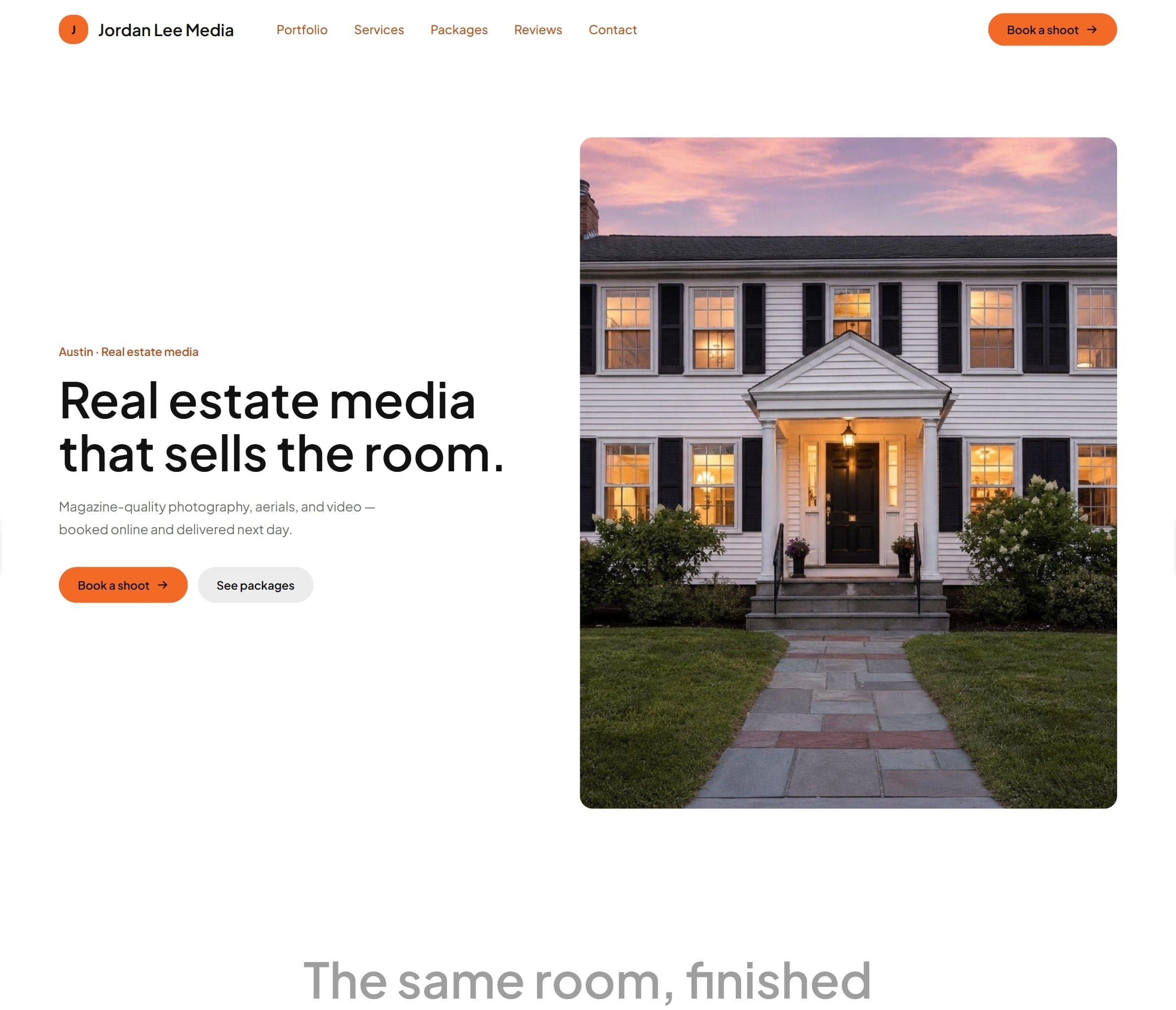
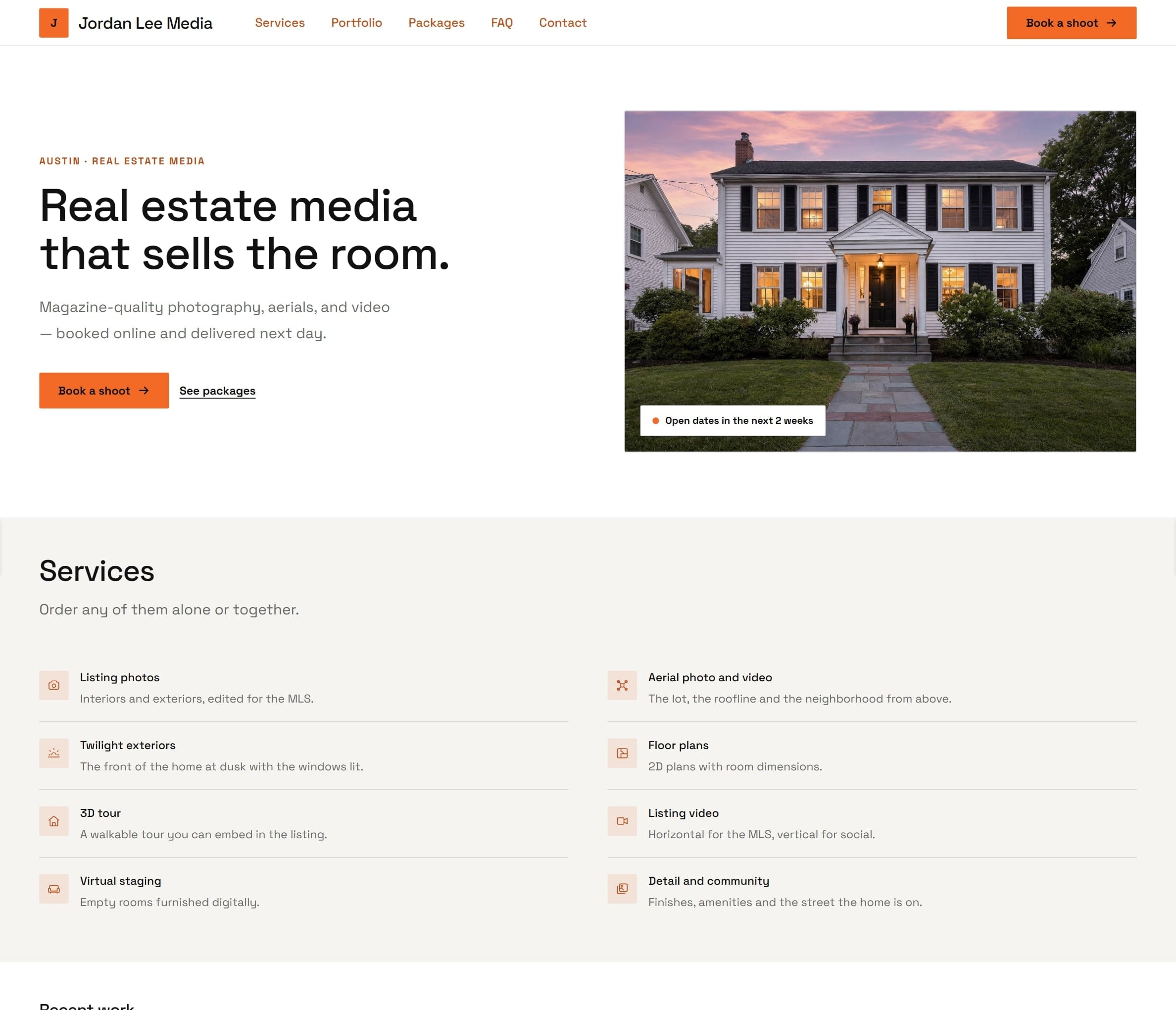
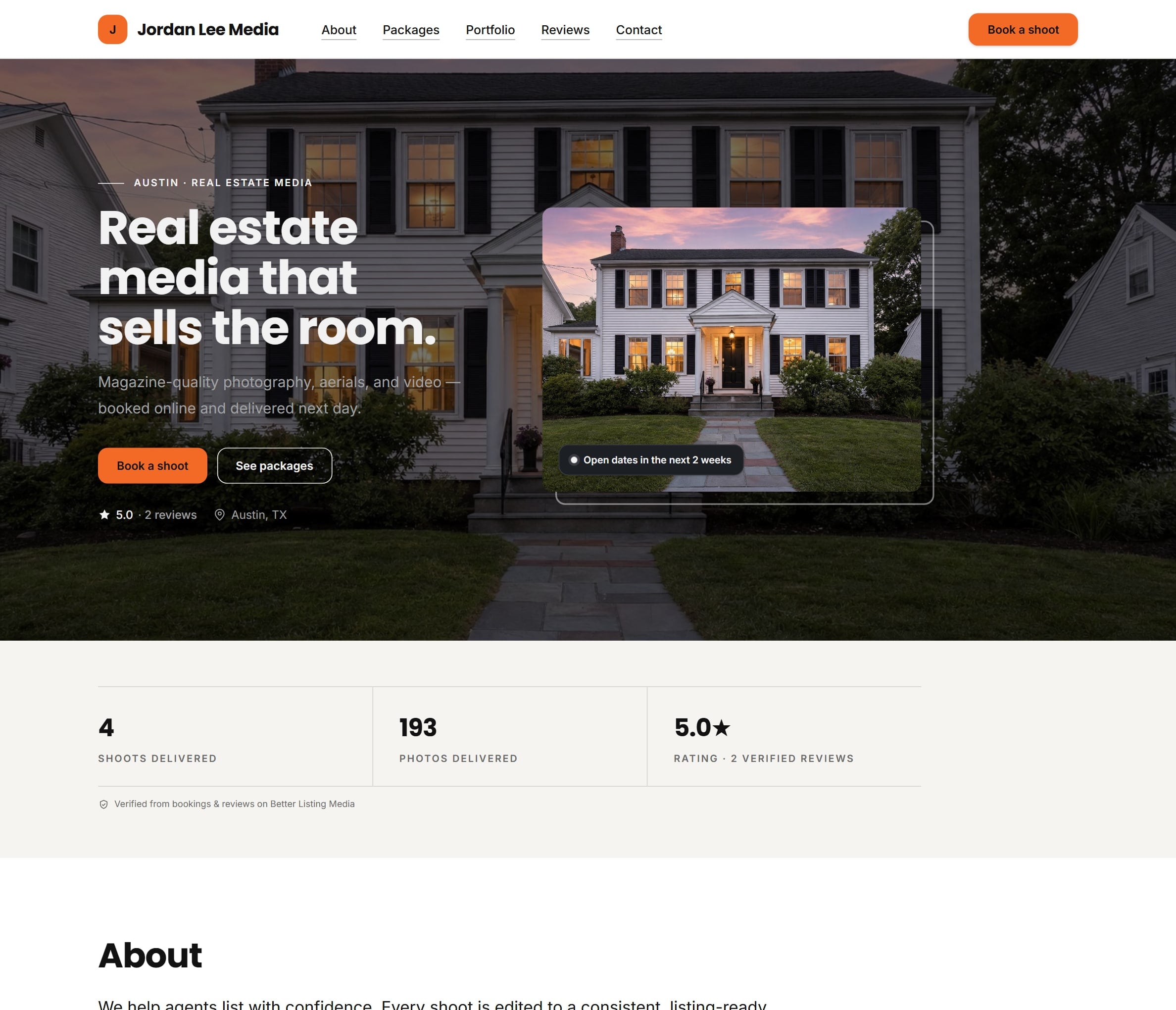
The photographer's site in the Ember theme
Ember