Nothing to sell
We do not sell personal information or share it for advertising, and Better Listing Media shows no ads. There are no advertising pixels and no third-party analytics on the site.
Read the privacy policyTrust center
How Better Listing Media looks after each one, and the policy that governs it.

What happens to a file at each step, and who can open it.
Files you send for editing go into private storage, not a public folder. Nothing you upload for an edit is listed or published.
Each view or download of an uploaded or edited photo uses a signed link that expires, most within the hour. The gallery link you send a client lasts 30 days.
Editing sends only what the edit needs: the image file and your instructions for it, never your password, billing details or client records. Your photos are not used to train AI models (AI disclosure).
You own your source photos and the edits we deliver (media licensing). Images we deliver after an AI edit carry the standard IPTC marker for AI-edited media in their file data.
Each teammate has a role. The server checks that role's permissions when someone acts, so a hidden menu is never the only lock.
It is switched on for every table in our database, so a signed-in account reaches only the rows its policies allow.
Our authentication provider keeps passwords only in hashed form.
The keys behind your payment and calendar connections are never sent to a browser.
Activity lists the workspace's orders, credits and invites with the person behind each one.
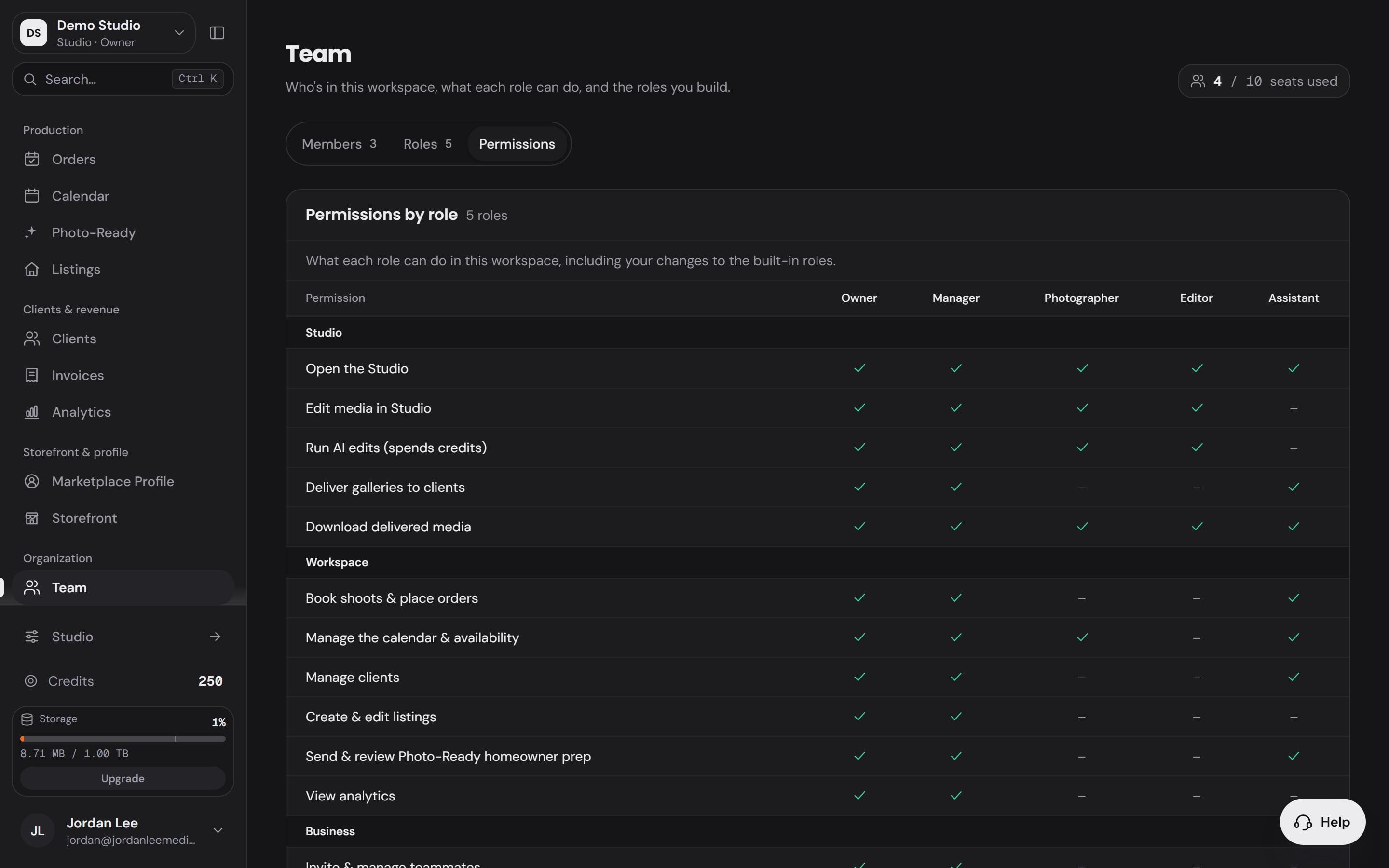
The Team page in a demo workspace: what each role can do.
When a client books through your storefront, the charge runs on the payment account you connected, and the money lands there.
Cards are entered on the payment processor's own checkout page. For the card on your own account we keep only the processor's reference to it, with its brand, last four digits and expiry.
AI edits and orders run under daily spending limits for each workspace and for the whole platform. If a limit cannot be checked, the work does not run and nothing is charged.
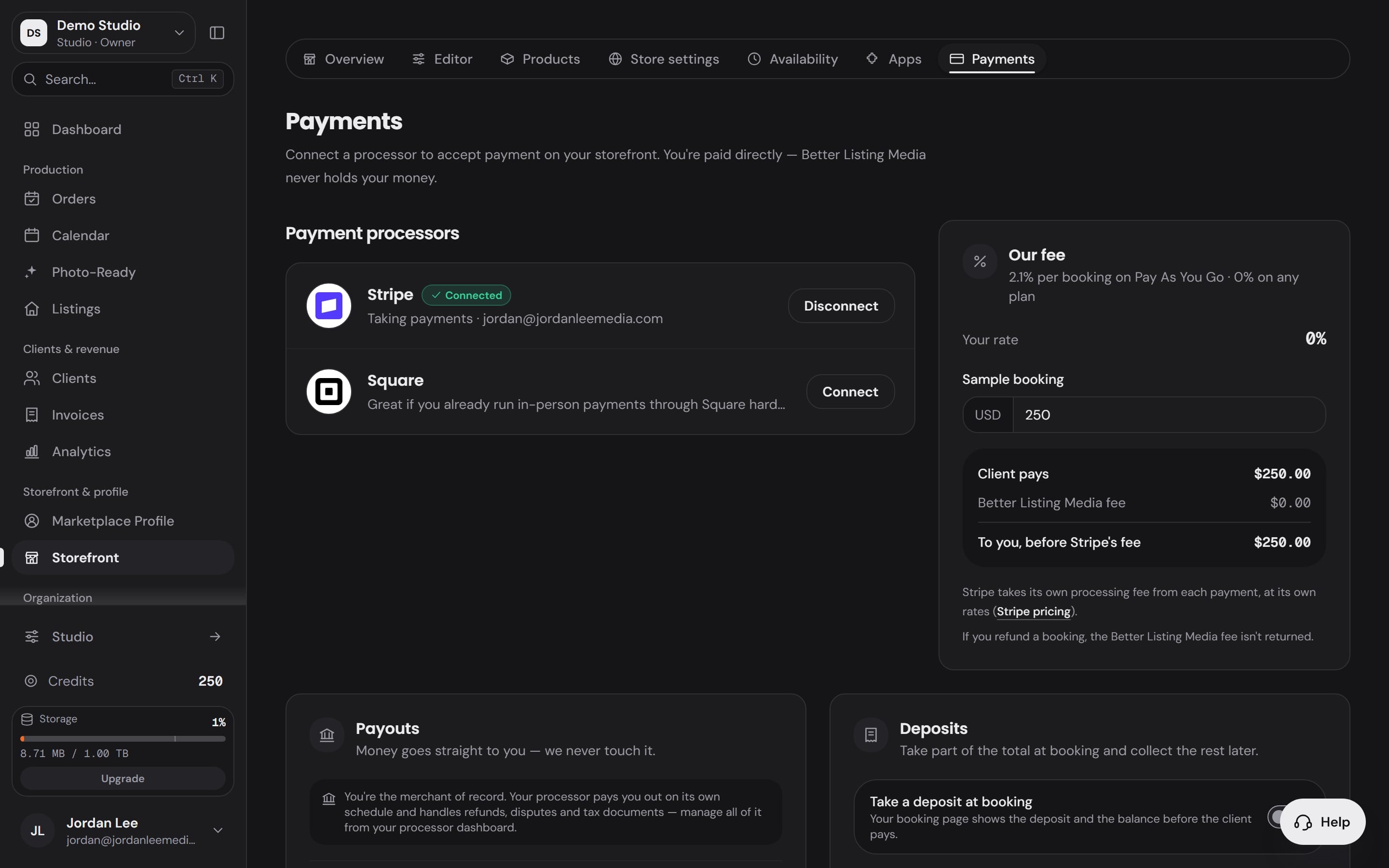
Storefront payments in a demo workspace: the photographer connects their own accounts.
We do not sell personal information or share it for advertising, and Better Listing Media shows no ads. There are no advertising pixels and no third-party analytics on the site.
Read the privacy policyVisits to a photographer’s pages are counted by us, with no cookies and nothing stored in your browser. If your browser sends Global Privacy Control or Do Not Track, the visit is not counted at all.
The vendors who run parts of the platform for us are listed in the privacy policy, grouped by what they do:
Ask for a copy of your data, a correction or its deletion at privacy@betterlistingmedia.com. The delete-account page explains what is removed, what is kept and how to ask.
Delete an accountPolicies
Send each kind of report to the address beside it. For anything else, the contact page lists every channel.
Good-faith security research is welcome. Our acceptable use policy sets out how to test and report, and we will not take legal action against researchers who follow it.
Fake reviews, harassment, or content that breaks our rules.
A copy of your data, a correction, or its deletion. Put “Privacy request” in the subject.
What a notice must include is in our copyright policy.