The full suite for real estate photo editing.

Order HDR Merge, Virtual Twilight and Virtual Staging by the image. Finish every frame with 33 tools on one rail.

Studio
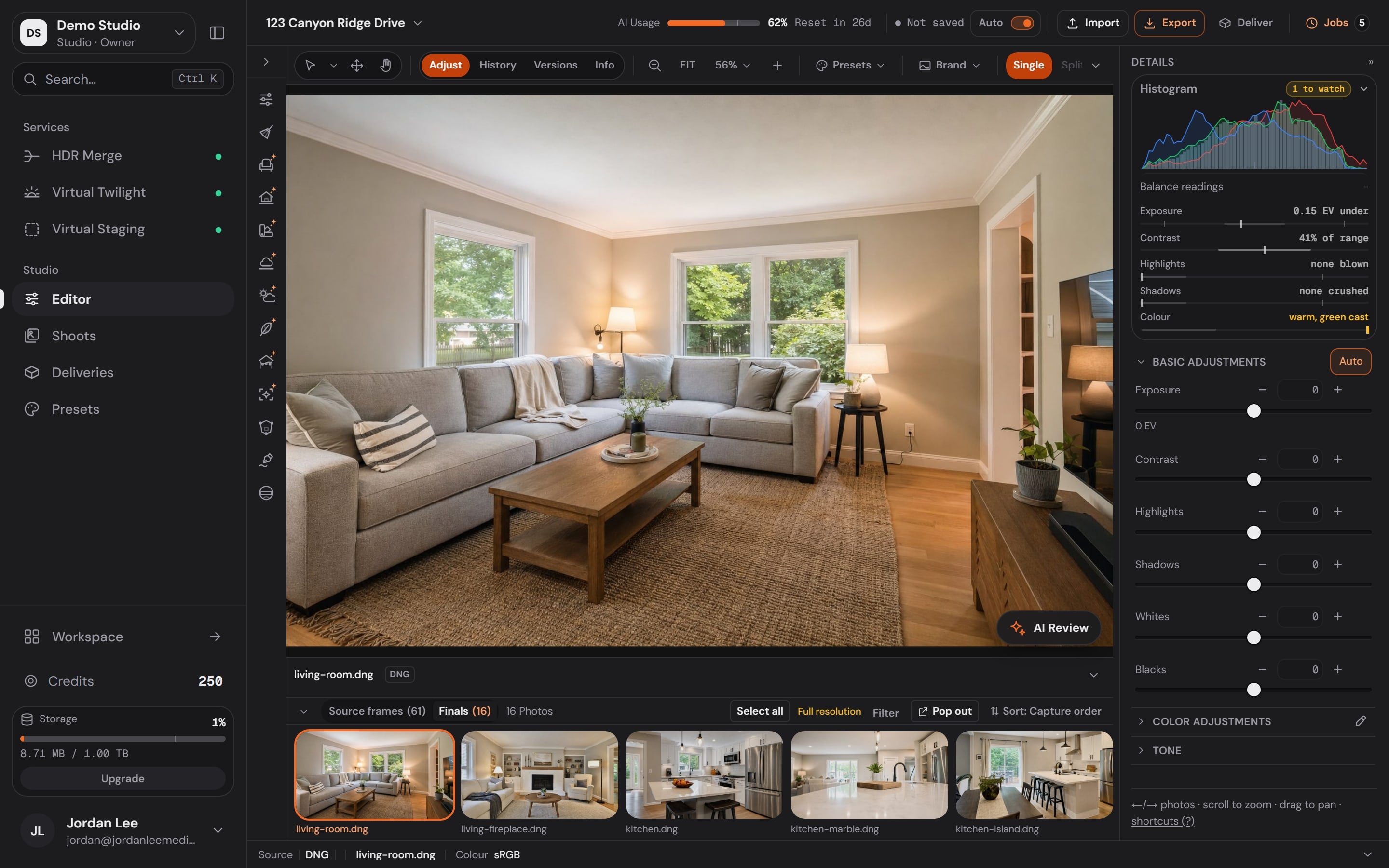
The Better Listing Media desktop Studio: the Services dock, the tool rail, a living room at 123 Canyon Ridge Drive on the canvas, the filmstrip and the adjustments panel
Services, priced before they run
4
tools on the rail
33
editing functions
115
categories of work
13

The Services

Order the edit by the image. See the price before it runs.

Pick the frames, pick the Service, and the result comes back into the same shoot. Drag any frame below to compare it with the photo as shot.

81%

of recent buyers who searched online rated listing photos “very useful”, the highest of any website feature. NAR, Home Buyers and Sellers Generational Trends (2026)
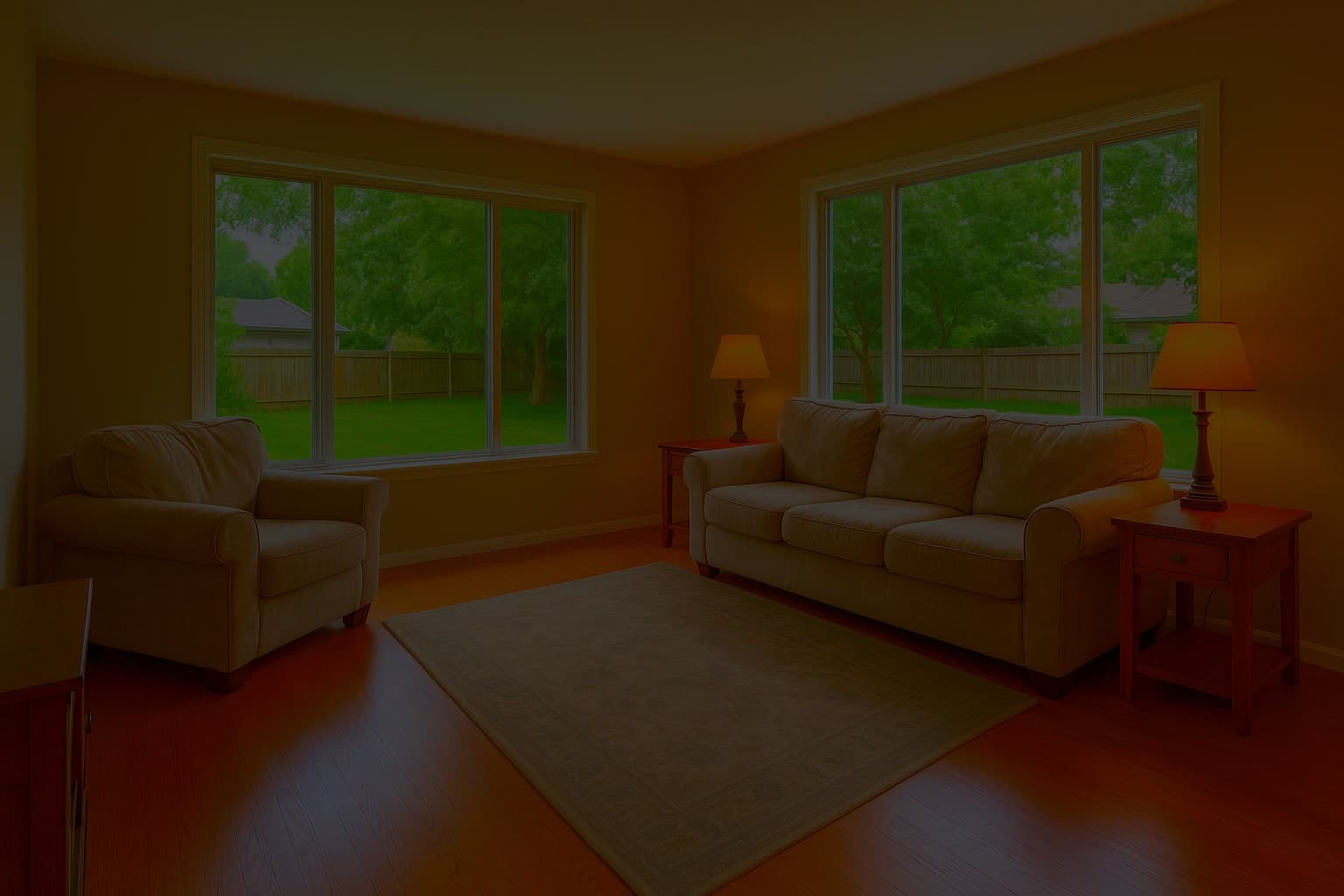
  • The living room at -2 EV
  • The living room at -1 EV
  • The living room at 0 EV
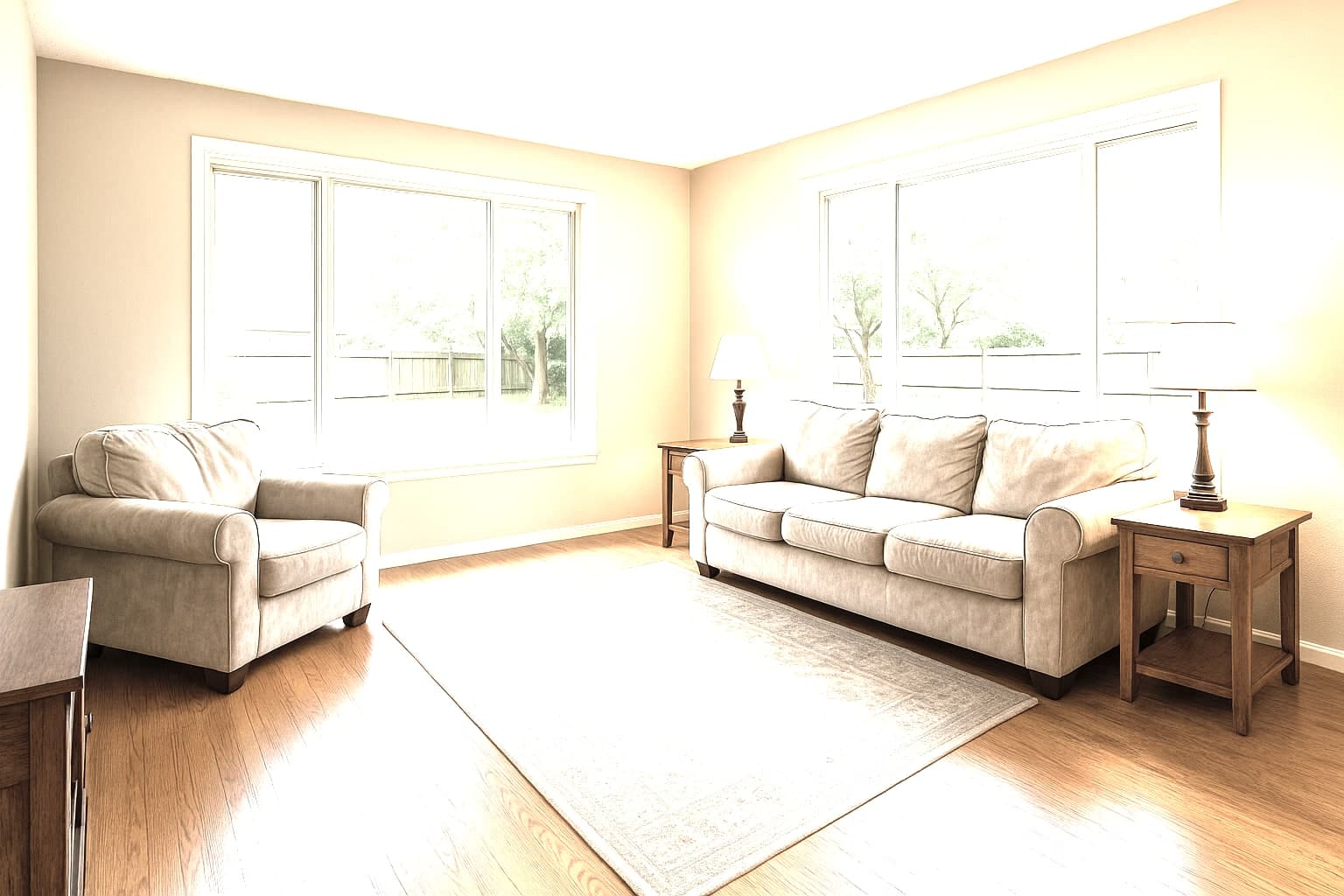
  • The living room at +1 EV
  • The living room at +2 EV
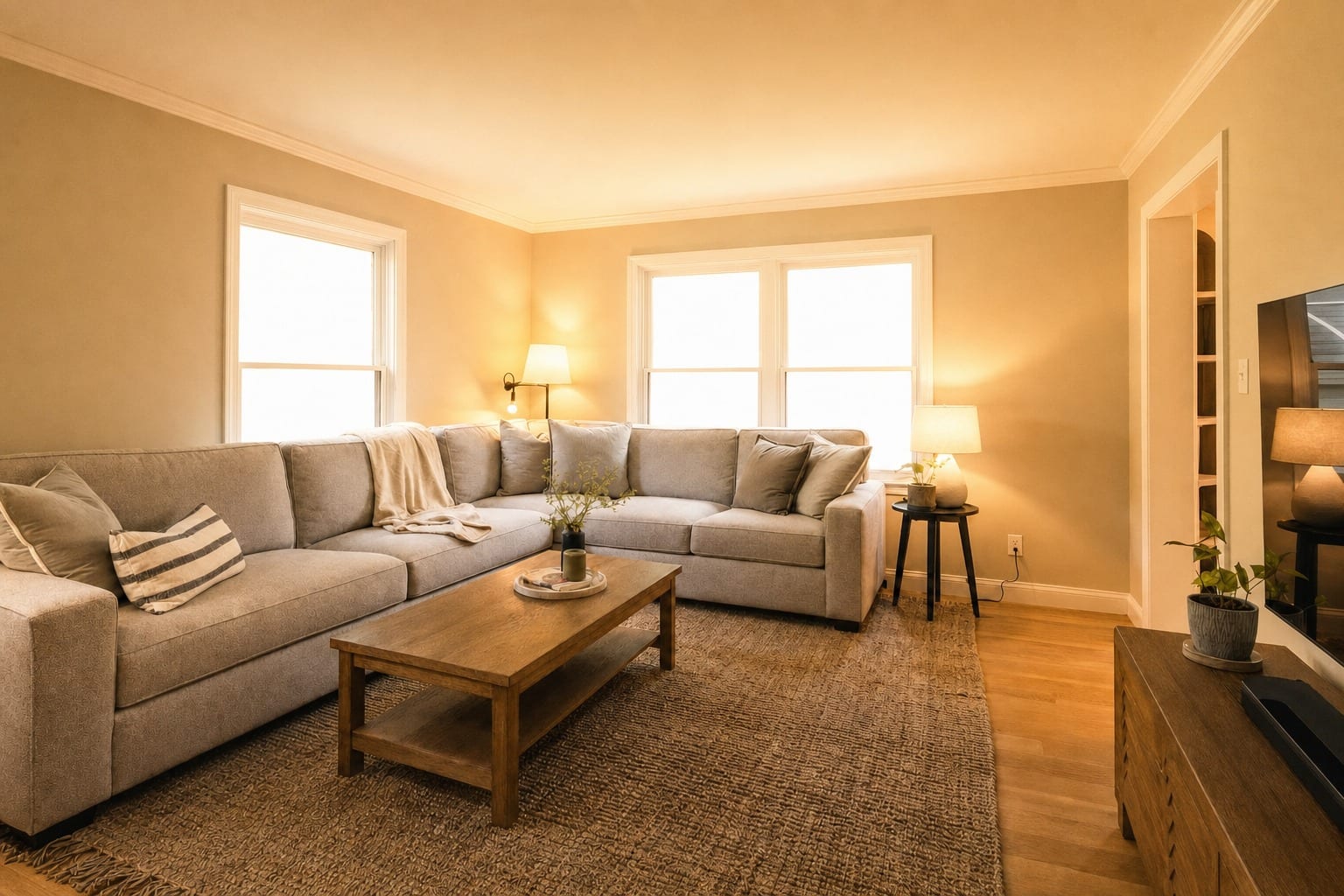
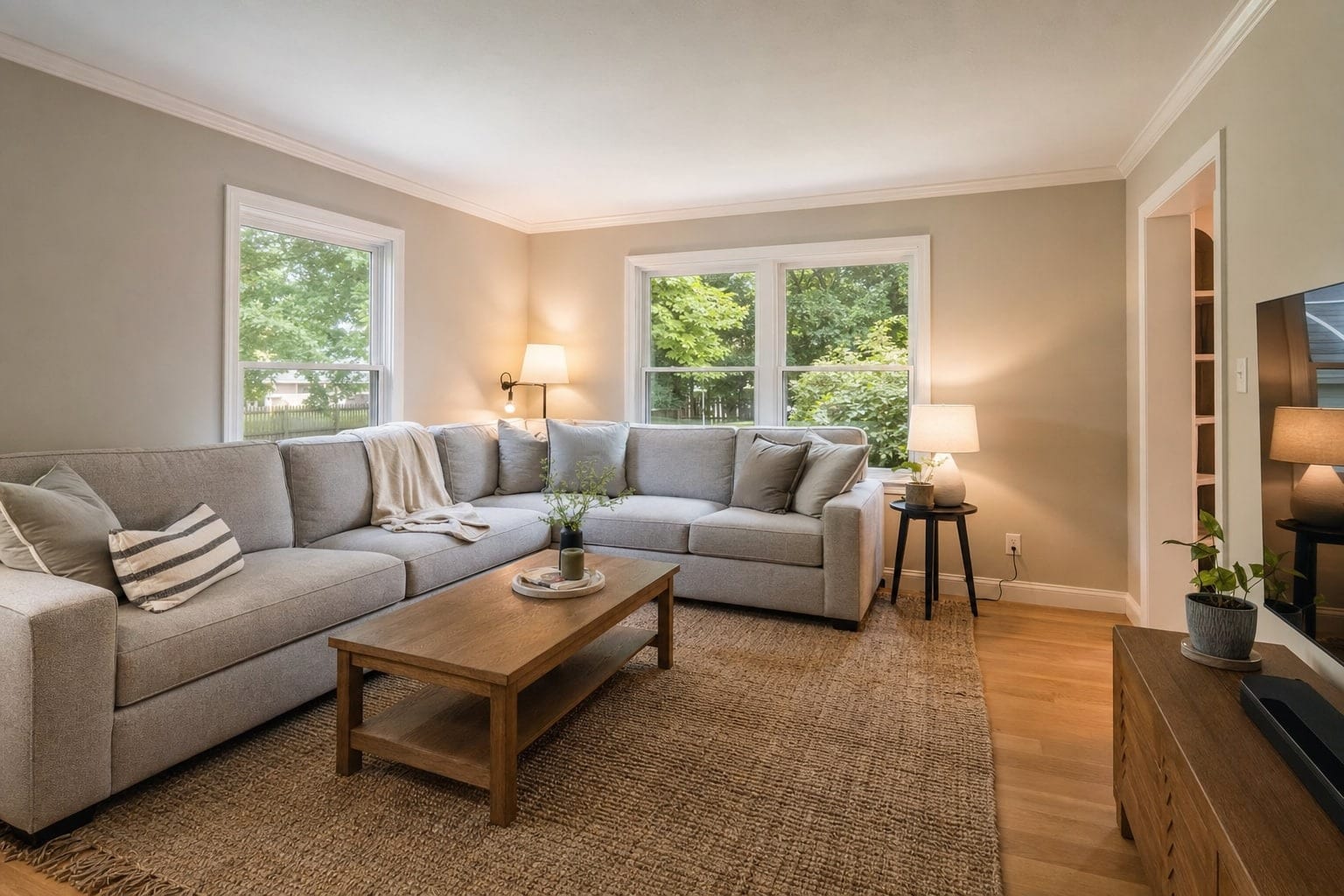
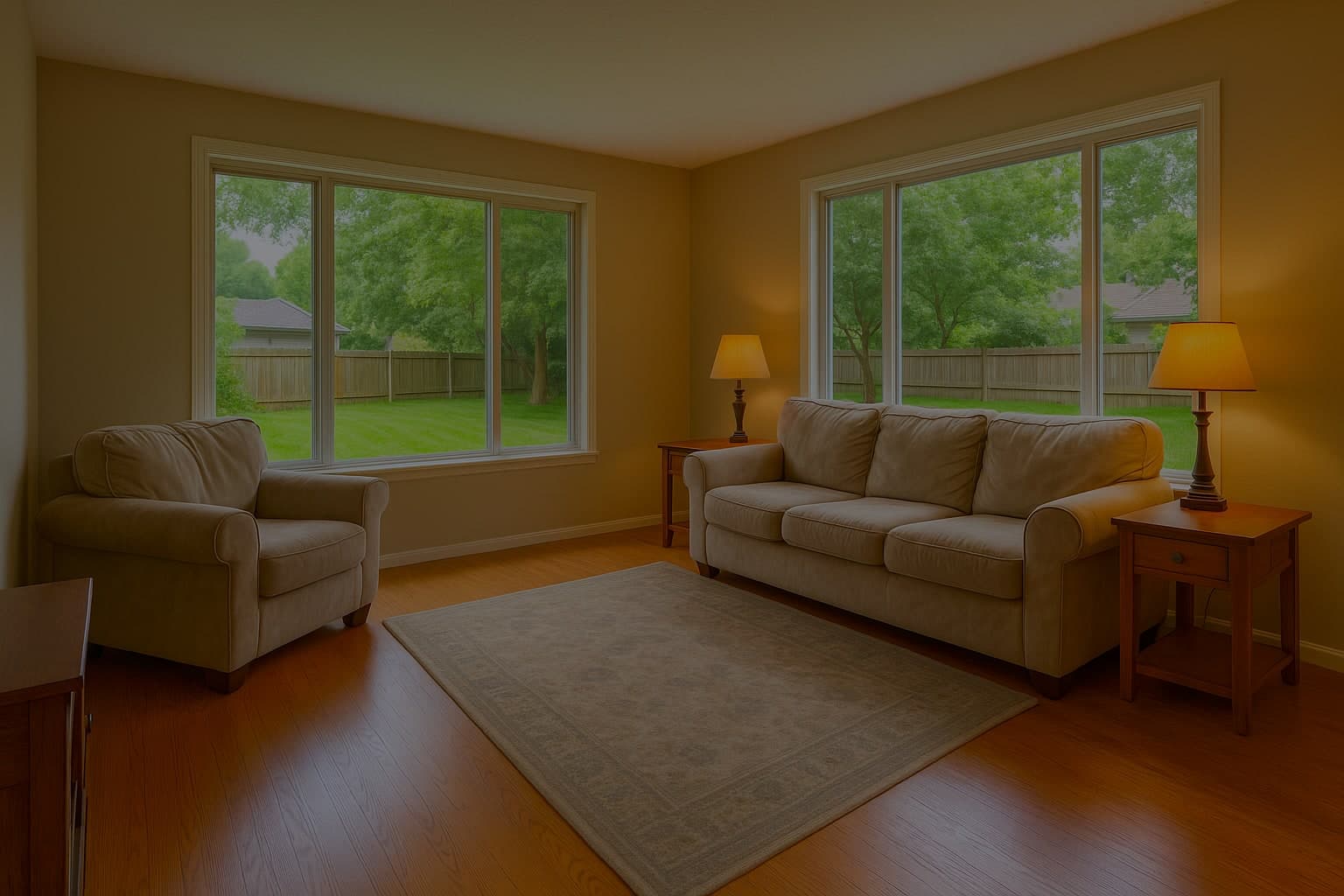
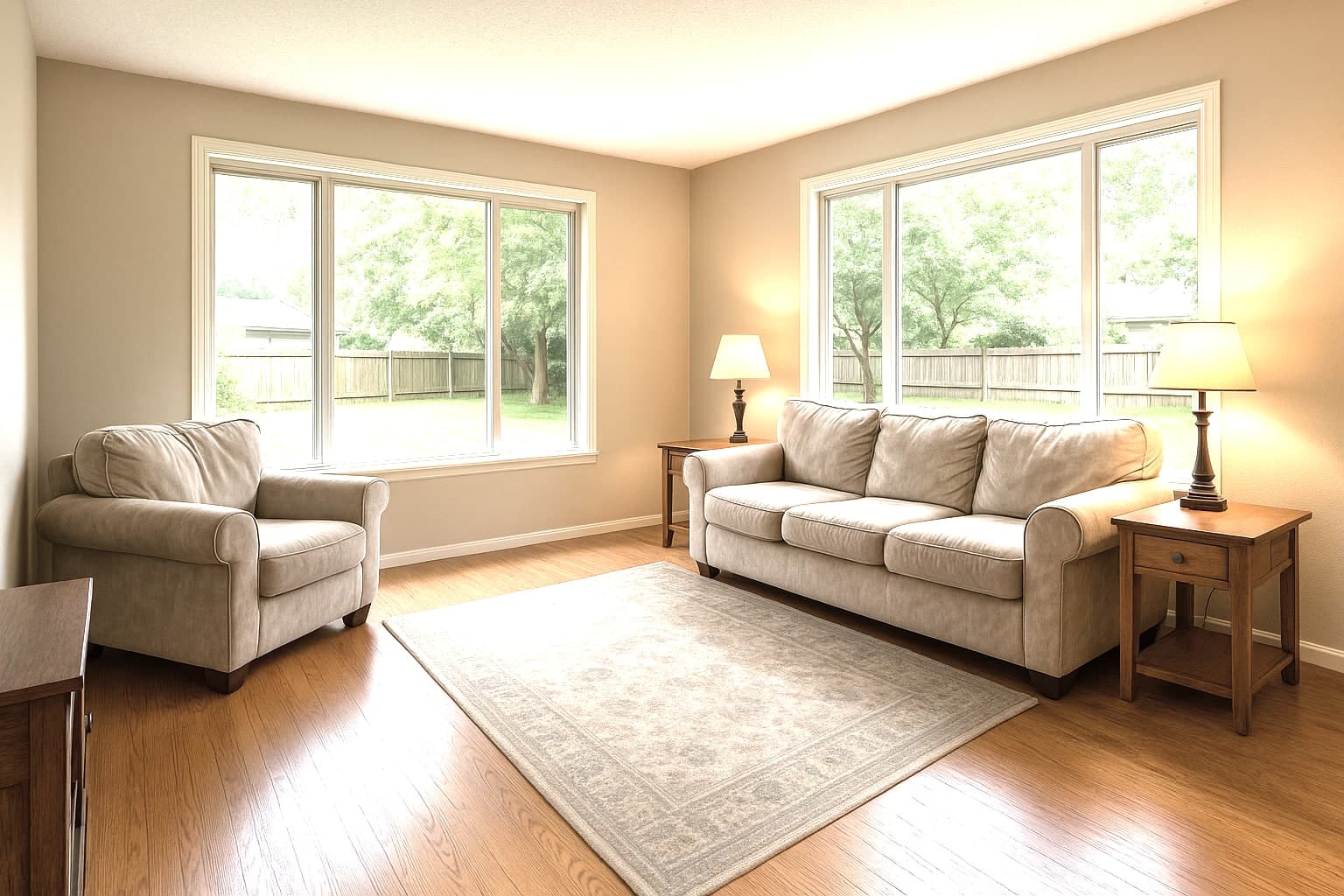
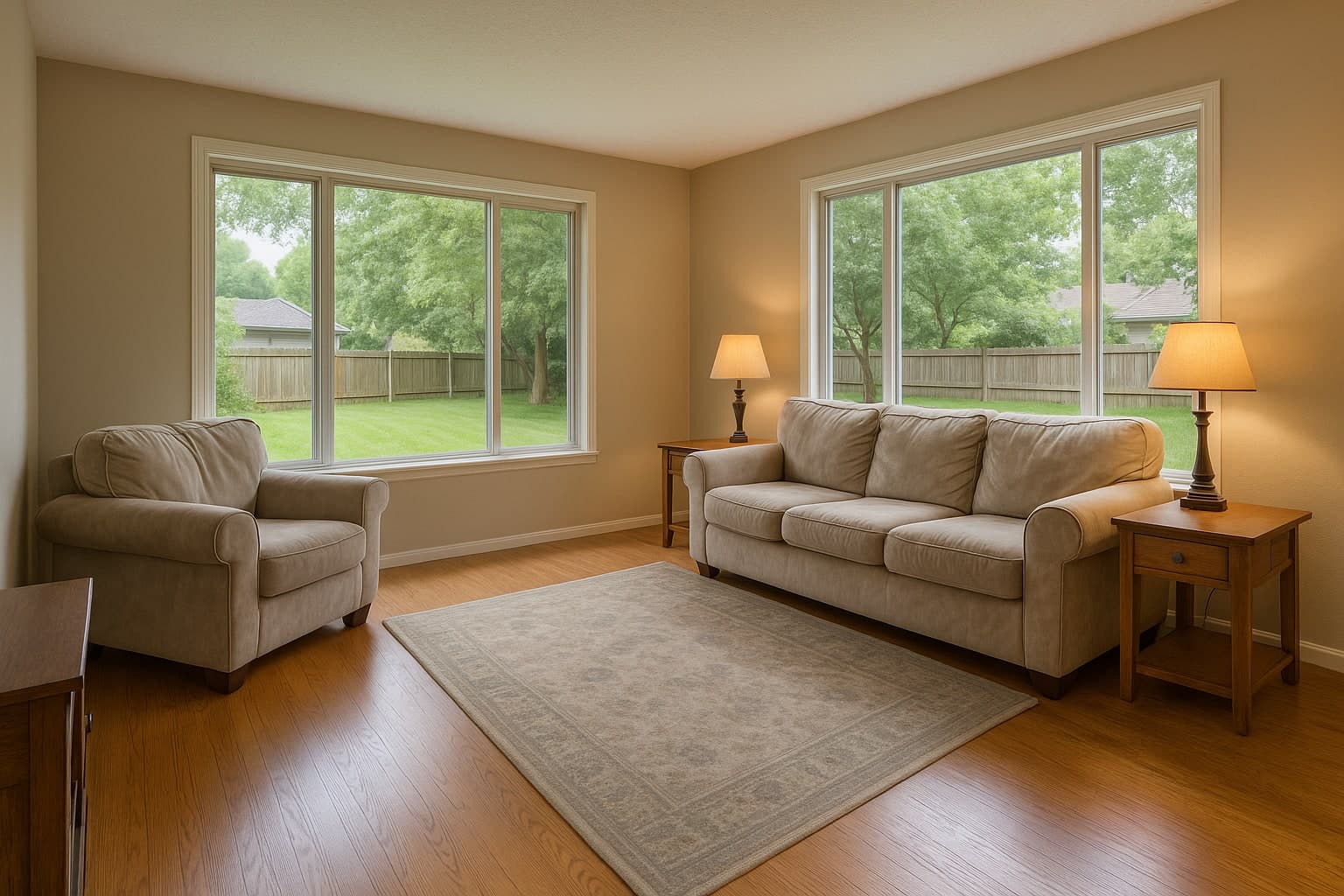
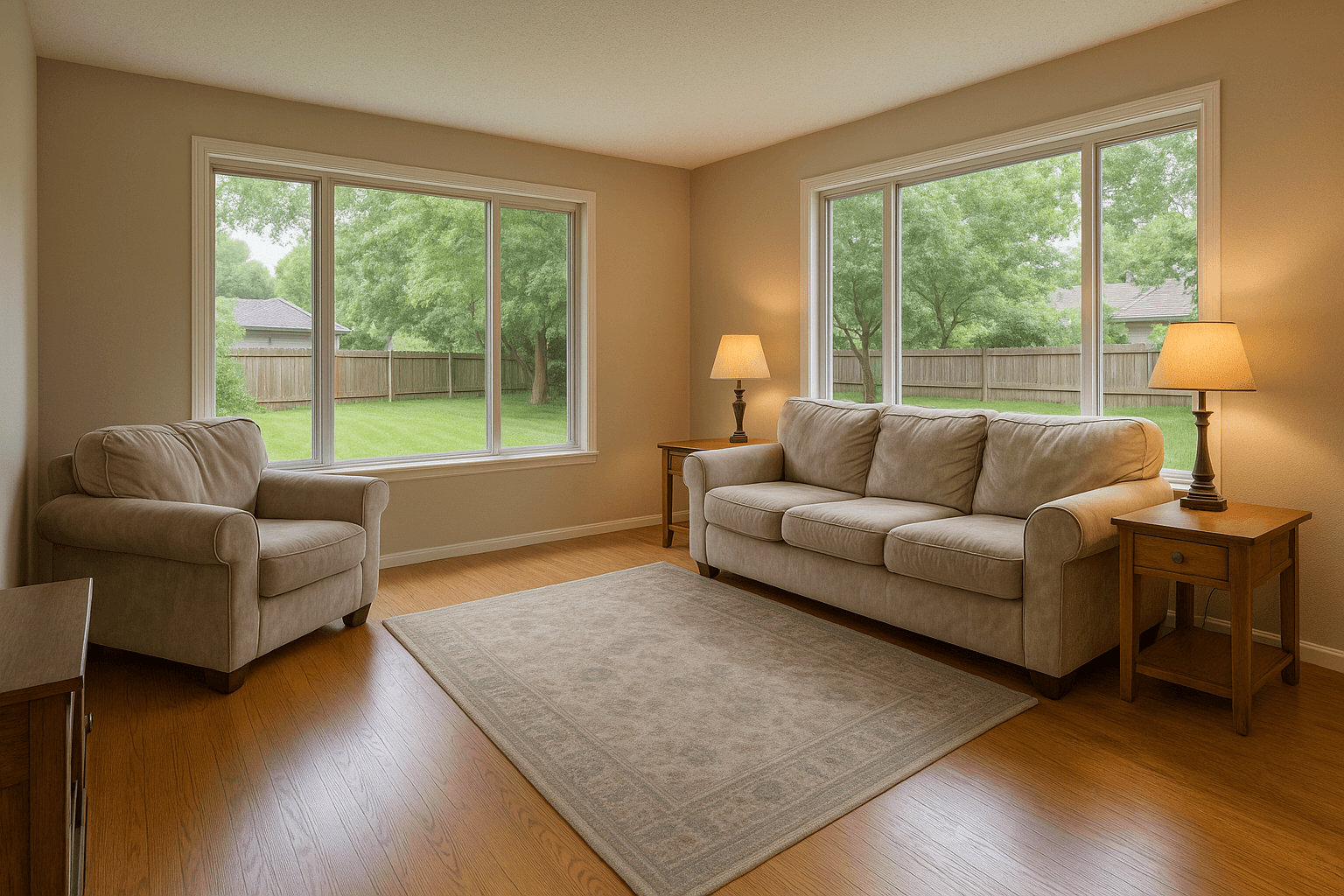
A living room with two bright windows, one exposure and the HDR merge, finished
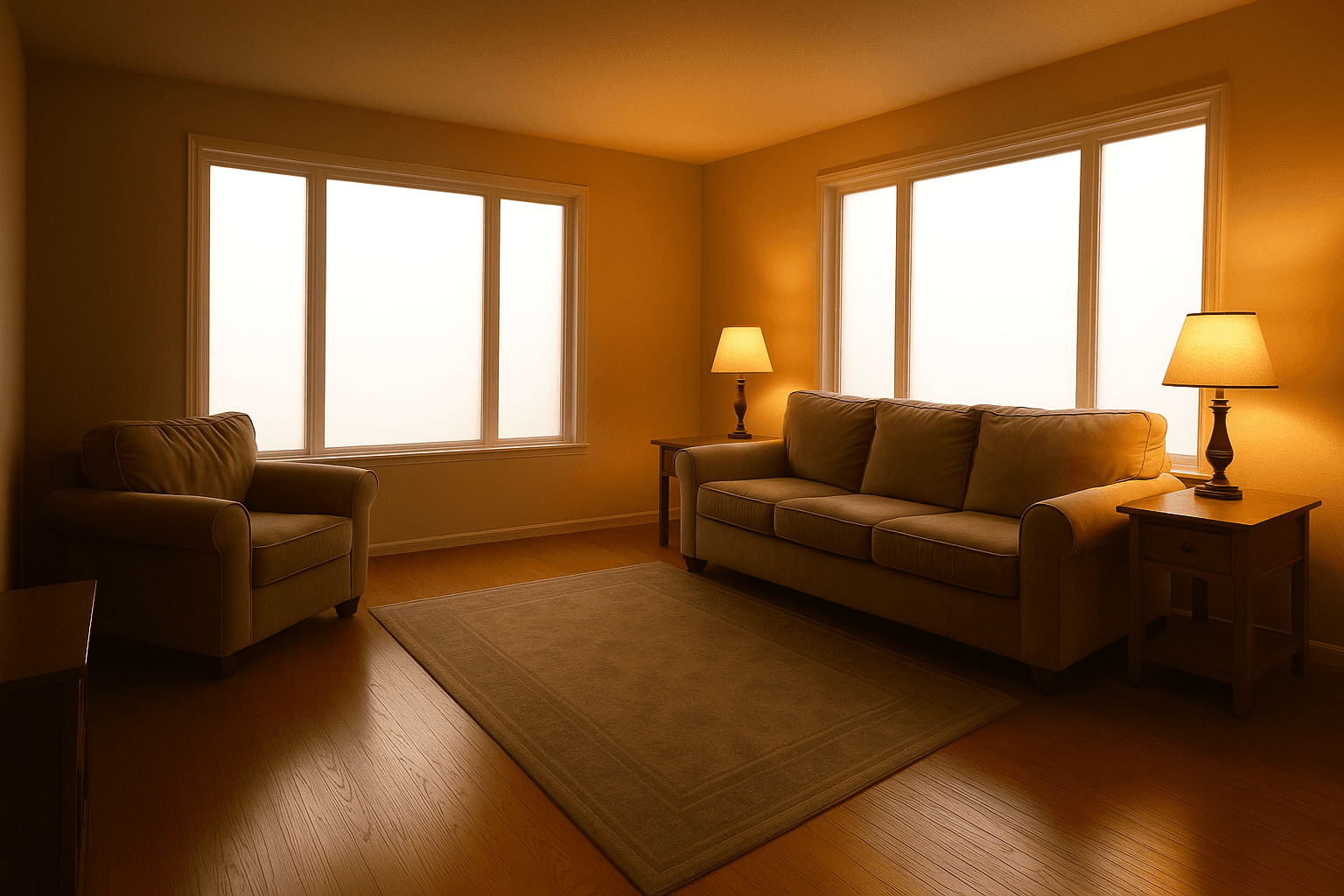
A living room with two bright windows, one exposure and the HDR merge, as shot
One exposureHDR Merge

Drag the handle to compare

HDR Merge

The brackets you already shoot, merged so the room and the view both read.

  • The window keeps its view instead of blowing out to white
  • Verticals, lens and colour corrected in the same pass
  • Screens, fireplaces and the photographer cleaned up with it
$0.60per image, pay as you goFrom $0.60 on Tier I
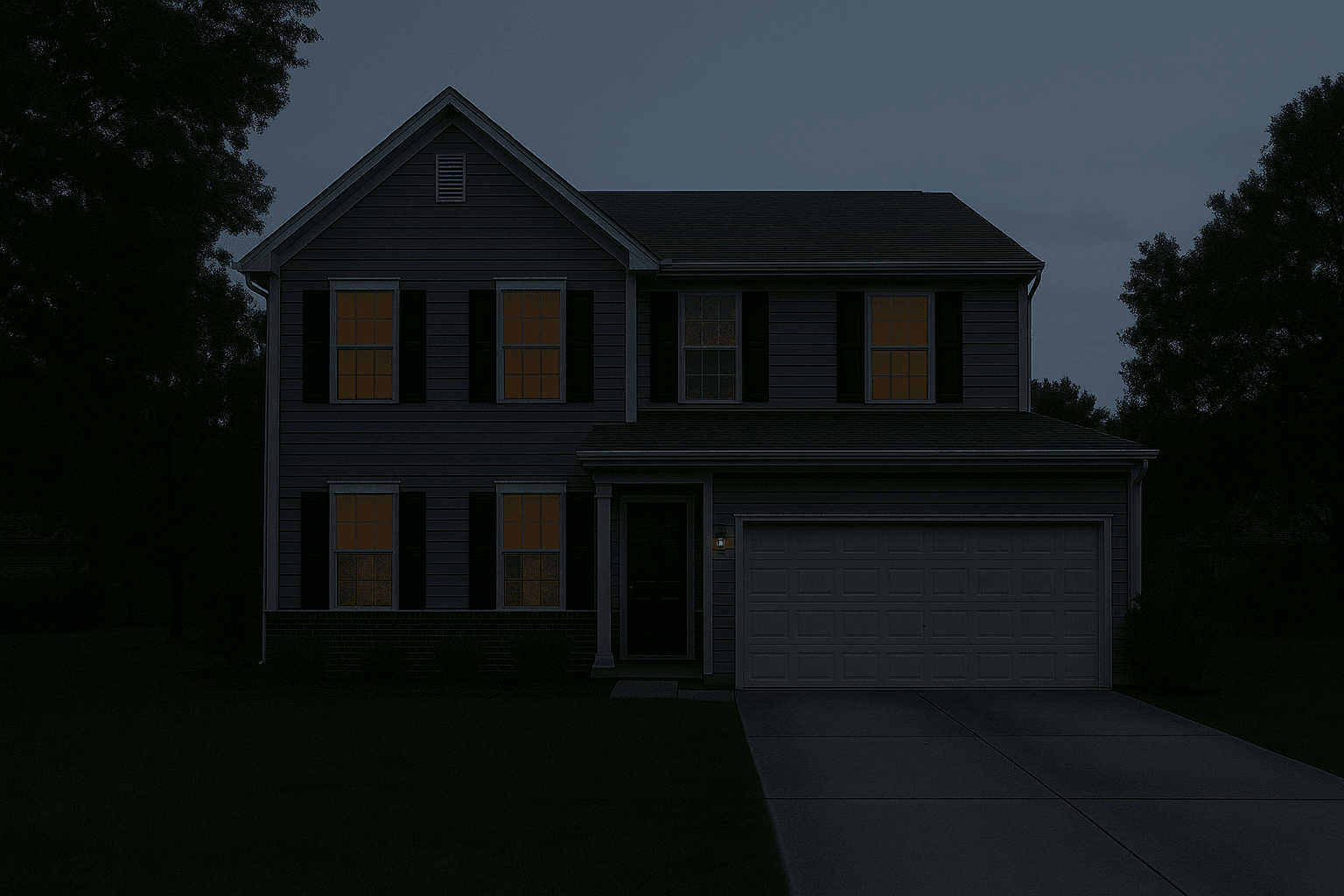
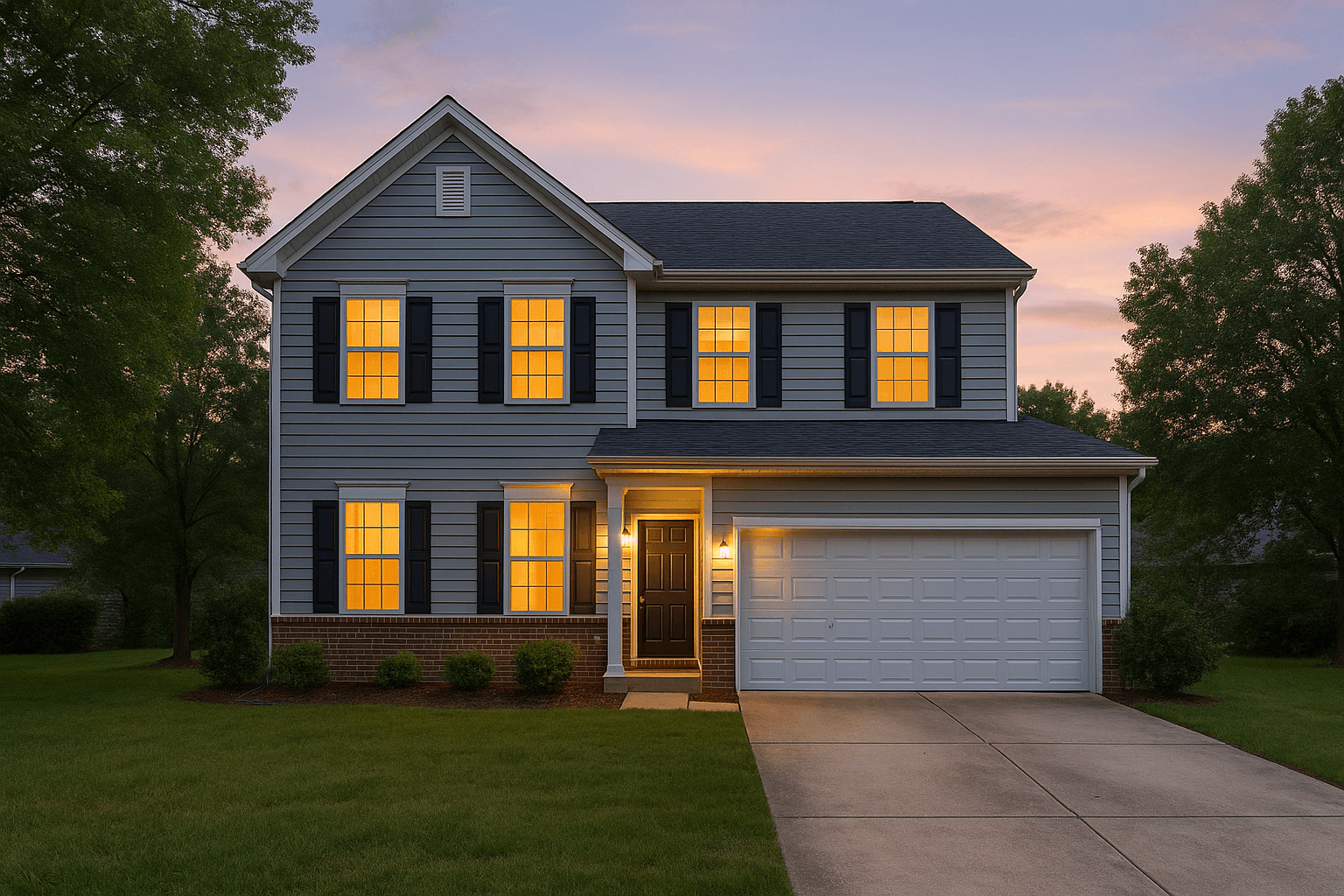
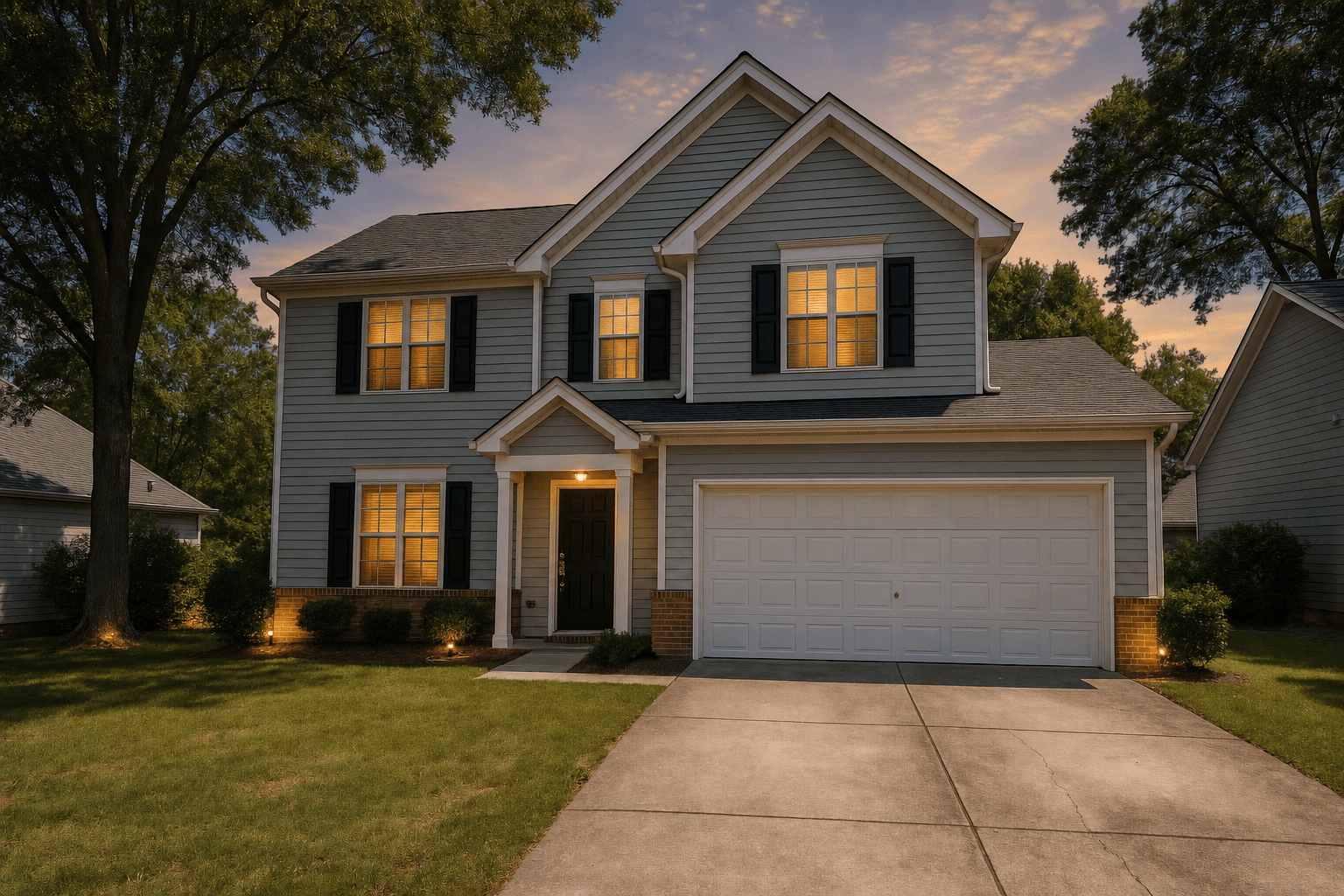
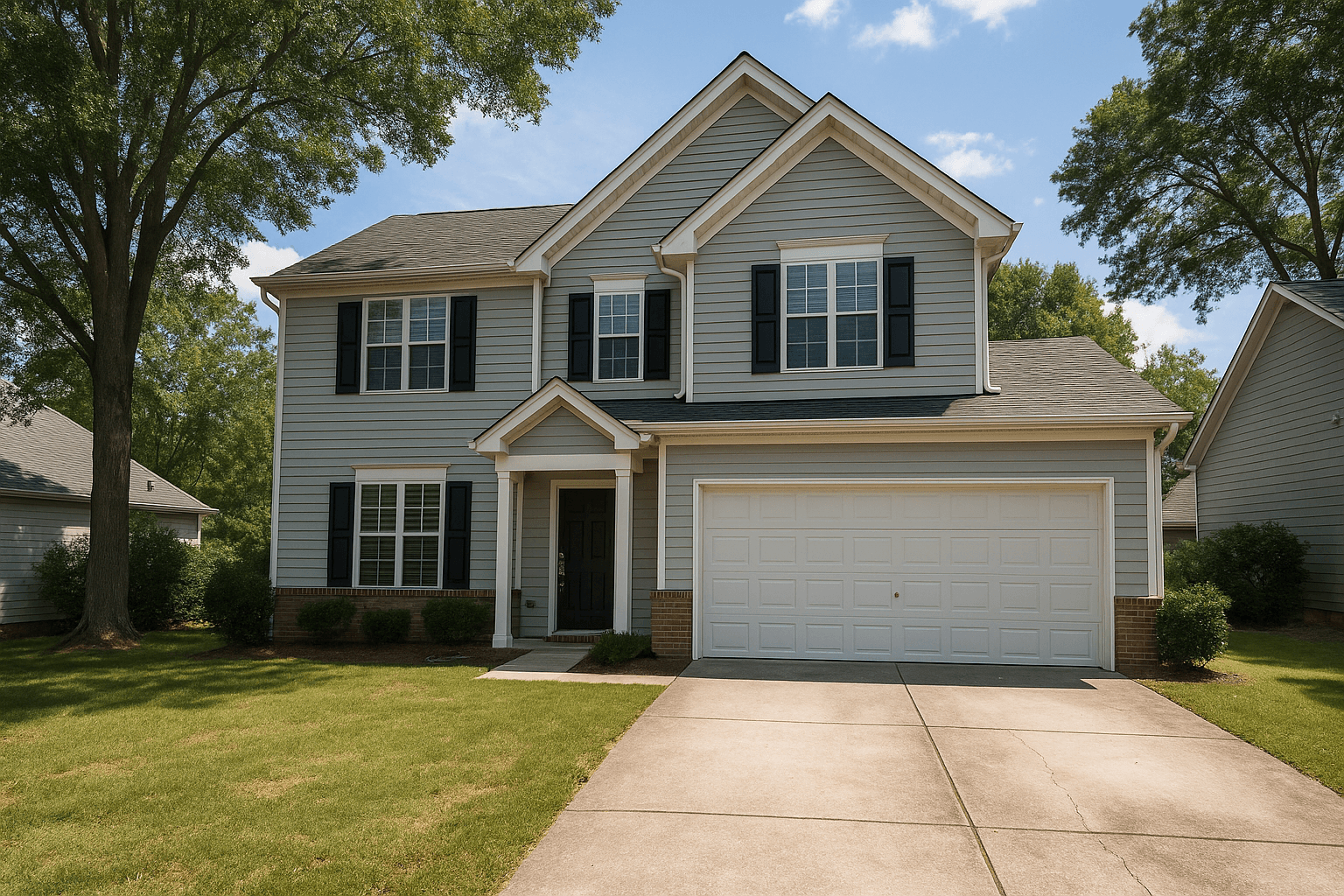
A two-story home with a double garage, in daylight and as a Virtual Twilight, finished
A two-story home with a double garage, in daylight and as a Virtual Twilight, as shot
DaytimeVirtual Twilight

Drag the handle to compare

Virtual Twilight

A daytime exterior turned to dusk, in the look you pick for each photo.

Twilight style

  • Warm Sunset
  • Deep Blue Hour
  • Luxury Twilight
  • Bright Marketing
  • Subtle Dusk
  • Windows lit from inside, sky and facade graded together
  • 5 looks to choose from, each the same price
  • No second trip to the property, no waiting on the weather
$2.00per image, pay as you goFrom $2.00 on Tier I
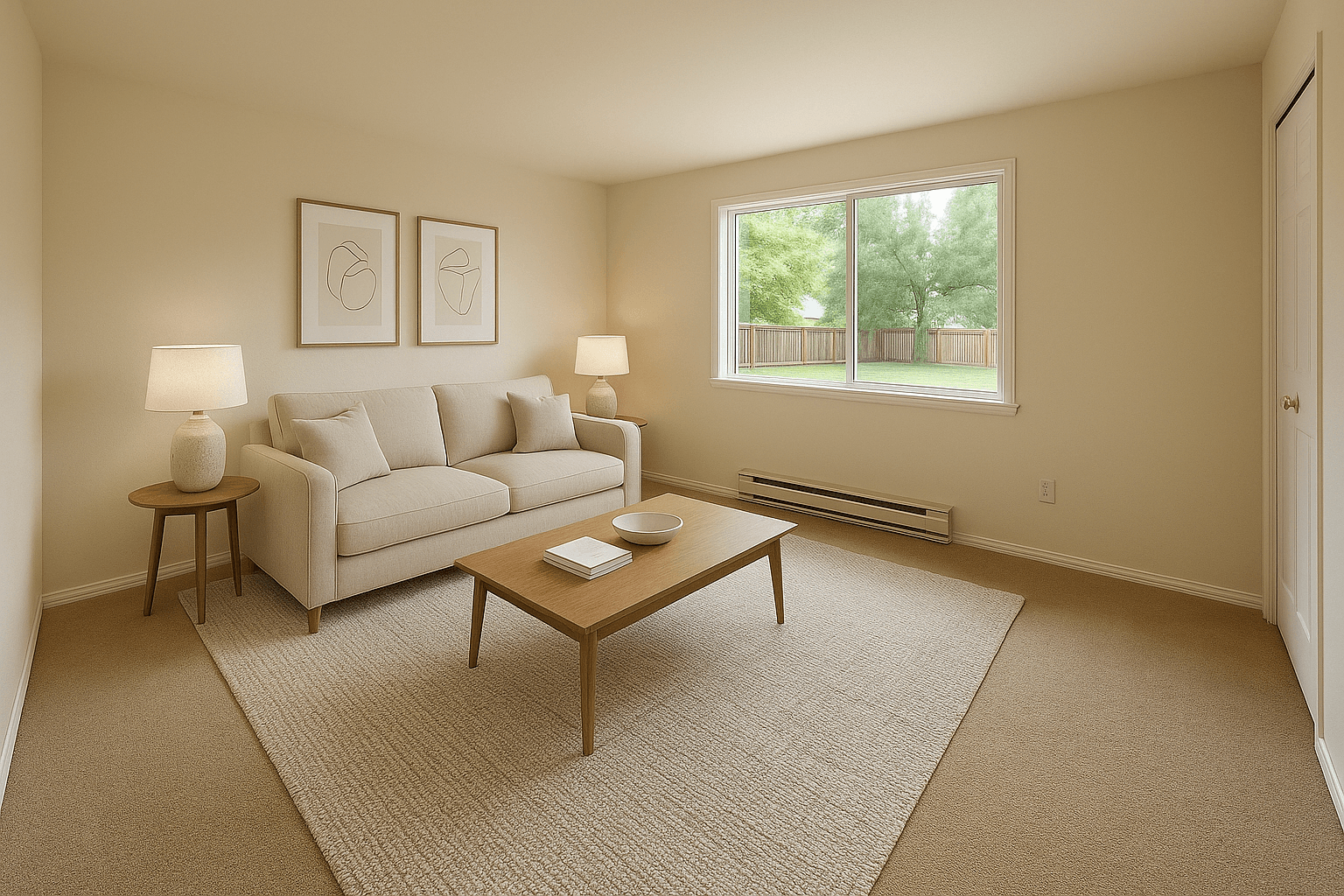
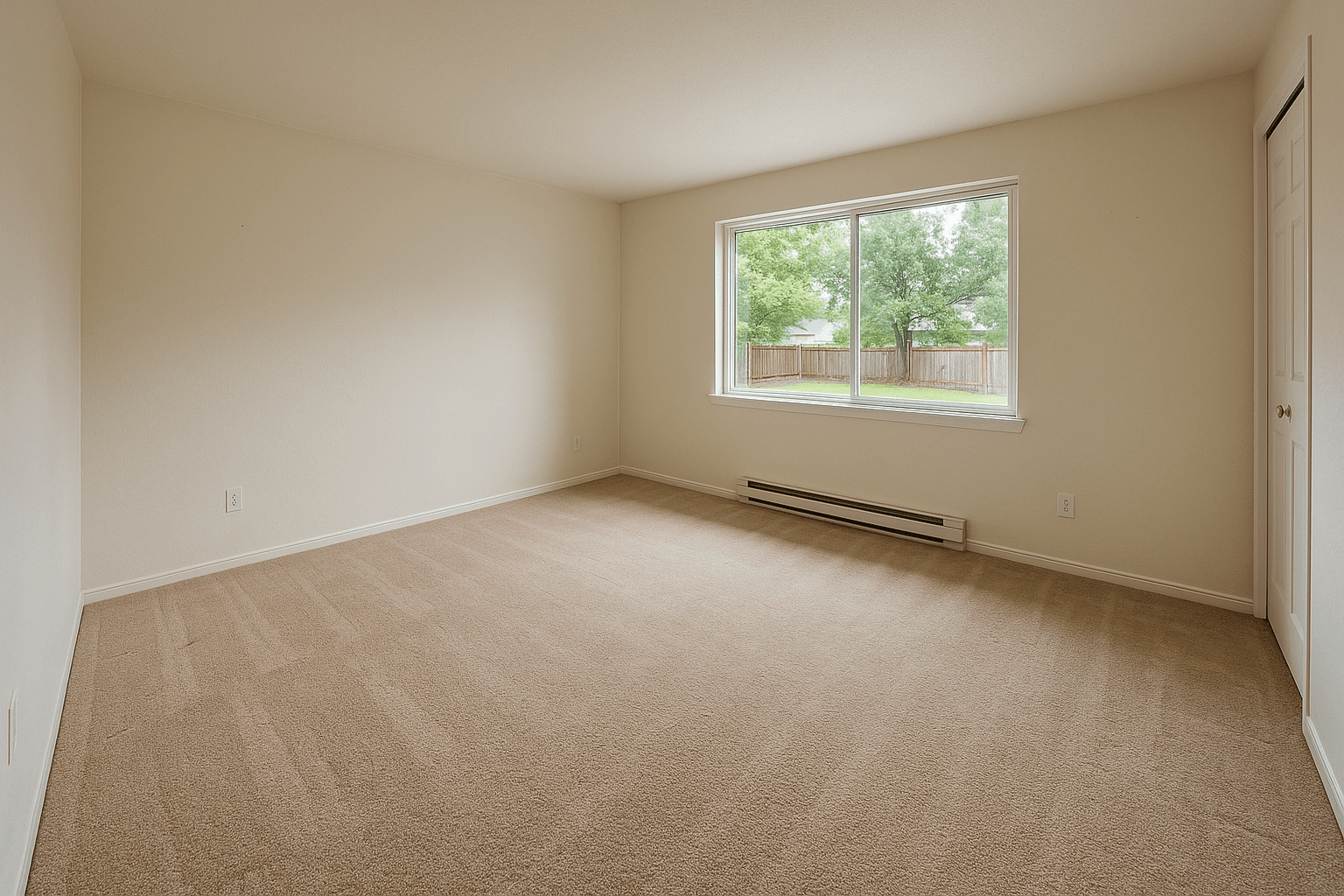
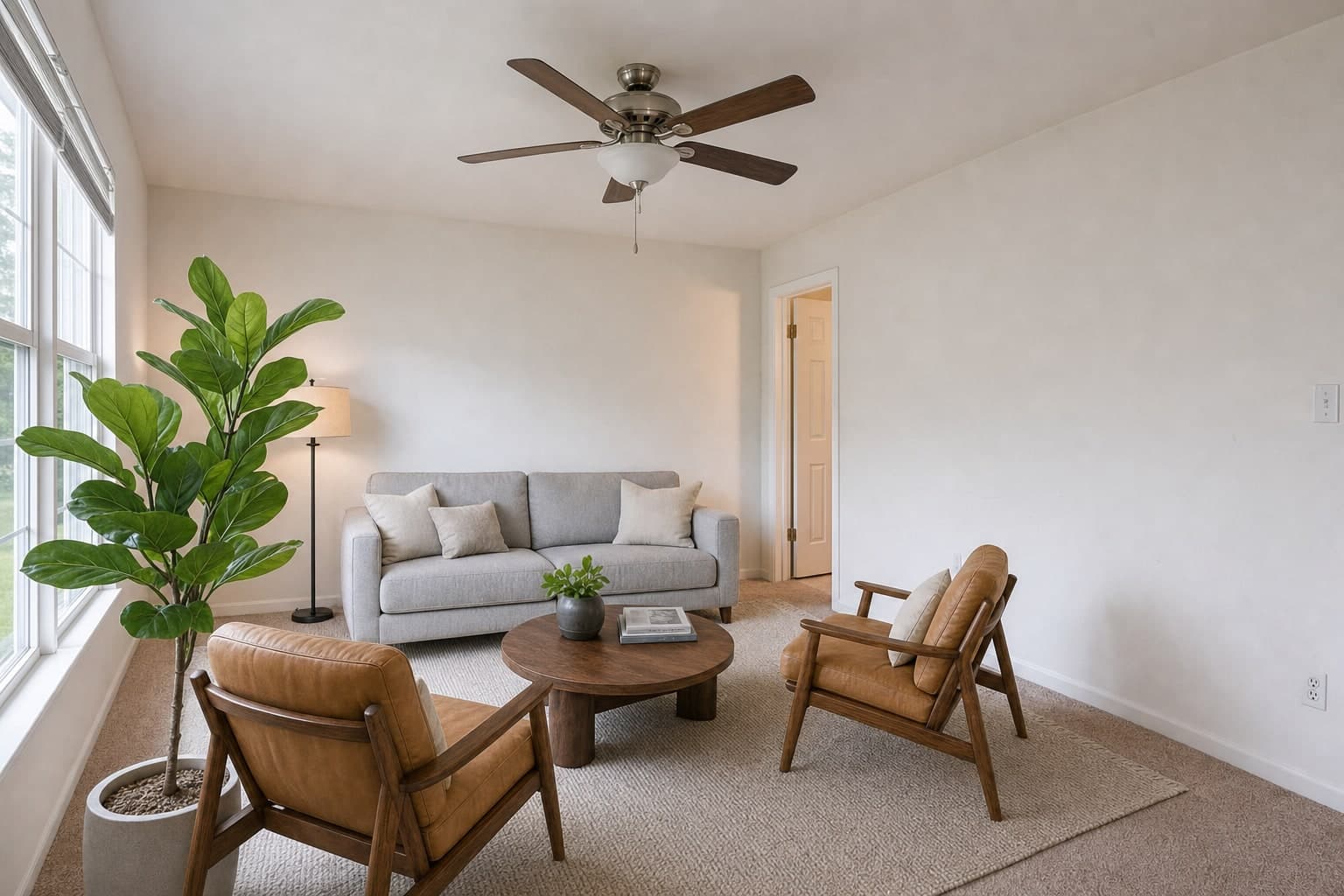
An empty living room, before and after virtual staging, finished
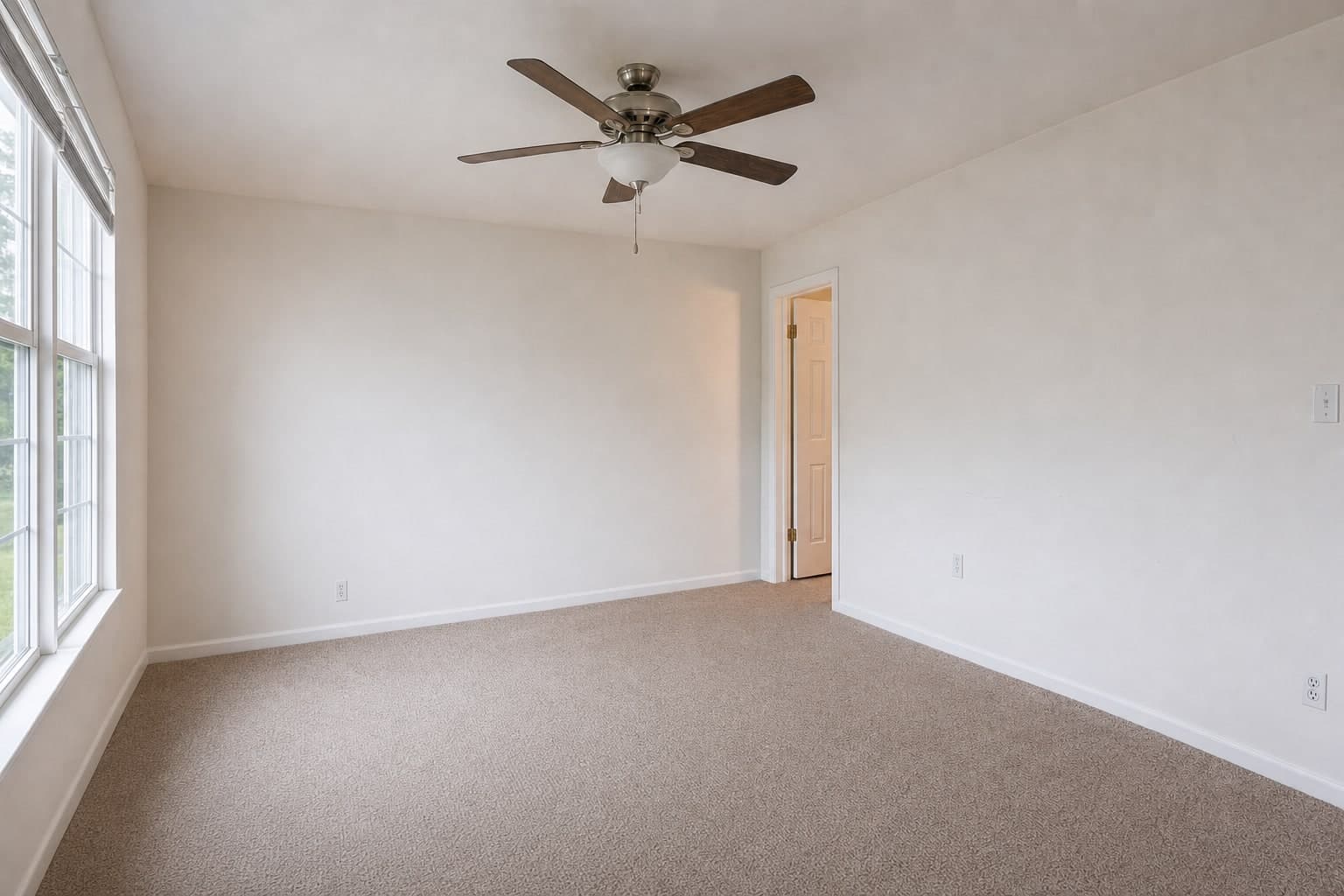
An empty living room, before and after virtual staging, as shot
EmptyStaged

Drag the handle to compare

Virtual Staging

An empty room furnished at its true scale, in the style you choose.

Furniture style

  • Modern Neutral
  • Scandinavian
  • Farmhouse
  • Coastal
  • Minimalist
  • Luxury
  • Transitional
  • 7 furniture styles, picked per room or per order
  • Pieces sized to the real room, shadows matched to its light
  • The empty original stays in the shoot beside the staged frame
$2.00per image, pay as you goFrom $2.00 on Tier I
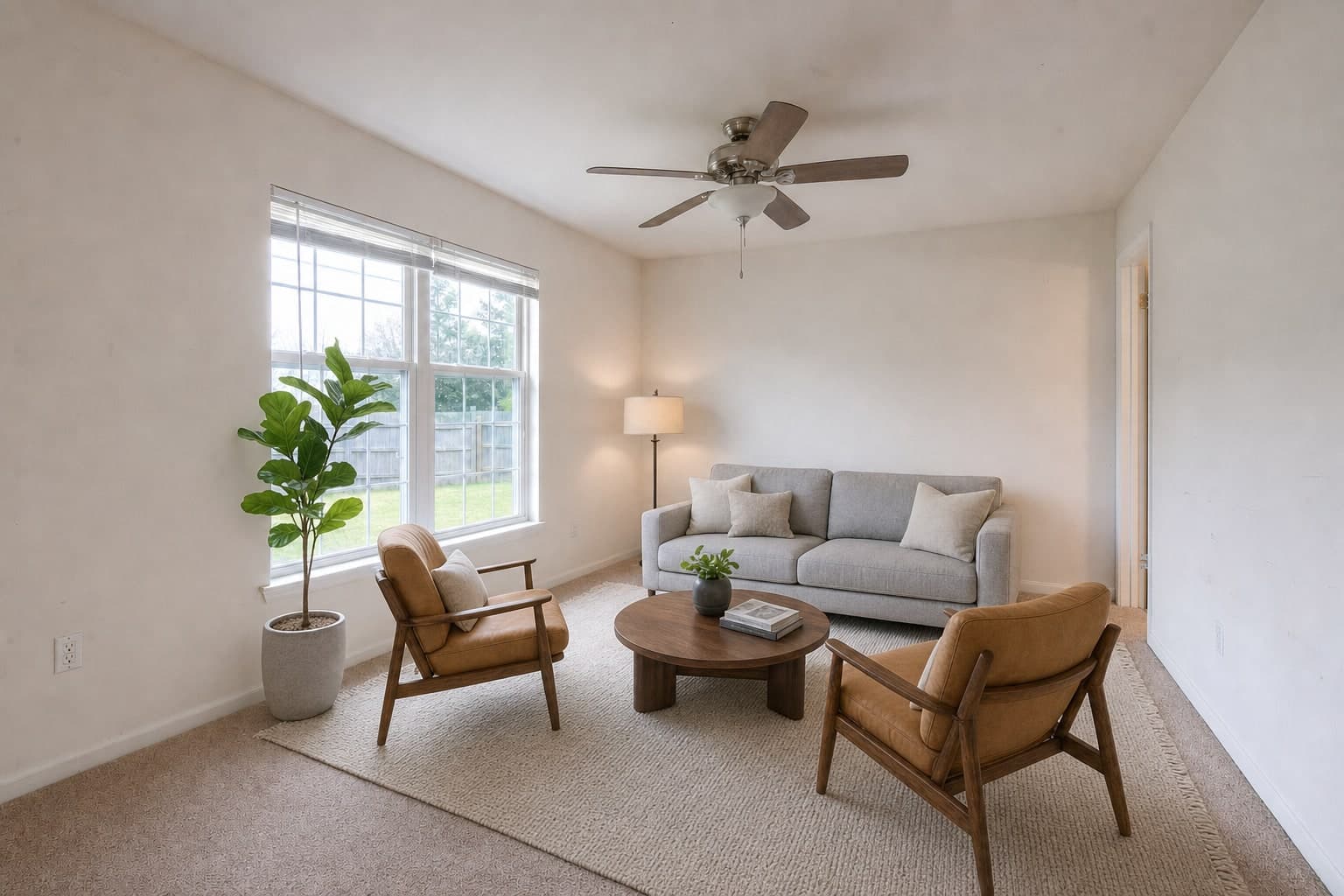
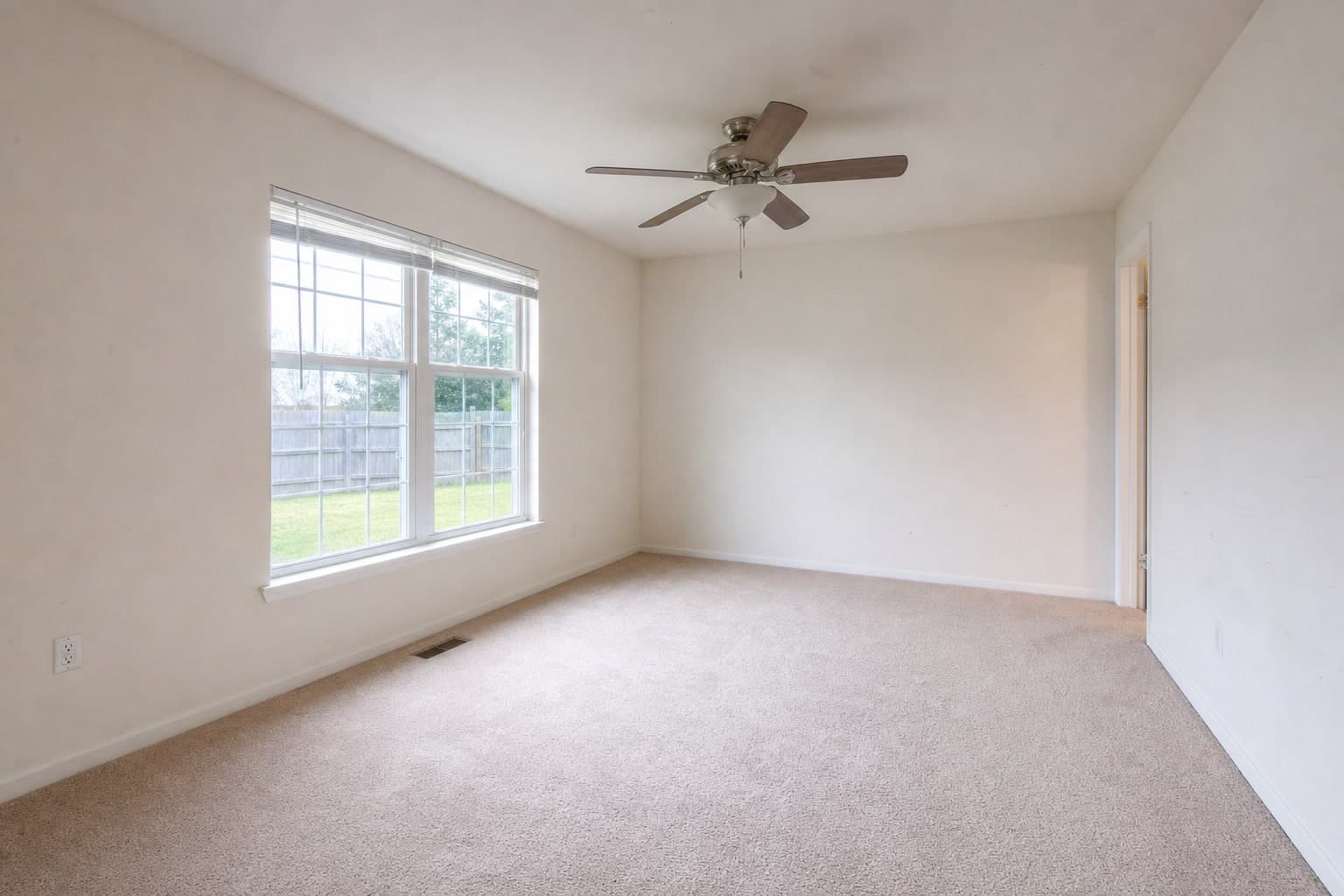
A living room from the entry corner, empty and then staged, finished
A living room from the entry corner, empty and then staged, as shot
EmptyOne layout
The same living room from beside the window, empty and then staged with the same furniture, finished
The same living room from beside the window, empty and then staged with the same furniture, as shot
EmptyOne layout

Drag the handle to compare

Multi-Perspective Staging

One layout, held in place across every angle of the room.

Furniture style

  • Modern Neutral
  • Scandinavian
  • Farmhouse
  • Coastal
  • Minimalist
  • Luxury
  • Transitional
  • The same sofa in the same place from each camera
  • Two angles in the price, each extra angle $1.00
  • Made for open plans that need several frames to read
$2.50per room of two angles, pay as you go$1.00 each extra angleFrom $2.50 on Tier I

The editor

One window for the whole edit. Order, correct, compare, deliver.

Each shoot opens in one editor: the Services on the left, the tool rail beside the photo, the panels on the right.

Studio
The Studio editor: the Services dock, the tool rail, a living room on the canvas, the filmstrip of finals and the adjustments panel
  1. Services in the Studio editor, zoomed in

    Services

    Order a Service without leaving the photo.

    HDR Merge, Virtual Twilight and Virtual Staging, each priced on the button before it runs.

  2. The rail in the Studio editor, zoomed in

    The rail

    33 tools on one rail.

    7 groups, in the order the work is done: Correct, Remove, Recolour, Light & glass, Scene, Generate and Deliver.

  3. Panels in the Studio editor, zoomed in

    Panels

    115 functions in the panels.

    Each tool opens its own panel of sliders, pickers and one-click fixes, with the histogram above.

  4. History in the Studio editor, zoomed in

    History

    Walk any edit back.

    History lists every saved edit with Open, Compare and Restore. Restoring deletes nothing.

  5. Deliver in the Studio editor, zoomed in

    Deliver

    Export it, or deliver it.

    Export bakes your edits into the files. Deliver sends the finished shoot to your client's gallery.

115 editing functions. In 13 categories.

Every slider, picker and one-click fix in the panels, grouped the way the work is done. Functions marked AI show their cost before they run. The rest are free.

Browse the editing tools
The Studio editor's Details and Basic Adjustments panel: a live histogram, balance readings and the exposure control
The Adjust panel, open beside the photo.
  • Adjustments42 functions

    Basic Adjustments

    • Exposure
    • Contrast
    • Highlights
    • Shadows
    • Whites
    • Blacks

    Color Adjustments

    • Temperature
    • Tint
    • Vibrance
    • Saturation
    • Hue Bands
    • White Balance Picker

    Crop & Transform

    • Crop
    • Rotate
    • Flip Horizontal
    • Flip Vertical
    • Aspect Ratio
    • Straighten

    Geometry

    • Auto Geometry
    • Vertical
    • Horizontal
    • Rotate
    • Aspect
    • Scale
    • X Offset
    • Y Offset

    Lens

    • Auto Lens Profile
    • Distortion
    • Chromatic Aberration
    • Defringe
    • Vignette Correction

    Detail

    • Sharpen
    • Noise Reduction
    • Texture
    • Clarity
    • Dehaze

    Tone

    • Tone Curve
    • Red Curve
    • Green Curve
    • Blue Curve

    Effects

    • Vignette
    • Grain
  • Cleanup9 functions

    Retouch

    • Clone

    Magic Eraser

    • Object RemovalAI tool, cost shown before it runs

    Declutter

    • Detect ClutterAI tool, cost shown before it runs

    People

    • Remove PeopleAI tool, cost shown before it runs

    Equipment

    • PhotographyAI tool, cost shown before it runs

    Reflections

    • Human ReflectionsAI tool, cost shown before it runs

    Property Cleanup

    • SignsAI tool, cost shown before it runs
    • Trash / BinsAI tool, cost shown before it runs
    • VehiclesAI tool, cost shown before it runs
  • Interior7 functions

    Windows

    • View EnhanceAI tool, cost shown before it runs

    Lighting

    • Lights OnAI tool, cost shown before it runs
    • SunsetAI tool, cost shown before it runs

    Fireplace

    • RelightAI tool, cost shown before it runs
    • Flame TypeAI tool, cost shown before it runs

    Screens

    • Screen CleanupAI tool, cost shown before it runs
    • Screen ReplacementAI tool, cost shown before it runs
  • Exterior5 functions

    Lawn

    • EnhanceAI tool, cost shown before it runs

    Landscaping

    • EnhanceAI tool, cost shown before it runs

    Driveway

    • CleanAI tool, cost shown before it runs

    Pool

    • Water EnhanceAI tool, cost shown before it runs

    Lighting

    • LandscapeAI tool, cost shown before it runs
  • Materials5 functions

    Walls

    • ColorAI tool, cost shown before it runs

    Cabinets

    • ColorAI tool, cost shown before it runs

    Floors

    • ColorAI tool, cost shown before it runs

    Counters

    • ColorAI tool, cost shown before it runs

    Doors

    • ColorAI tool, cost shown before it runs
  • Sky4 functions

    Sky

    • Clear BlueAI tool, cost shown before it runs
    • Light CloudsAI tool, cost shown before it runs
    • Soft OvercastAI tool, cost shown before it runs
    • Dramatic CloudsAI tool, cost shown before it runs
  • Weather3 functions

    Weather

    • Clear WeatherAI tool, cost shown before it runs
    • RainingAI tool, cost shown before it runs
    • SnowingAI tool, cost shown before it runs
  • Season4 functions

    Season

    • SpringAI tool, cost shown before it runs
    • SummerAI tool, cost shown before it runs
    • AutumnAI tool, cost shown before it runs
    • WinterAI tool, cost shown before it runs
  • Holiday16 functions

    Holiday Décor

    • Interior - ChristmasAI tool, cost shown before it runs
    • Exterior - ChristmasAI tool, cost shown before it runs
    • Interior - Christmas - CustomAI tool, cost shown before it runs
    • Exterior - Christmas - CustomAI tool, cost shown before it runs
    • Interior - HalloweenAI tool, cost shown before it runs
    • Exterior - HalloweenAI tool, cost shown before it runs
    • Interior - Halloween - CustomAI tool, cost shown before it runs
    • Exterior - Halloween - CustomAI tool, cost shown before it runs
    • Interior - 4th JulyAI tool, cost shown before it runs
    • Exterior - 4th JulyAI tool, cost shown before it runs
    • Interior - 4th July - CustomAI tool, cost shown before it runs
    • Exterior - 4th July - CustomAI tool, cost shown before it runs
    • Interior - EasterAI tool, cost shown before it runs
    • Exterior - EasterAI tool, cost shown before it runs
    • Interior - Easter - CustomAI tool, cost shown before it runs
    • Exterior - Easter - CustomAI tool, cost shown before it runs
  • Generative1 function

    Custom

    • CustomAI tool, cost shown before it runs
  • Aerial9 functions

    Lot Lines

    • Manual
    • Automatic

    Property Highlight

    • Manual

    Location Markers

    • Pins
    • Callouts
    • Distance
    • Geo Location

    Cleanup

    • DistractionsAI tool, cost shown before it runs

    Lighting

    • TwilightAI tool, cost shown before it runs
  • Markup7 functions

    Draw

    • Brush / Pencil

    Shapes

    • Rectangle, Circle, Line, Custom

    Arrow

    • Arrows

    Text

    • Text / Labels

    Measurement

    • Dimension Lines

    Brand

    • Logo
    • Watermark
  • Privacy3 functions

    Privacy

    • Blur
    • Detect Plates
    • Detect Photos

Free under your hand. AI priced before it runs.

Corrections you make by hand cost nothing. An AI tool shows its cost on the button before it runs, and the meter in the top bar shows how much of the month is left.

Free to use (22)

  • Adjust
  • Crop
  • Geometry
  • Lens
  • Detail
  • Select
  • Move
  • Mask
  • Magic EraserAI option
  • PaintAI option
  • Cabinets
  • Flooring
  • WindowsAI option
  • ScreensAI option
  • AerialAI option
  • Markup
  • Privacy
  • Draw
  • Brand
  • Hand
  • Zoom
  • Eyedropper

AI, priced before it runs (11)

  • Declutter
  • Reflection
  • Lighting
  • Fireplace
  • Exterior
  • Weather
  • Holiday
  • Sky
  • Season
  • Stage
  • Generative
The Studio editor's top bar with the AI usage meter, and the tool rail with its AI tools marked by a spark
Outlined: the AI usage meter, and the rail's AI tools, each marked with a spark.

Quick fixes in any browser. The whole rail on the desktop.

In a browser

Order Services, make the basic edit, then export or deliver the shoot.

  • Adjust
  • Crop
  • Geometry

In the desktop app (33 tools)

Every tool on the rail and every panel behind it.

  • Adjust
  • Crop
  • Geometry
  • Lens
  • Detail
  • Select
  • Move
  • Mask
  • Magic Eraser
  • Declutter
  • Reflection
  • Paint
  • Cabinets
  • Flooring
  • Windows
  • Lighting
  • Fireplace
  • Screens
  • Exterior
  • Weather
  • Holiday
  • Sky
  • Season
  • Stage
  • Generative
  • Aerial
  • Markup
  • Privacy
  • Draw
  • Brand
  • Hand
  • Zoom
  • Eyedropper

Nothing is lost. Everything goes out under your name.

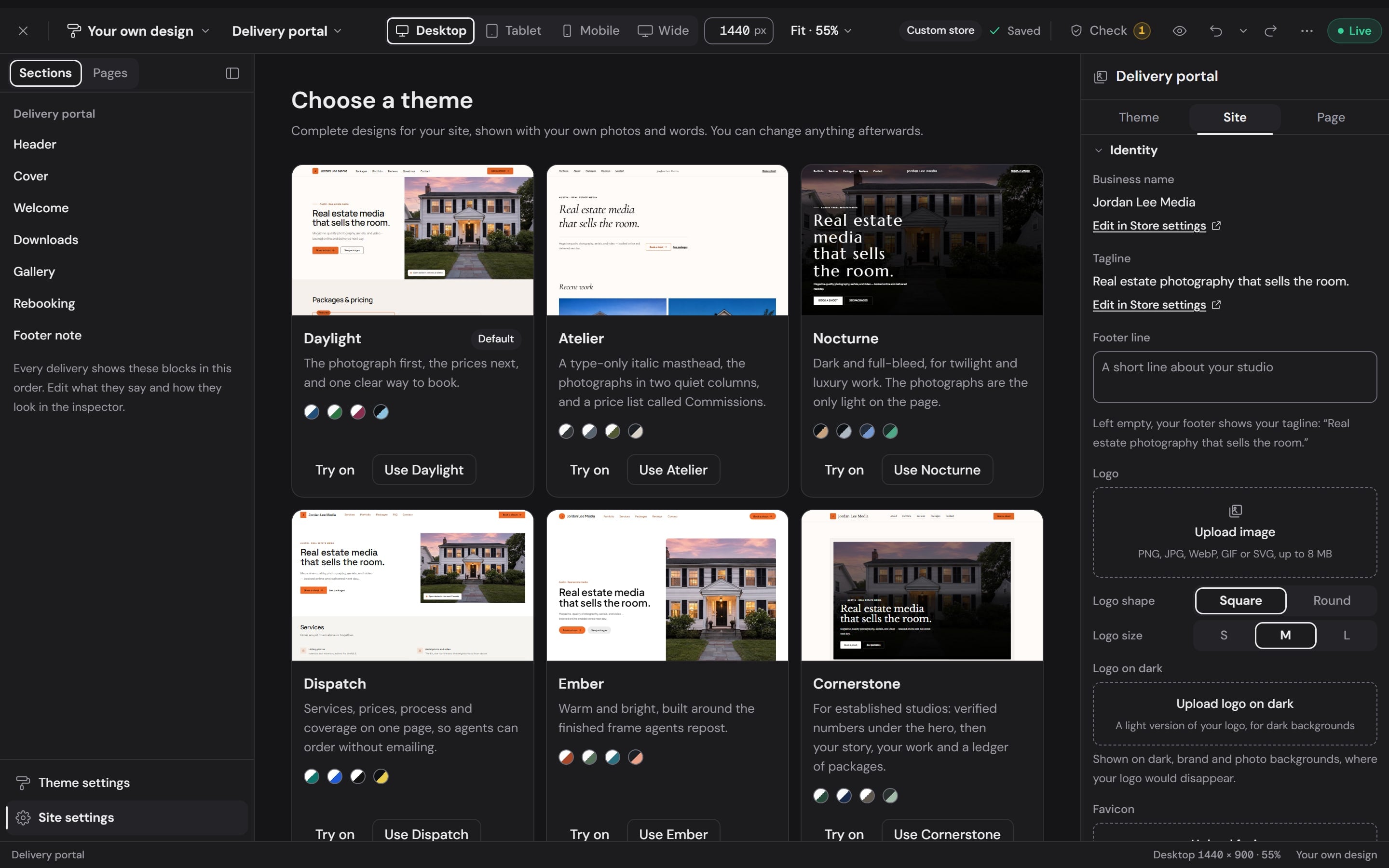
Delivered on your own portal

Deliver from the shoot and your client opens the gallery on your delivery portal.

Workspace
The delivery portal in the Workspace builder: six themes to choose from, the portal's sections and its identity settings
The Adjust, History, Versions and Info tabs above the canvas in the Studio editor

Every edit is a version

History lists each saved edit with Open, Compare and Restore. Restoring an older version deletes nothing, so you can always go forward again.

The filmstrip in the Studio editor: the source frames and the finals of one shoot side by side

Originals beside the finals

The filmstrip keeps every source frame of the shoot next to the finished set. Export bakes your edits into the files.

Pricing

Price your next shoot. Before anything runs.

On pay as you go every Service runs at its list price. A plan takes 0% to 0% off every one of them. Set a shoot below and pick how you pay.

Pay with
  • A living room with two bright windows, one exposure and the HDR merge

    HDR Merge

    $0.60 per image

    $15.00
  • A two-story home with a double garage, in daylight and as a Virtual Twilight

    Virtual Twilight

    $2.00 per image

    $2.00
  • An empty living room, before and after virtual staging

    Virtual Staging

    $2.00 per image

    $4.00
  • A living room from the entry corner, empty and then staged

    Multi-Perspective Staging

    $2.50 per room of two angles

    $0.00
  • The same living room from beside the window, empty and then staged with the same furniture

    Additional Staging Perspective

    $1.00 per angle after the first two

    $0.00

This shoot on Tier I, 28 items

$21.00

Tier I is $49.00 a month and comes with 515 credits. A shoot is paid from those credits.

Questions, answered.

  • What is the difference between a Service and a tool?

    A Service is work you order: pick the frames, see the price, and the result comes back into the same shoot. HDR Merge, Virtual Twilight, Virtual Staging and Multi-Perspective Staging are Services. A tool is something you do yourself in the editor, on the photo in front of you. Tools you use by hand are free, and an AI tool shows its cost before it runs.

  • How much does a Service cost?

    On pay as you go, HDR Merge is $0.60 per image, Virtual Twilight is $2.00 per image, Virtual Staging is $2.00 per image and Multi-Perspective Staging is $2.50 per room of two angles. A plan takes 0% to 0% off every one of them. The price is on the button before anything runs.

  • Do I need the desktop app?

    No. In a browser you can order every Service and make the basic edit with Adjust, Crop and Geometry. The desktop app adds the whole rail of 33 tools.

  • What do I upload for HDR Merge?

    The shoot as it came off the card. Studio groups the brackets into sets from each frame's capture data, so there is nothing to sort first. Three to five exposures per composition holds both the window view and the shadows.

  • Can I undo an edit?

    Yes. Every saved edit is a version. History lists them with Open, Compare and Restore, and restoring an older version deletes nothing, so you can always go forward again.

  • How do the finished photos reach my client?

    Deliver sends the finished shoot to your client's gallery on your delivery portal. If you have edited frames yourself, Export bakes those edits into the files.

  • Do I have to label virtually staged photos?

    Rules vary by MLS board, so check yours. The empty original stays in the shoot beside the staged frame, so showing both is easy.

A two-story home at dusk, finished with warm windows, a lit porch and a soft evening sky

Your next listing, finished in Studio.

Creating an account is free. Every Service shows its price before it runs.