Workspace
Run your real estate photography business in one place.
Bookings, calendar, clients, invoices, your storefront and your team on one login. Free to start.
One order, start to paid.Nobody types it twice.
A booking moves through your Workspace and the Studio as one record: the order, the shoot, the edit, the delivery and the payment.
- BookedWorkspace
- ScheduledWorkspace
- ImportedStudio
- EditedStudio
- DeliveredWorkspace
- PaidWorkspace
The order

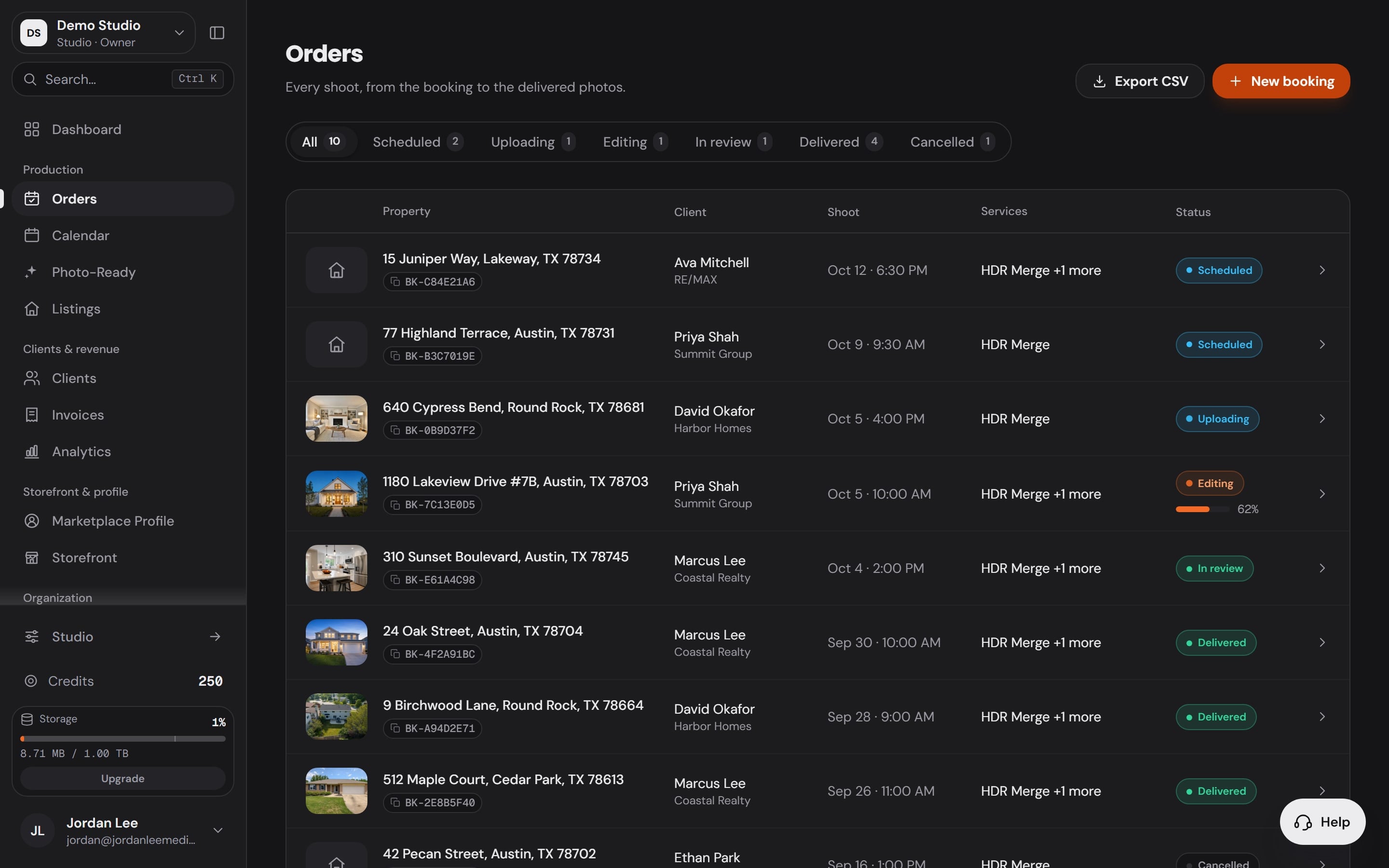
The order lands with everything on it.
The client, the address, the date and the Services they picked arrive in Orders the moment they book.
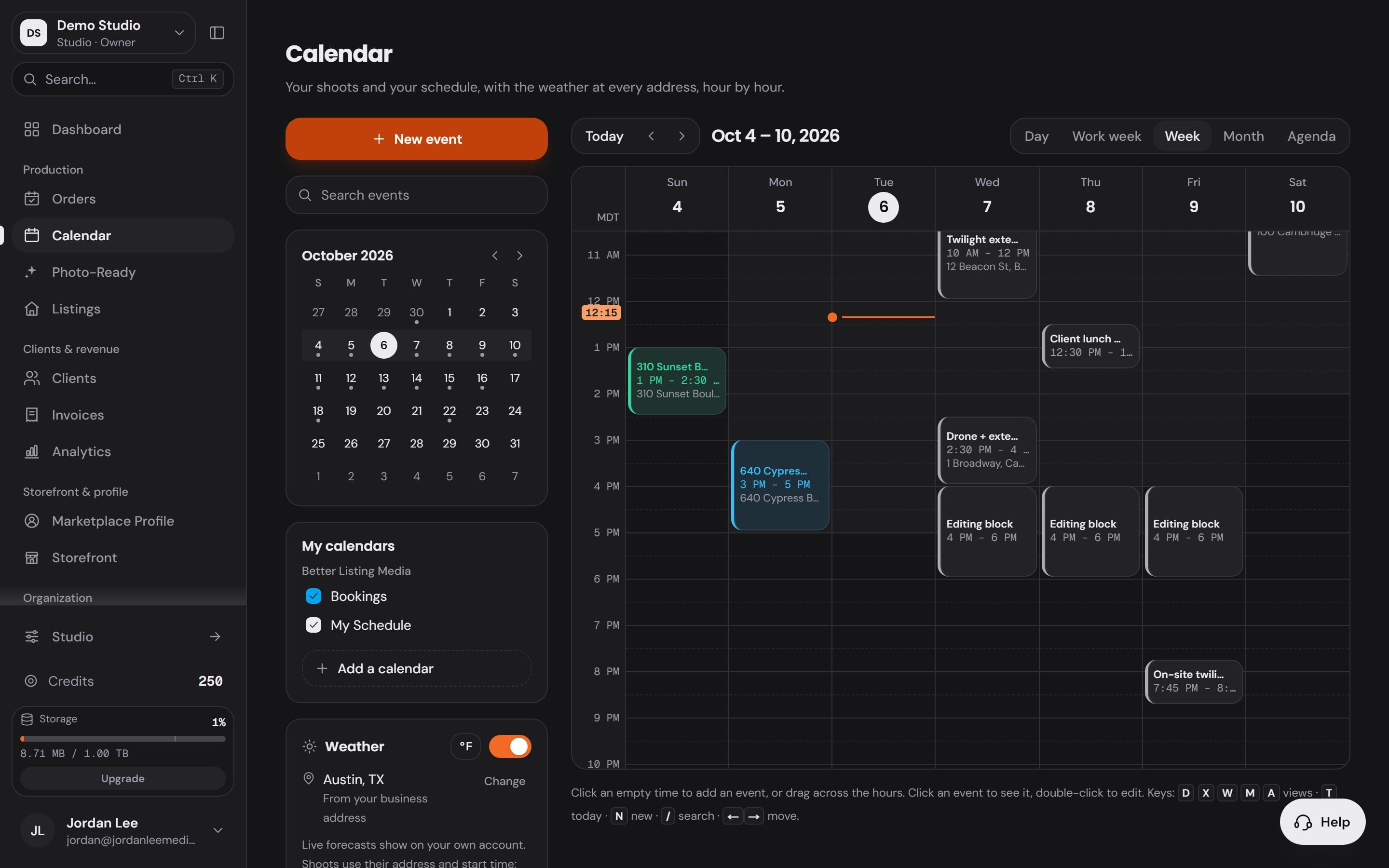
Your week, and the weather at each address.
Every shoot sits on one calendar beside the calendars you connect, with the conditions for the time you booked.
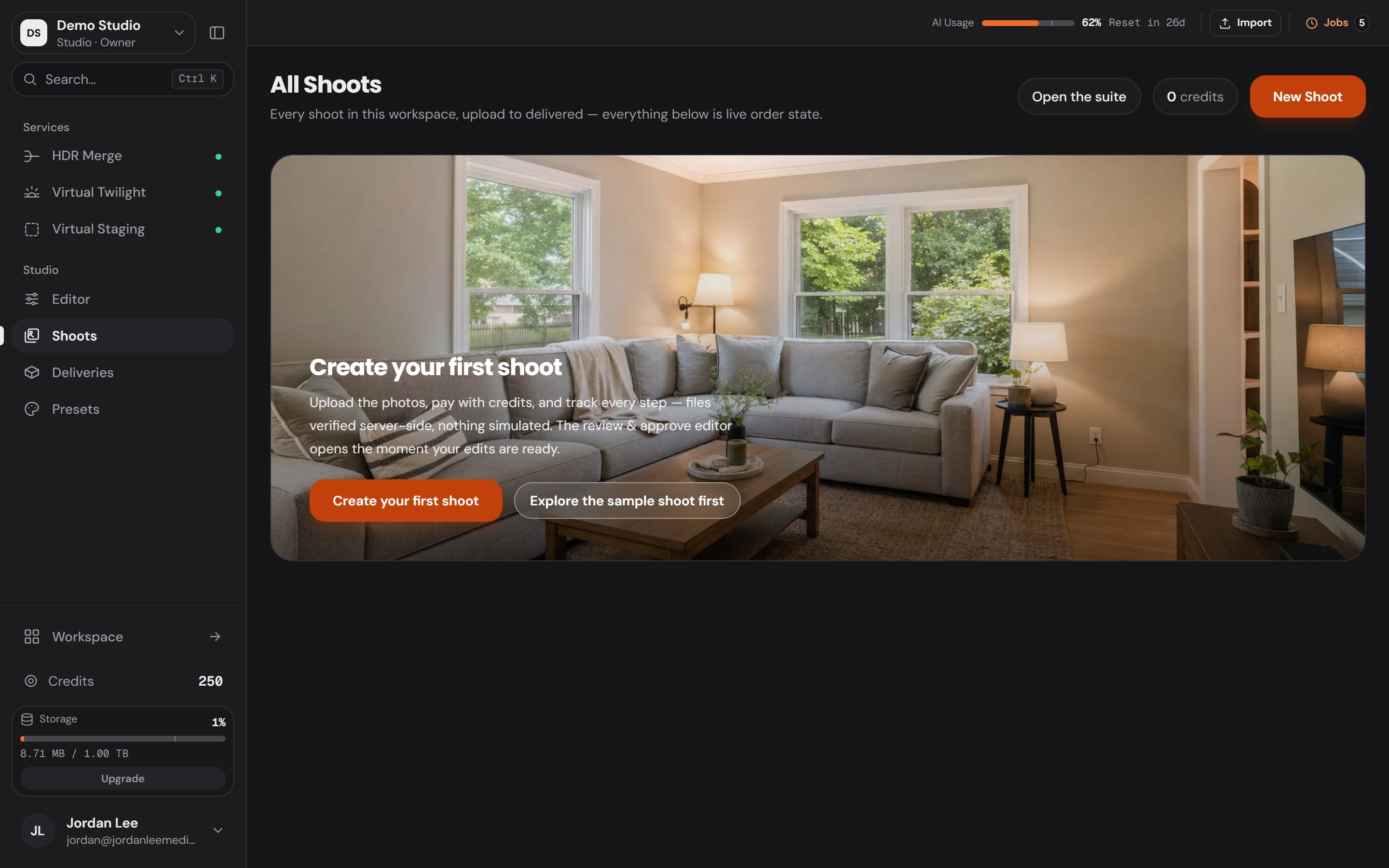
Plug in the card. The shoot is waiting.
Studio lists the frames on the card and brings them in as a shoot for the booking. No renaming, no sorting.
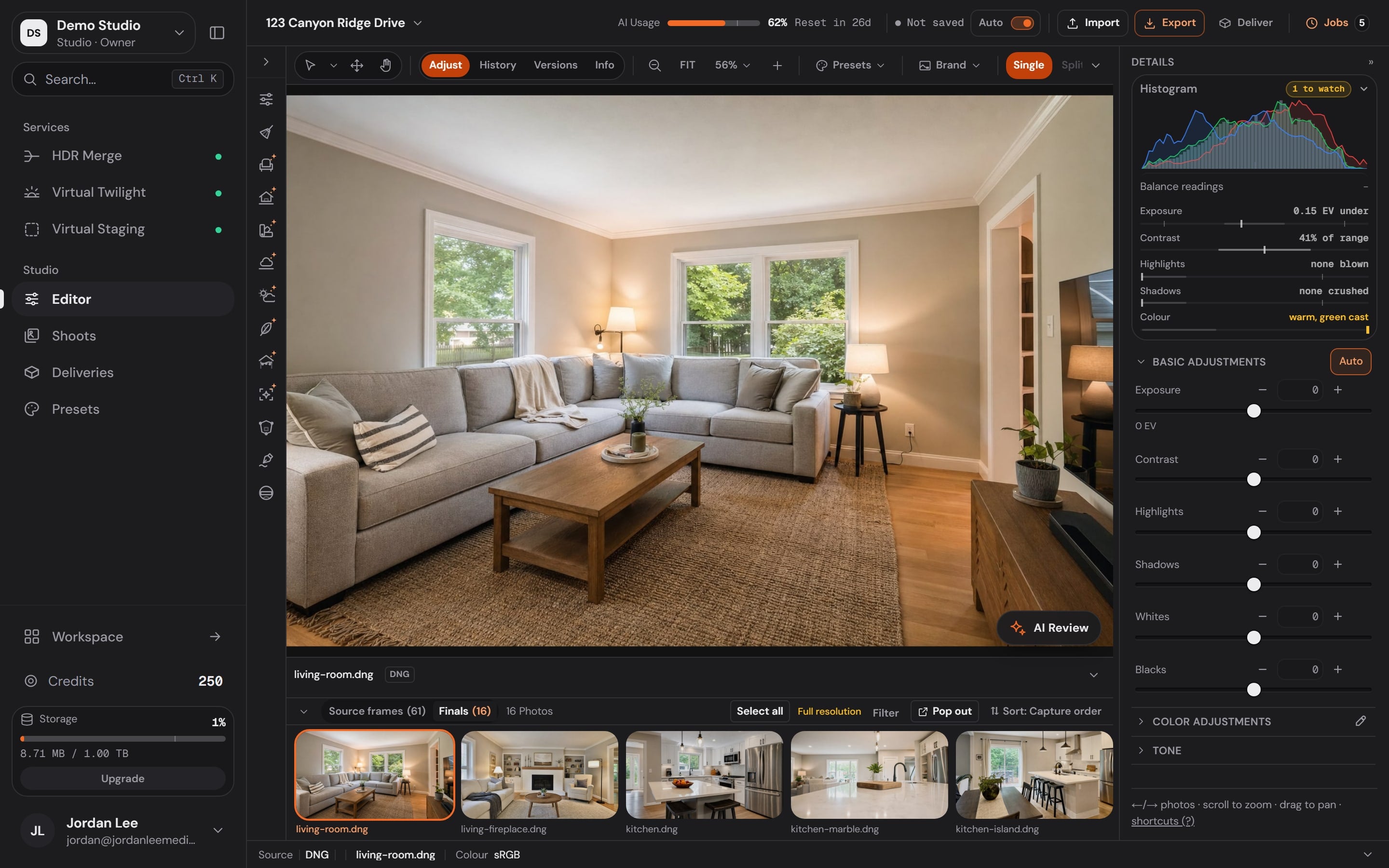
33 tools on one rail.
Adjust, crop and straighten by hand, order HDR Merge or Virtual Twilight from the dock, and watch the filmstrip fill with finals.
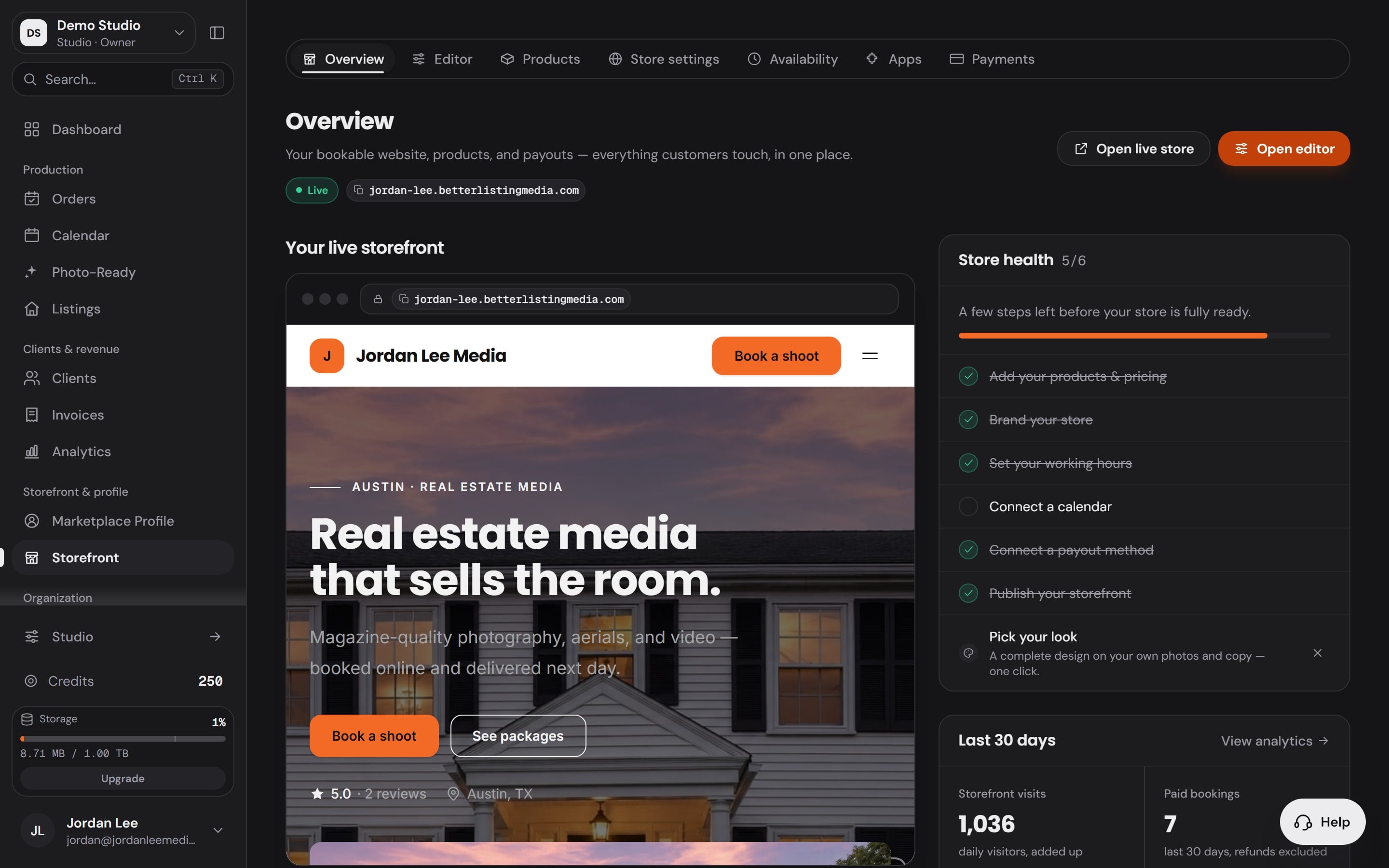
Delivered under your name, not ours.
Your storefront, your booking page and your galleries carry your brand, so the agent remembers who shot the listing.
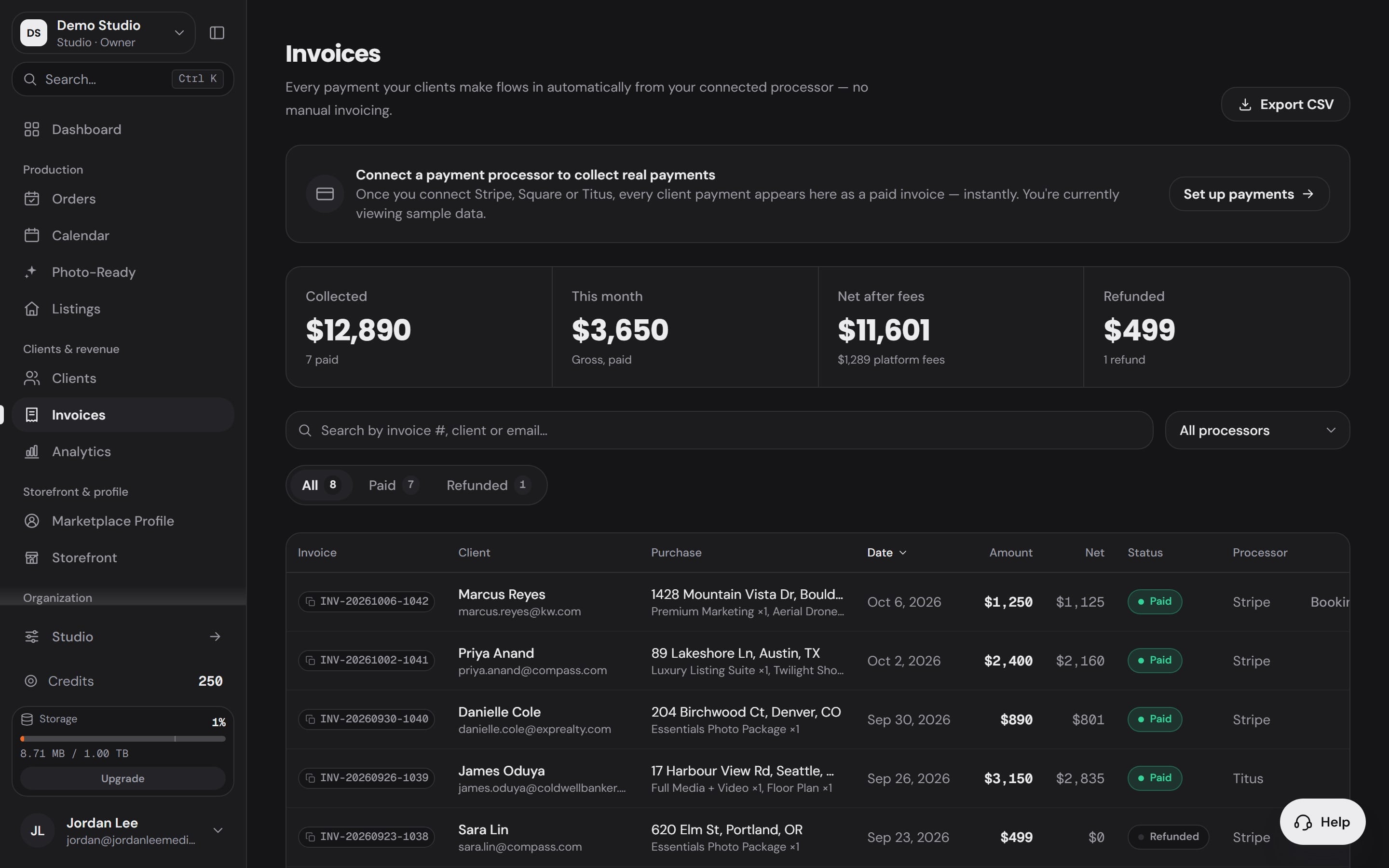
And the payment lands where the job started.
Invoices and payments from your connected processor sit beside the order, so the job closes in the app it opened in.
The order
Booked
Workspace OrdersThe order lands with everything on it.
The client, the address, the date and the Services they picked arrive in Orders the moment they book.
Workspace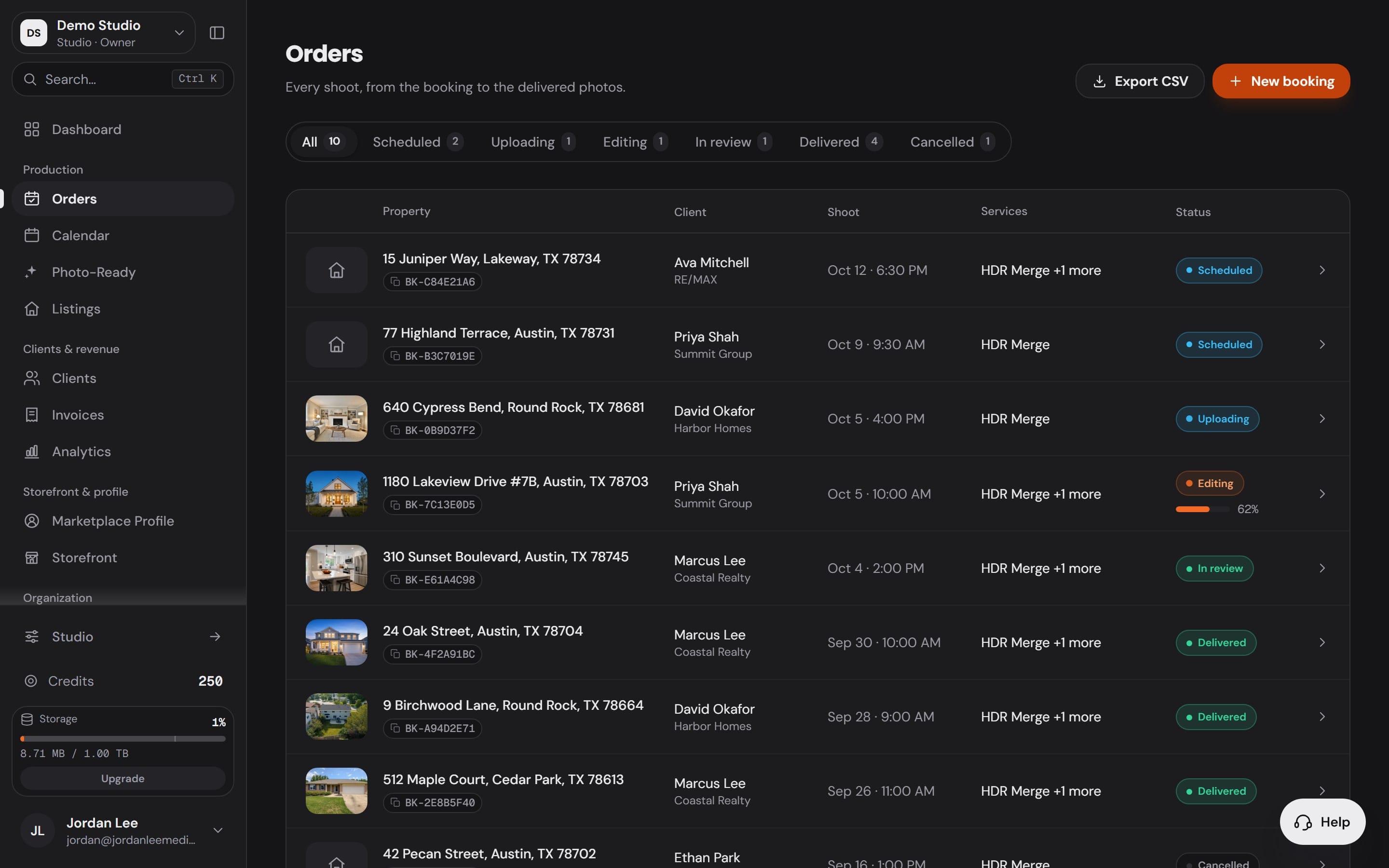
Scheduled
Workspace CalendarYour week, and the weather at each address.
Every shoot sits on one calendar beside the calendars you connect, with the conditions for the time you booked.
Workspace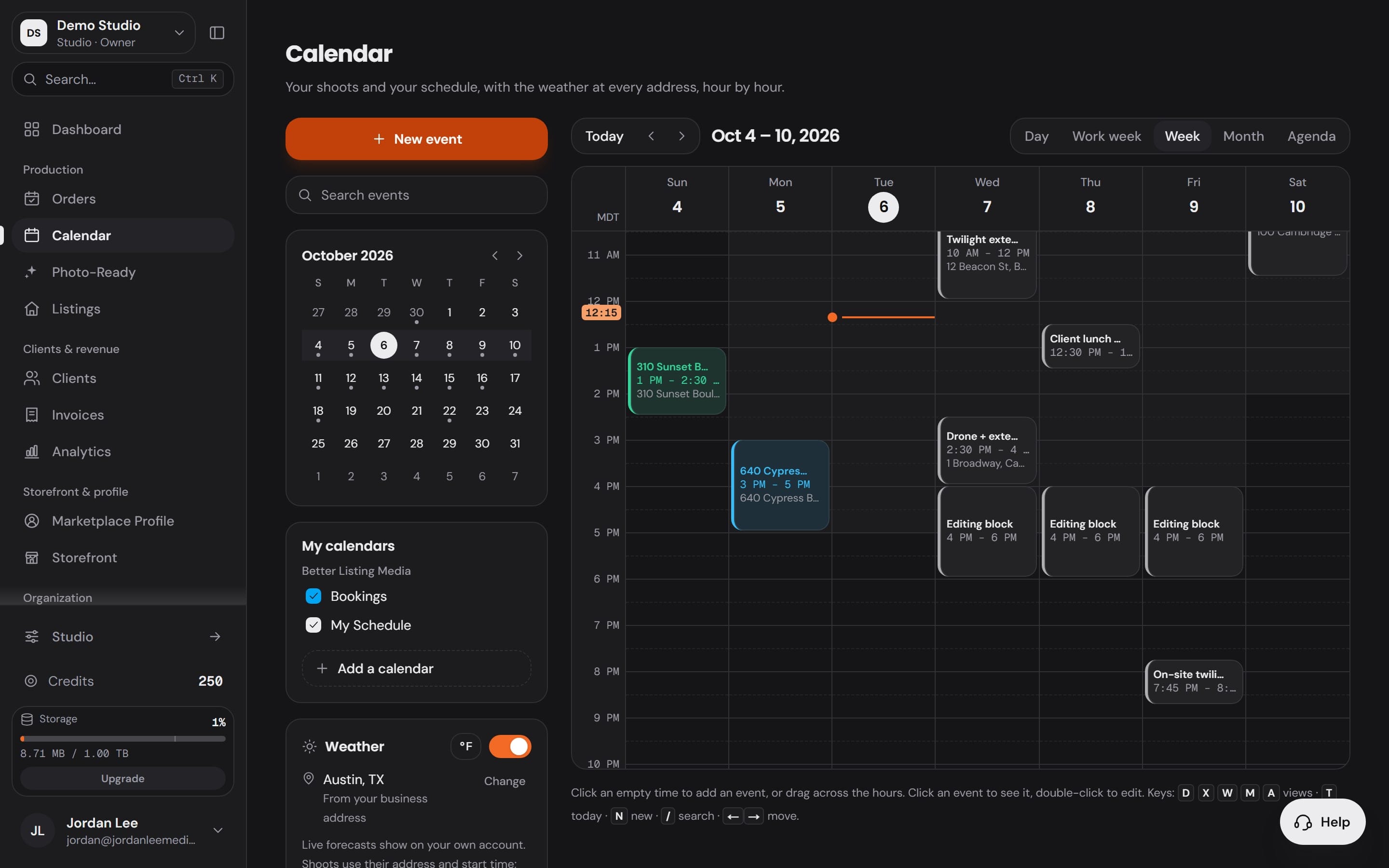
Imported
Studio ShootsPlug in the card. The shoot is waiting.
Studio lists the frames on the card and brings them in as a shoot for the booking. No renaming, no sorting.
Studio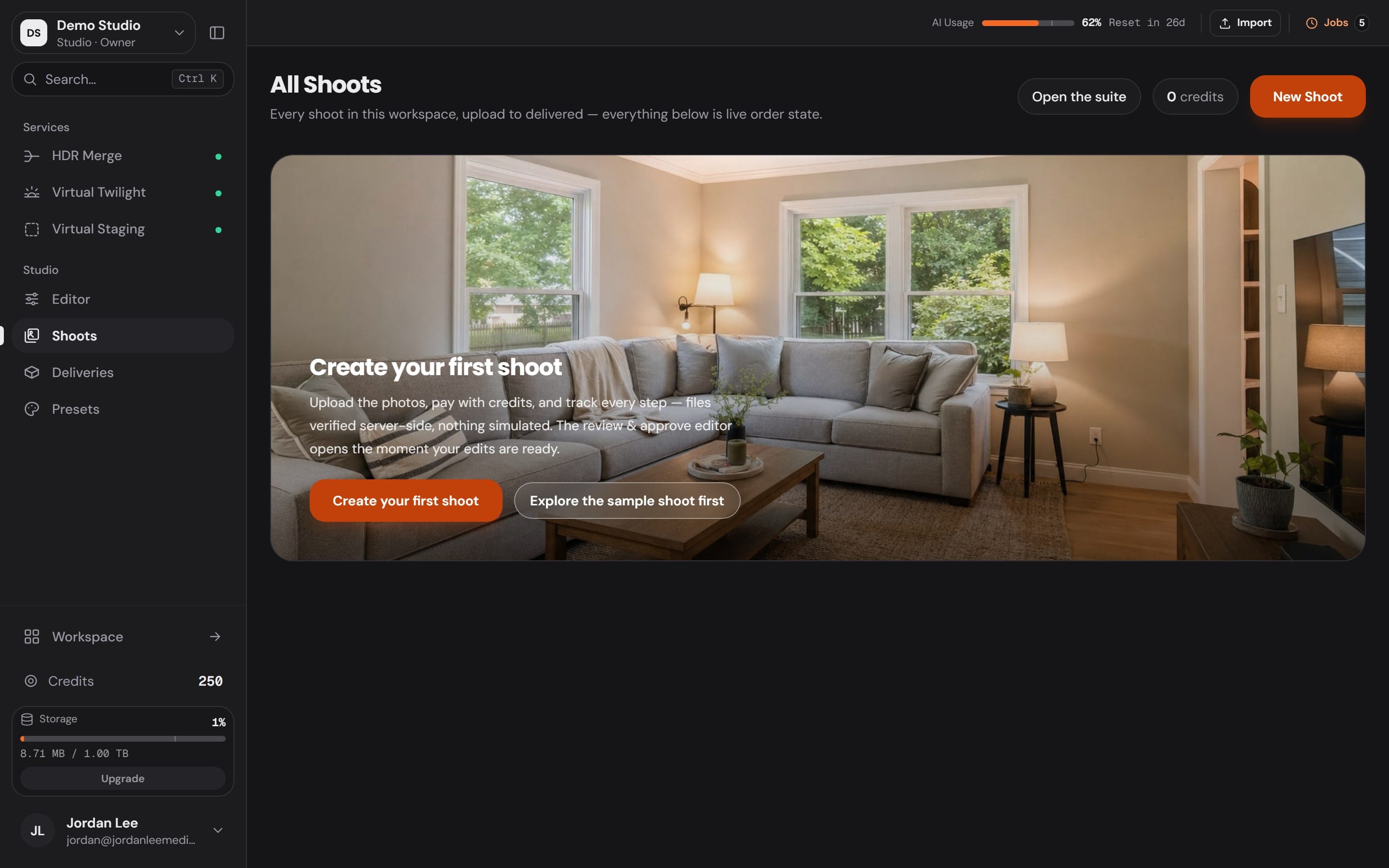
Edited
Studio Editor33 tools on one rail.
Adjust, crop and straighten by hand, order HDR Merge or Virtual Twilight from the dock, and watch the filmstrip fill with finals.
Studio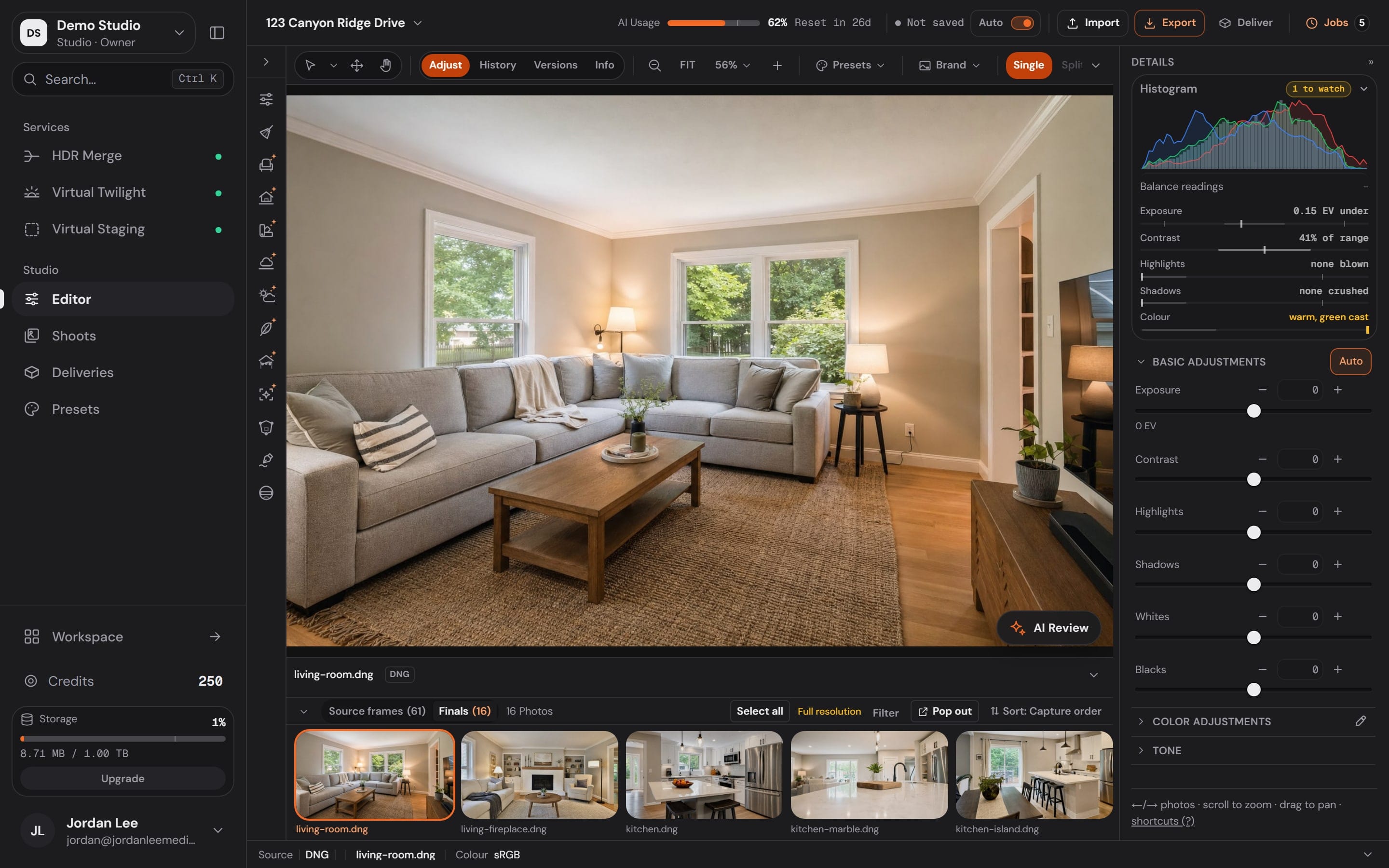
Delivered
Workspace StorefrontDelivered under your name, not ours.
Your storefront, your booking page and your galleries carry your brand, so the agent remembers who shot the listing.
Workspace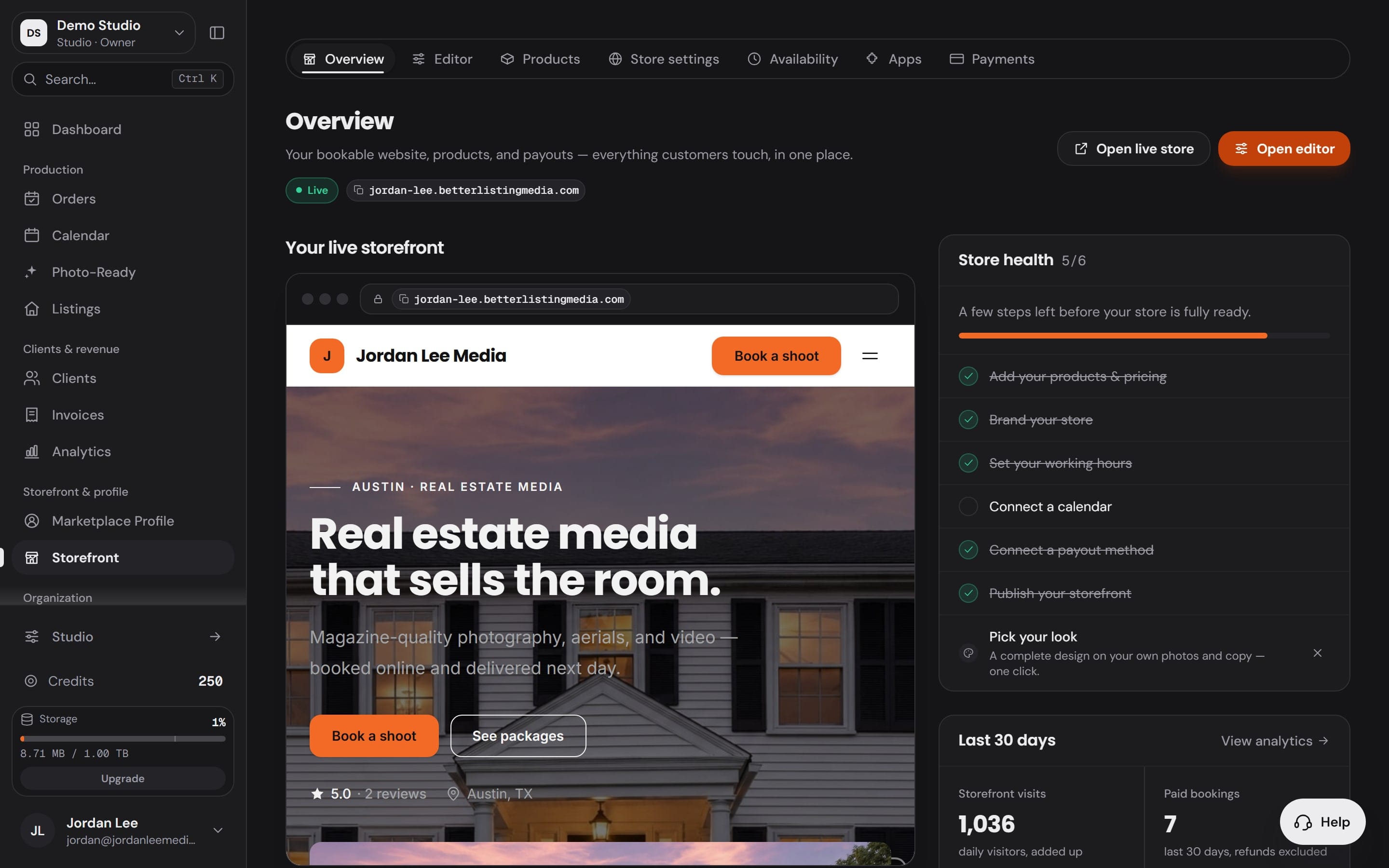
Paid
Workspace InvoicesAnd the payment lands where the job started.
Invoices and payments from your connected processor sit beside the order, so the job closes in the app it opened in.
Workspace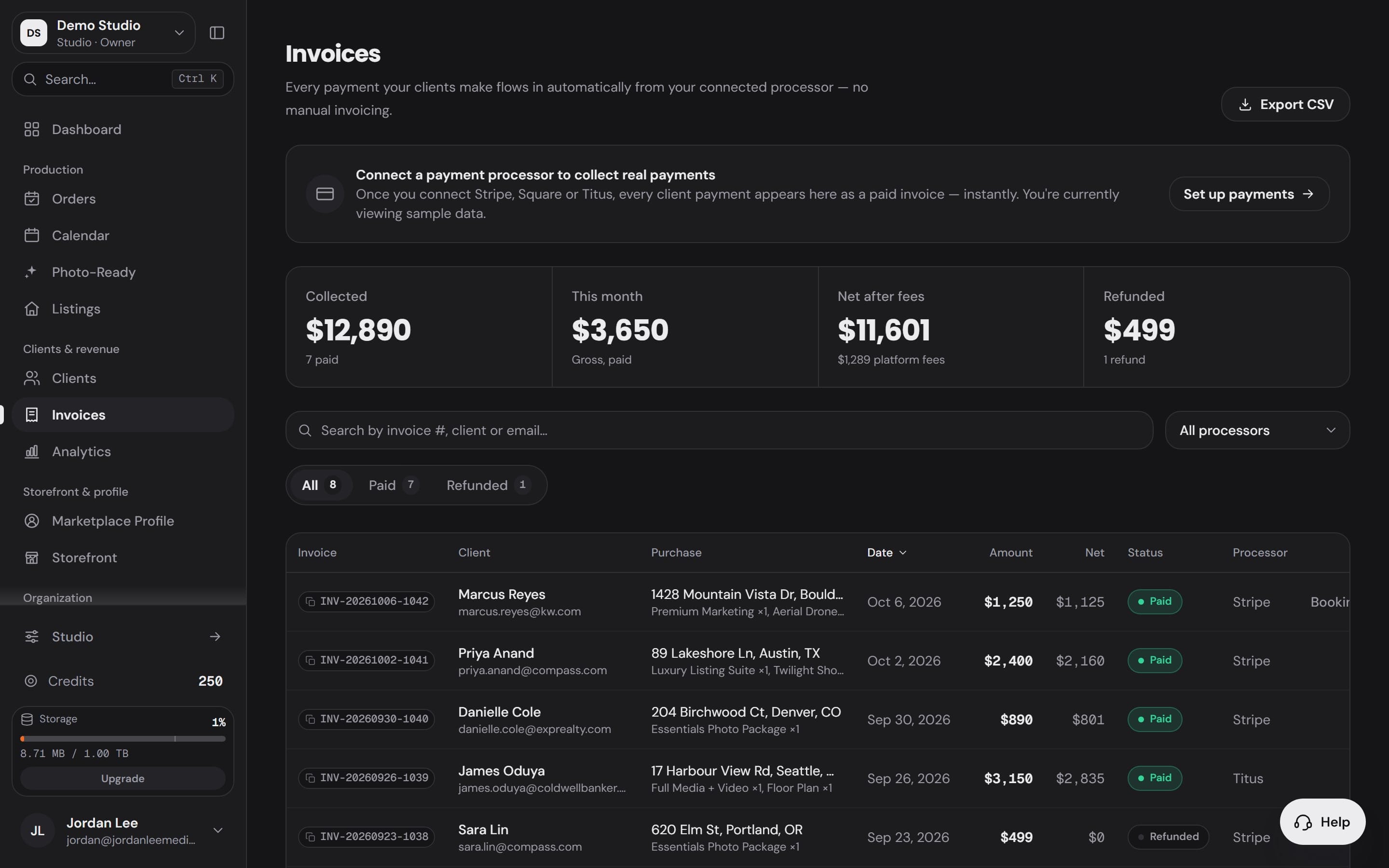
12 apps for the business.One login.
Orders, the calendar, clients, the money, your storefront and your team share one account, so every client is on file once.
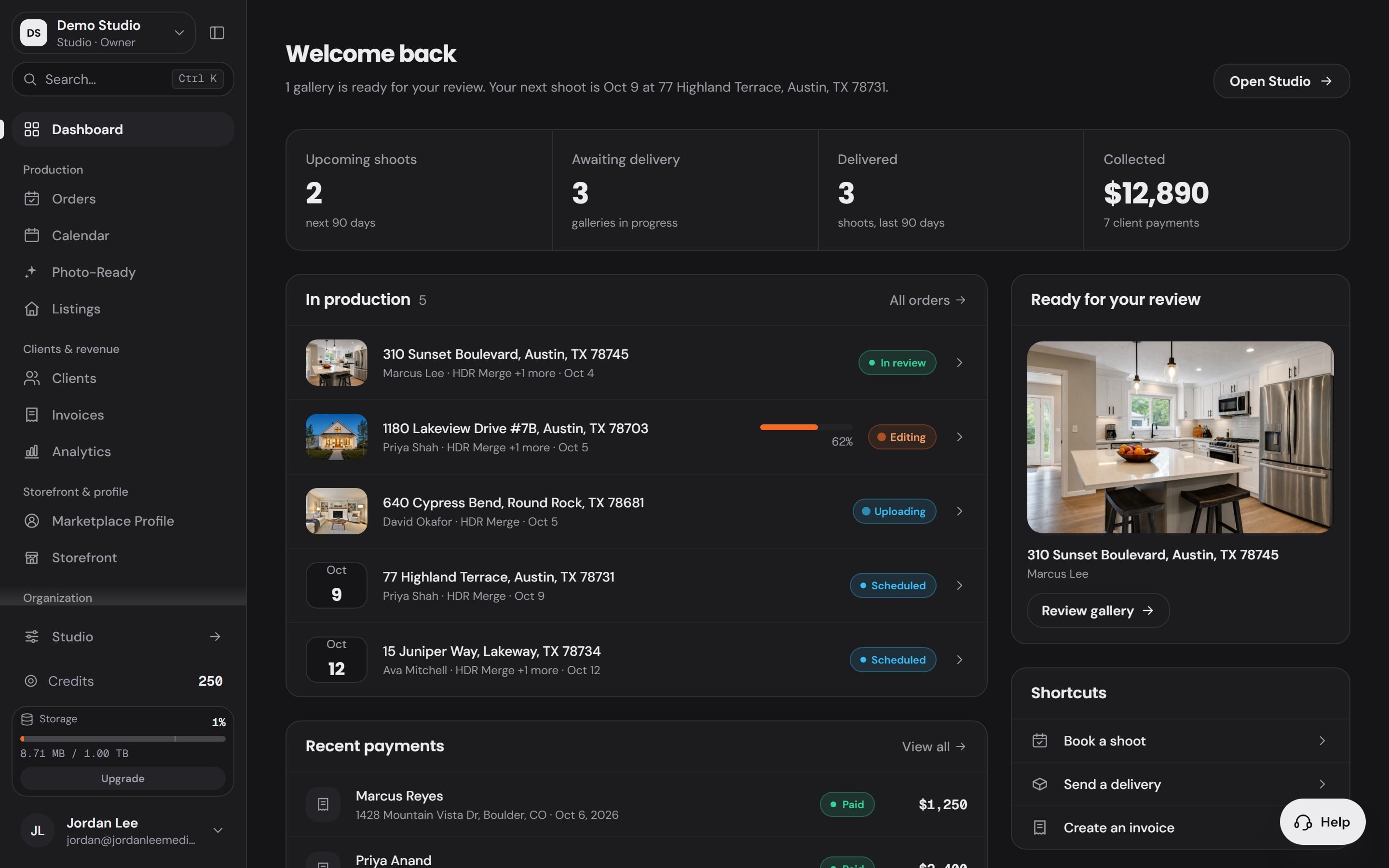
Dashboard
The day at a glance, the moment you sign in.
- Upcoming shoots, galleries awaiting delivery, shoots delivered and payments collected
- Every order in production, with its status
- The next gallery ready for your review
Payments
Clients pay you directly,through your own processor.
Storefront bookings and invoices settle to the payment processor you connect, so the money lands in your account. Every paid plan takes a 0% booking fee.
- Booking fee on a paid plan
- $0.00
- 0% of every booking
- On the free plan or pay as you go
- $126.00
- 2.1% of every booking

Bring your team in.Each person sees their part.
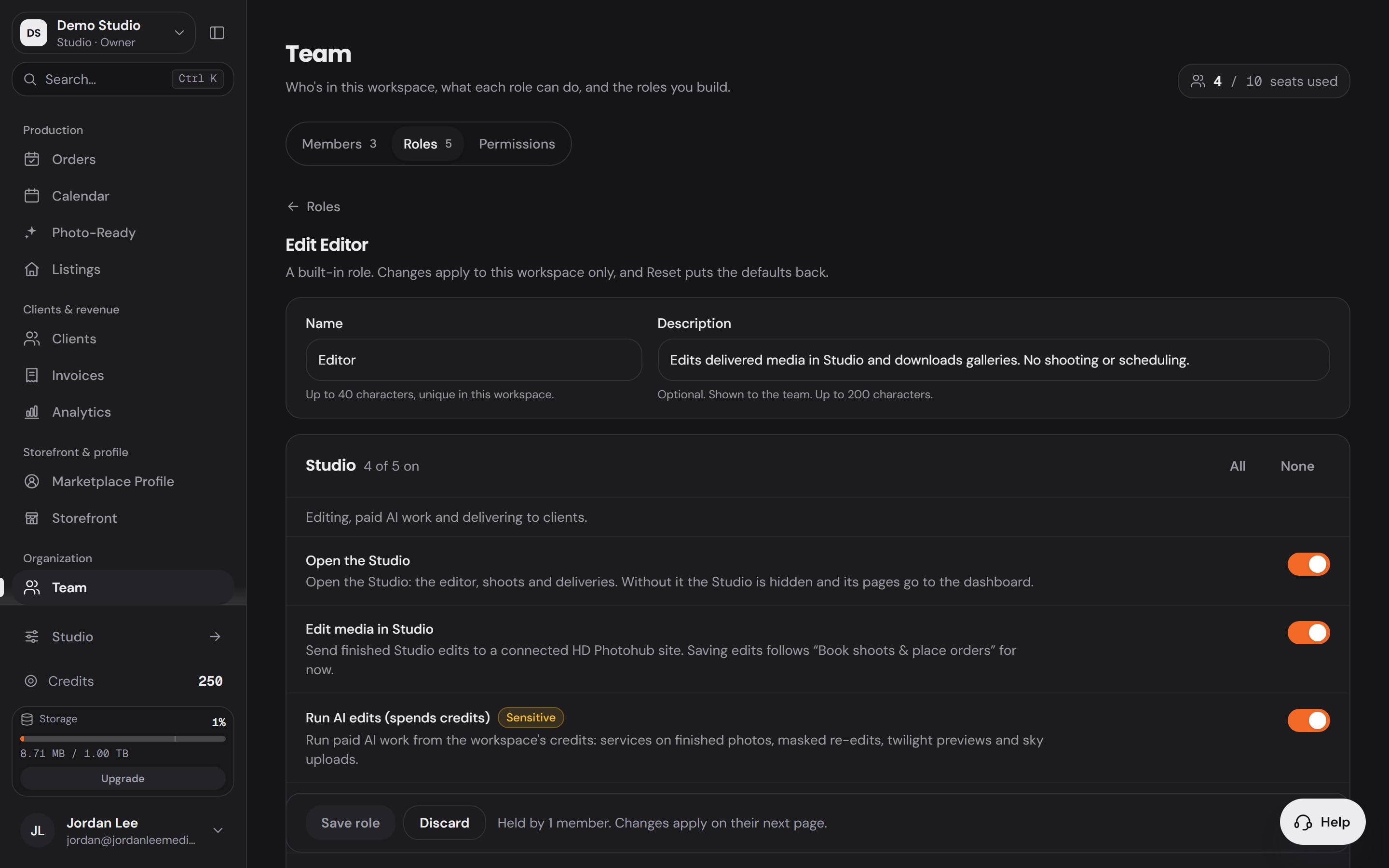
Invite editors, assistants and office managers by email with a role. Each role opens only the parts of the Workspace it needs, and when none of them fits, you build your own.
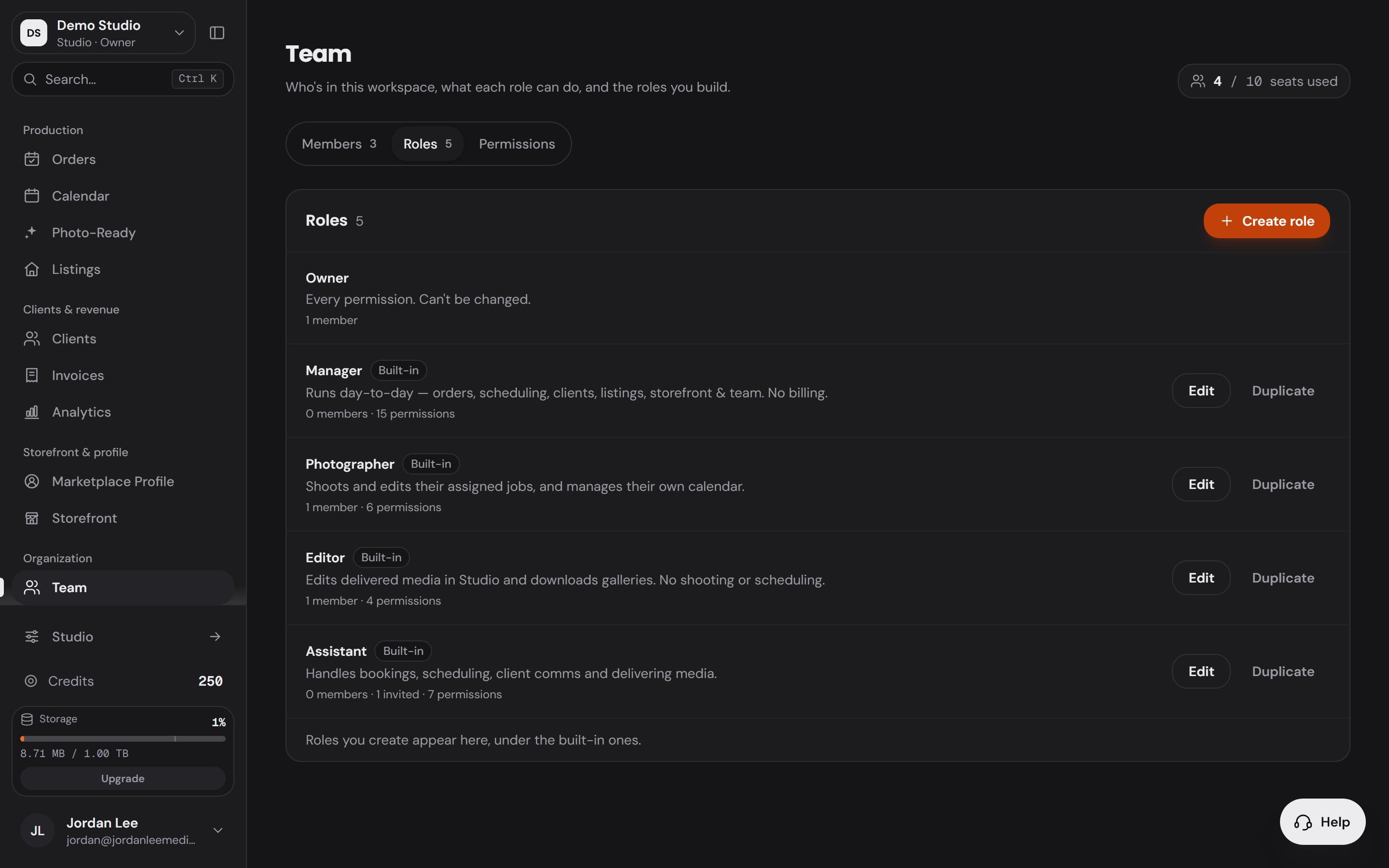
Manager
15 of 18 permissions
- Book shoots and place orders
- Save edits in the Studio
- Invite and manage the team
- Run the calendar
- and 6 more
Photographer
6 of 18 permissions
- Run the calendar
- Edit the marketplace profile
- Open the Studio
- Download photos at full size
Editor
4 of 18 permissions
- Open the Studio
- Download photos at full size
Assistant
7 of 18 permissions
- Book shoots and place orders
- Save edits in the Studio
- Run the calendar
- Manage clients
- and 3 more
Office / Team Manager
12 of 18 permissions
- Book shoots and place orders
- Save edits in the Studio
- Invite and manage the team
- Run the calendar
- and 5 more
On a media company workspace
Your own role
Name it, then switch on exactly what it can do from all 18 permissions. Or duplicate a built-in role and change it.
Seats included with your plan: Starter 1, Professional 1, Business 3 and Enterprise 5, the owner included.
Team and seatsEvery part,on its own page.
How the bookings, the storefront, delivery, clients, the team and Photo Ready 360 work, one at a time.
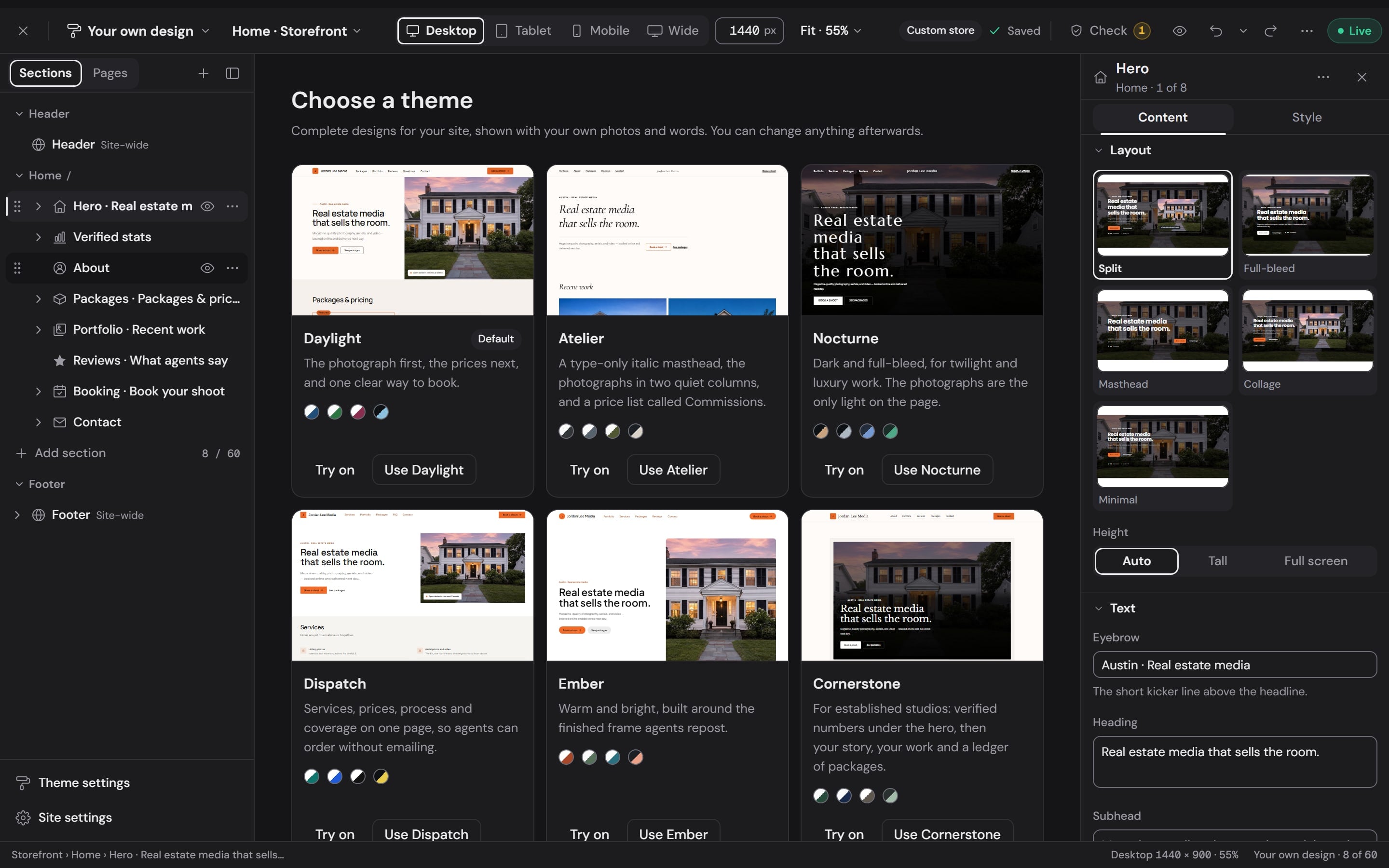 Branded storefrontA real website with packages, reviews, and booking built in.
- Bookings & schedulingRequests, confirmed shoots, and shoot-day conditions on one calendar.
 Delivery portalsBranded galleries that hand off under your name.
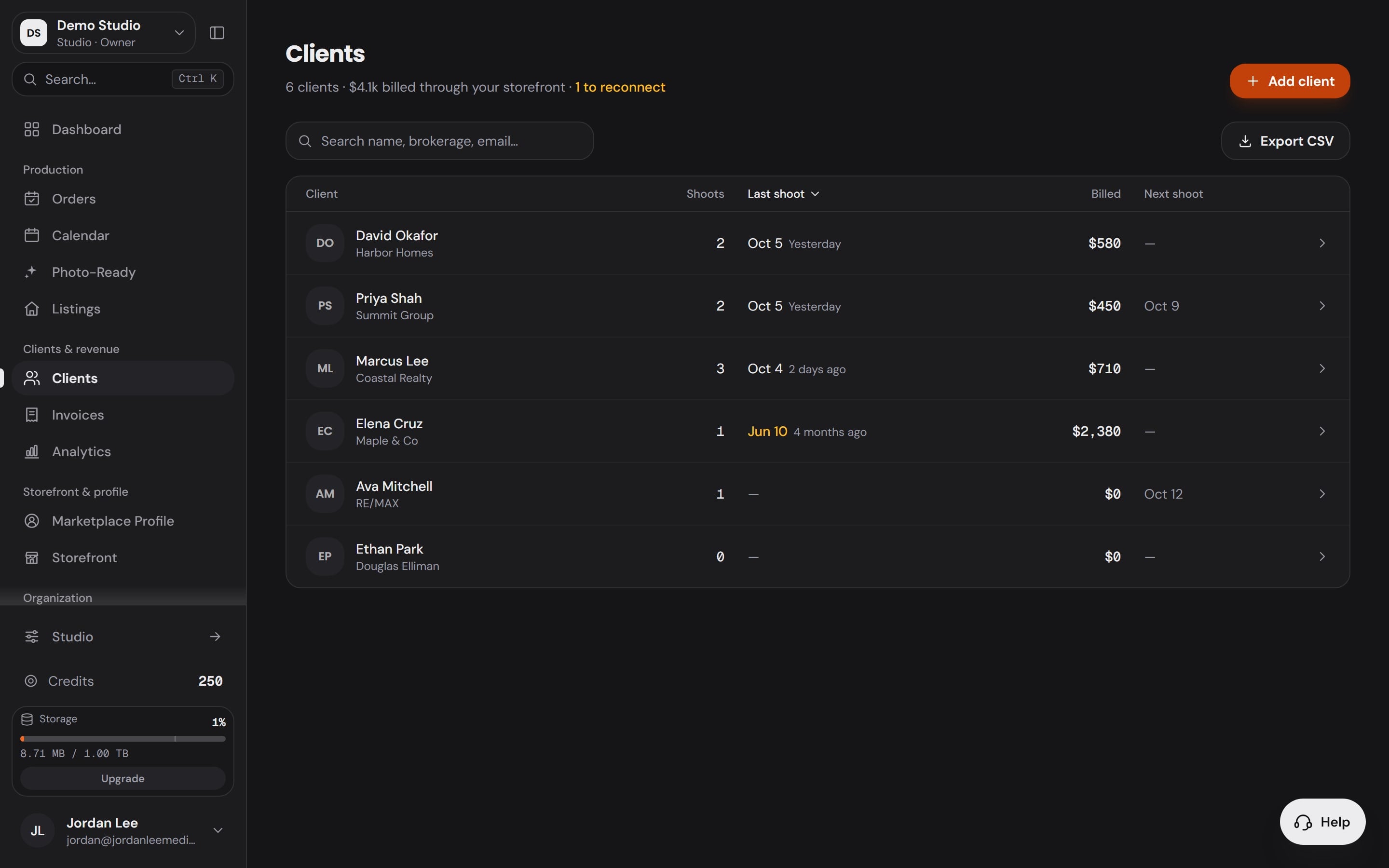 Client CRMEvery client, shoot, order, and invoice in one timeline.
- Team & seatsInvites by email, built-in and custom roles, and seats included with your plan.
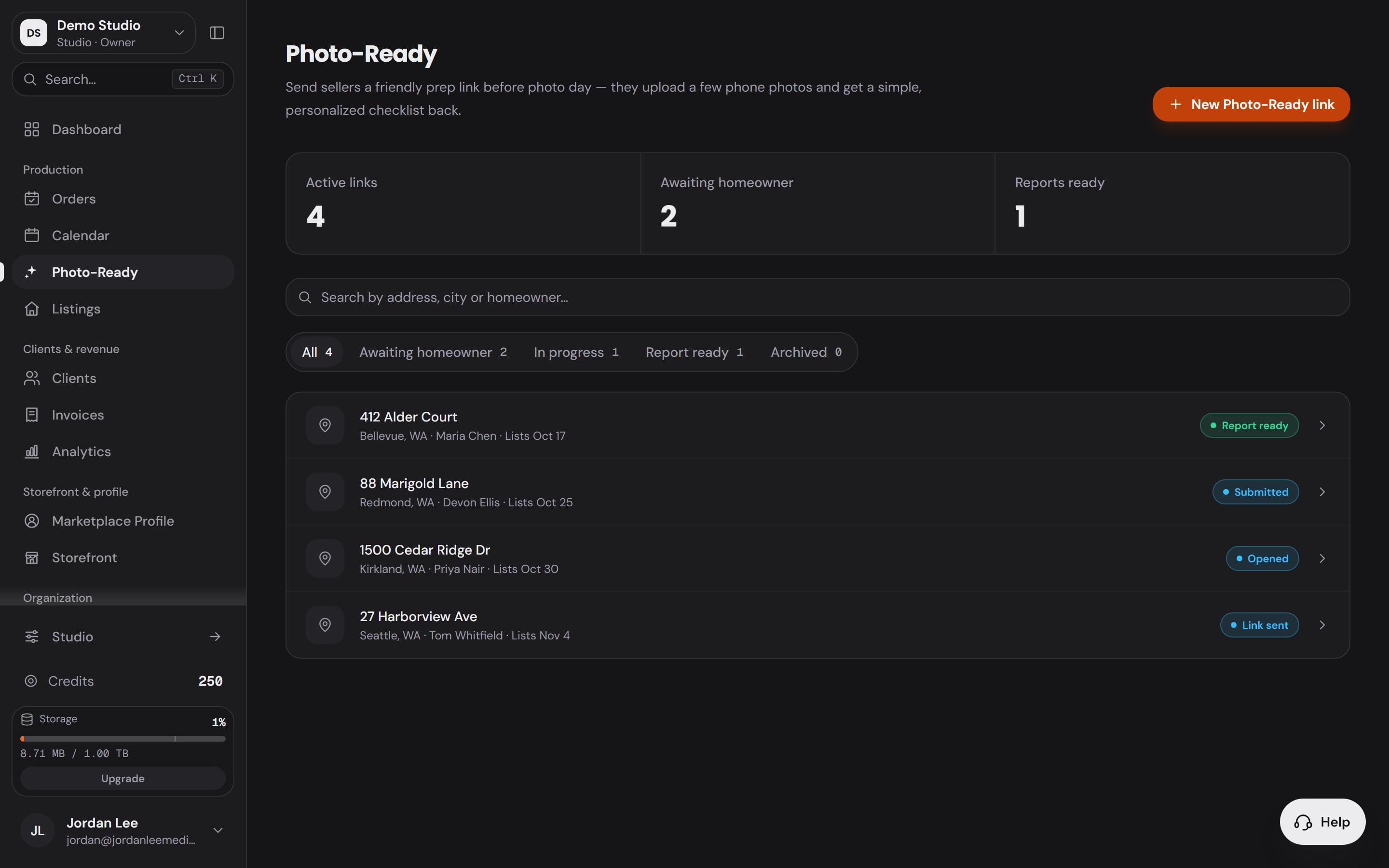 Photo Ready 360The seller preps the house before you arrive, from a link you send.
Pricing
Start on the free plan.Upgrade as you grow.
Publish your storefront and run your bookings for free, with no credit card. Plans start at $29.99 a month.
On the free plan
- Your storefront, with booking built in
- Orders, calendar, clients and invoices
- Delivery portals under your name
- Payments straight to your own processor
- 1 seat, yours
- A 2.1% booking fee
Every paid plan adds
- A 0% booking fee
- The full builder for your site, booking form and delivery portal
- The desktop and phone apps
- Photo Ready 360 links every month
Free to start. The free plan publishes your storefront with booking built in and runs your orders, calendar, clients and invoices, with no credit card. Plans start at $29.99 a month and add a 0% booking fee, the full storefront builder and the desktop and phone apps.
You. Clients pay through the payment processor you connect, so the money lands in your account and never sits with us. The booking fee is 0% on every paid plan and 2.1% on the free plan and pay as you go.
Yes. Connect the calendars you already keep and your shoots sit beside your other events on one calendar, in day, week, month or agenda view, with the forecast at each shoot's address.
Anyone, by email, with a role: Manager, Photographer, Editor and Assistant, plus Office / Team Manager on a media company workspace. Or build your own role from all 18 permissions. Seats included with your plan: Starter 1, Professional 1, Business 3 and Enterprise 5, the owner included.
Yours. Your storefront, booking form and delivery portal carry your business name and logo, so the client remembers who shot the listing. On the free plan and Starter the storefront carries a small Better Listing Media badge; Professional and above remove it.
No. Workspace runs the business side on its own. When you do edit in the Studio, the shoot, the delivery and the payment land on the same order, so nothing is entered twice.
Yes. Orders, clients, invoices and activity each export to CSV from their own page.

Run the whole businessfrom one place.
Bookings, your storefront, delivery, clients and your team on one login. Start on the free plan and publish your storefront today.
Free plan, no credit card required