Editing
Virtual twilight real estate photos: a how-to in Studio
How to convert a daytime exterior to virtual twilight in Studio: source frames, ordering, the five looks, the approval check and MLS disclosure.
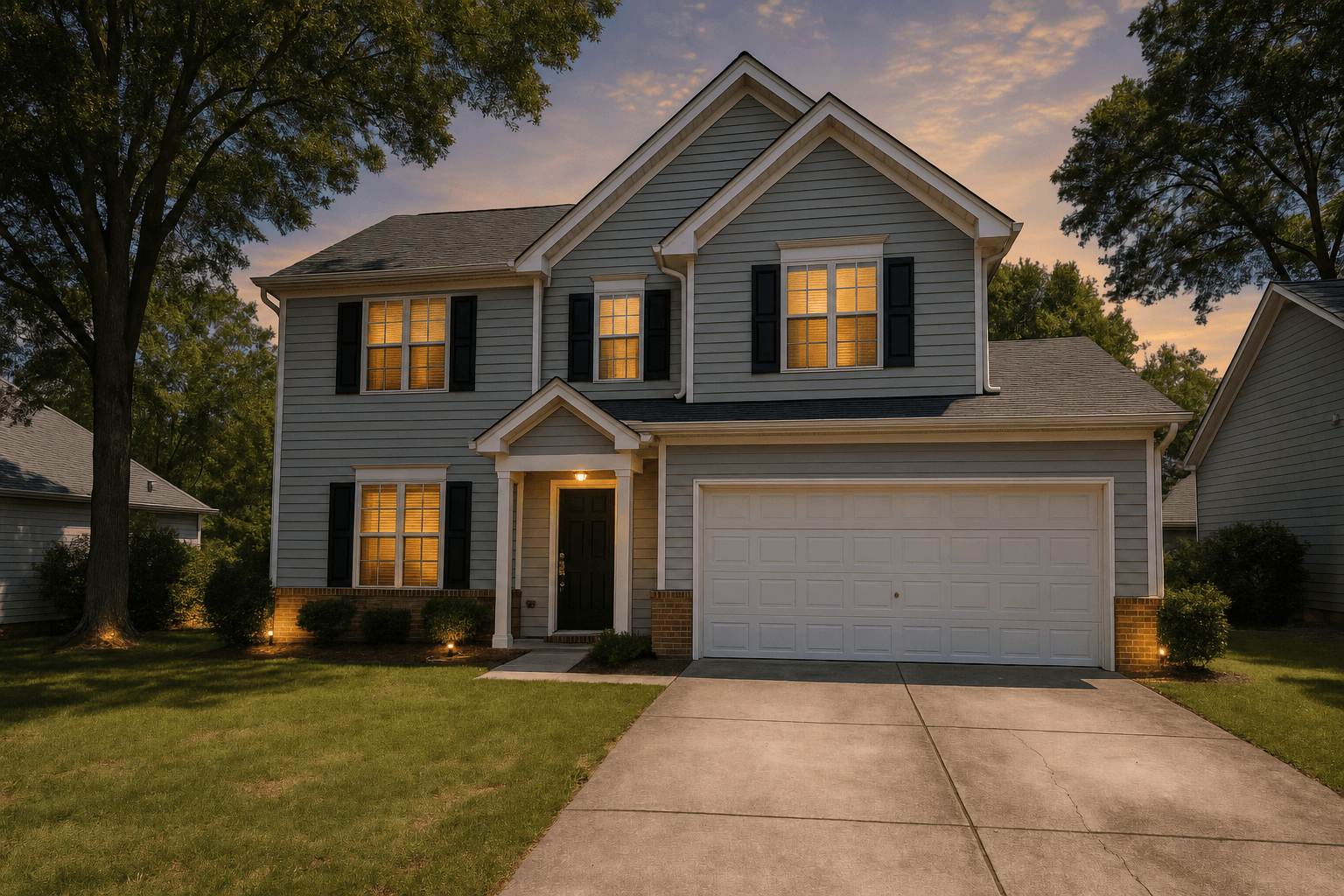
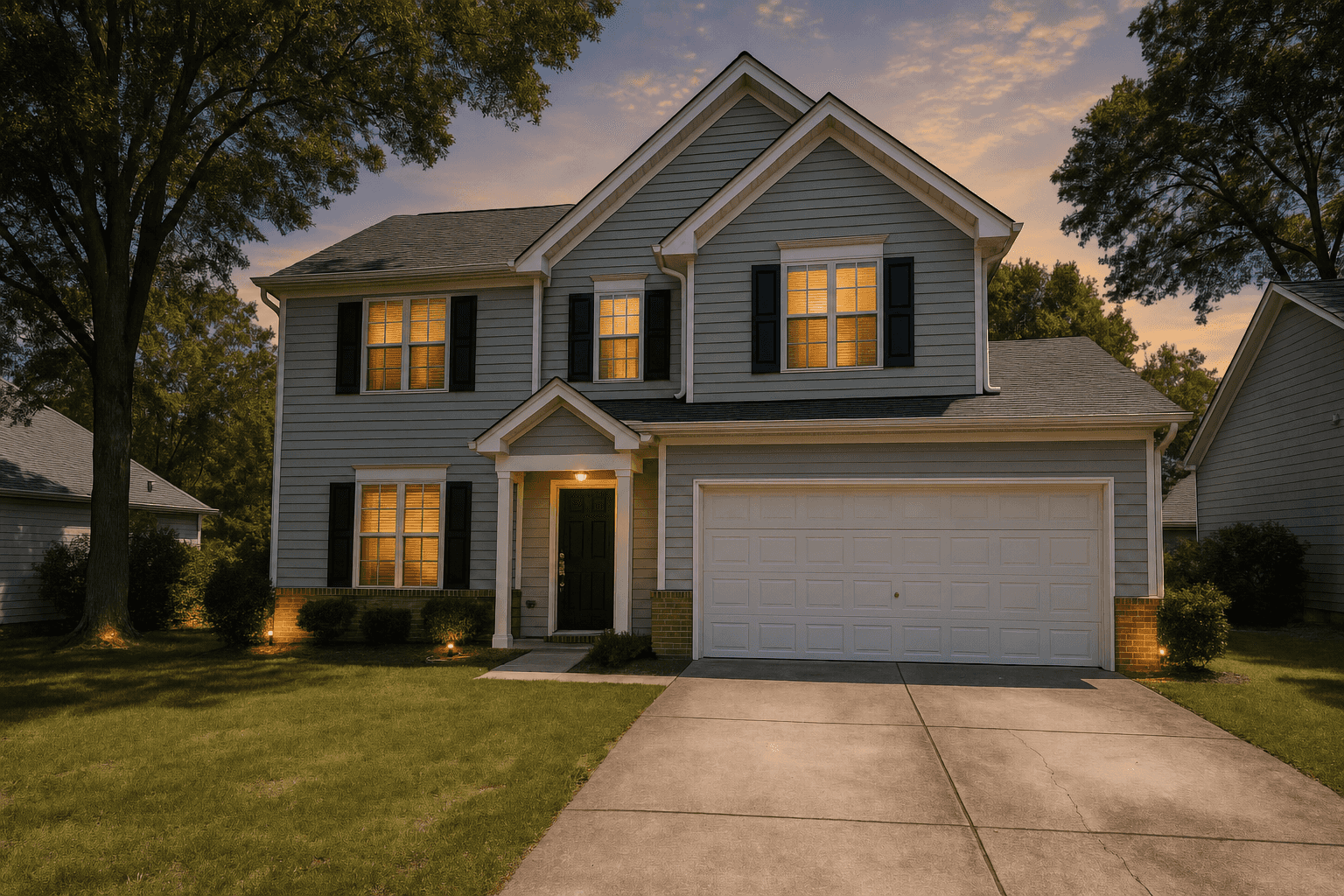
A twilight exterior is the one frame in a results page that does not look like every other frame. Warm windows, a deep sky, a porch light doing its job: buyers scroll past a wall of noon-lit siding and stop on it. In NAR's 2026 Home Buyers and Sellers Generational Trends report, 81% of recent buyers who searched online rated listing photos as very useful, the highest of any website feature, so the frame that earns the first click matters.
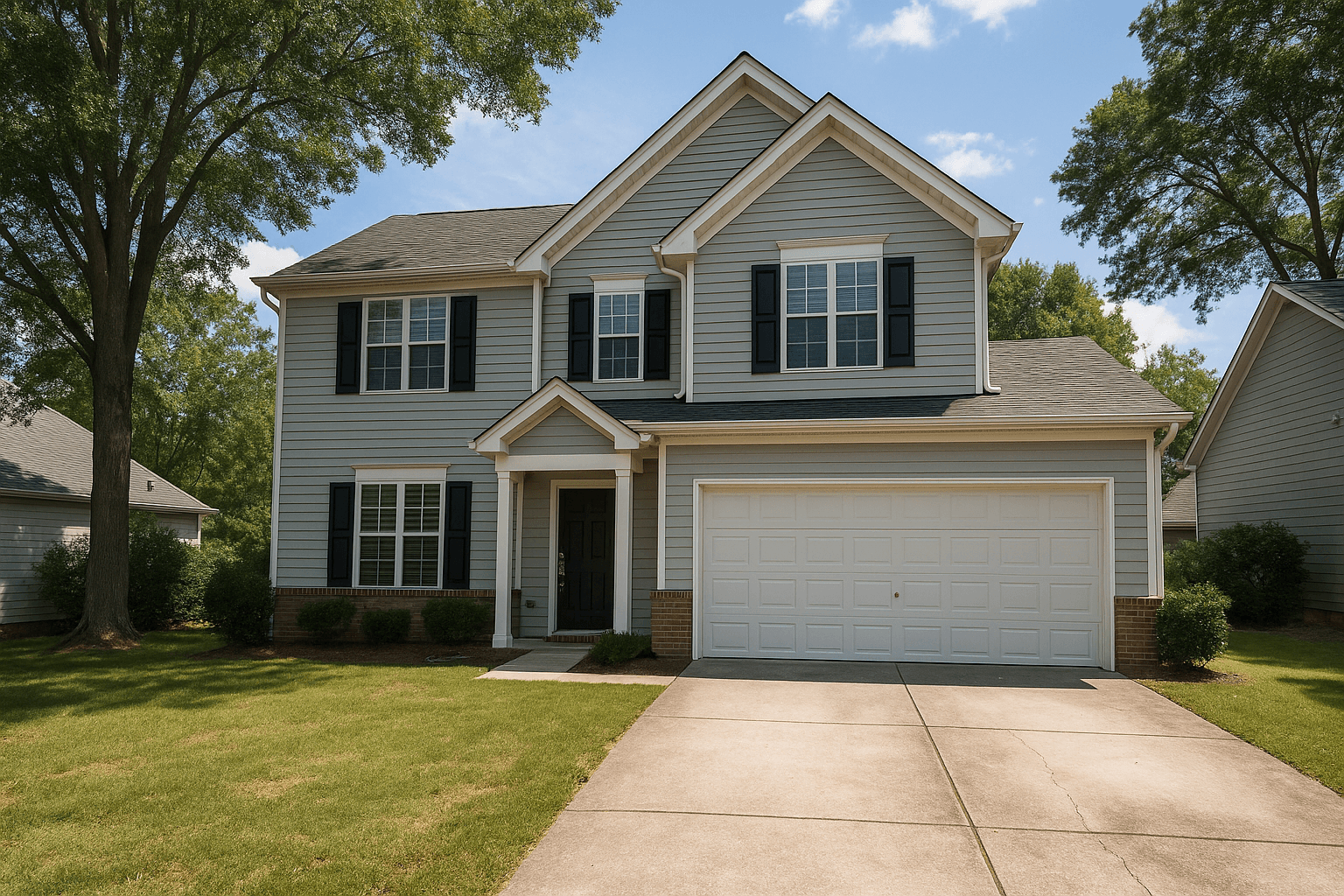
A real dusk session is one way to get it. A virtual twilight is the other: the Service takes a daytime exterior you already shot and returns it as a dusk frame, in a look you choose, with no second trip and no weather risk. This guide covers the whole job in Studio, from picking a source frame to labelling the result for the MLS.
Which daytime exteriors convert well
The conversion is only as good as the frame you feed it. The Service lights windows from the inside and grades the sky and facade together, but it cannot fix a bad angle or invent a facade hidden behind a van. Judge a candidate frame on three things before you order it.
Angle first. A corner angle showing the front and one side gives the dusk light something to wrap around, and the lit windows read on two planes instead of one. A straight-on elevation works, but it tends to look like a backdrop once the sky goes dark.
Then the sky. The conversion replaces it, so the source sky does not need to be pretty, but it does need a clean edge. Prefer the frame with the simpler horizon: fewer branches, antennas and wires crossing the skyline gives the conversion a clean edge to work to. Overcast is fine. Harsh midday sun is fine too, because the shadow treatment below is built for it.
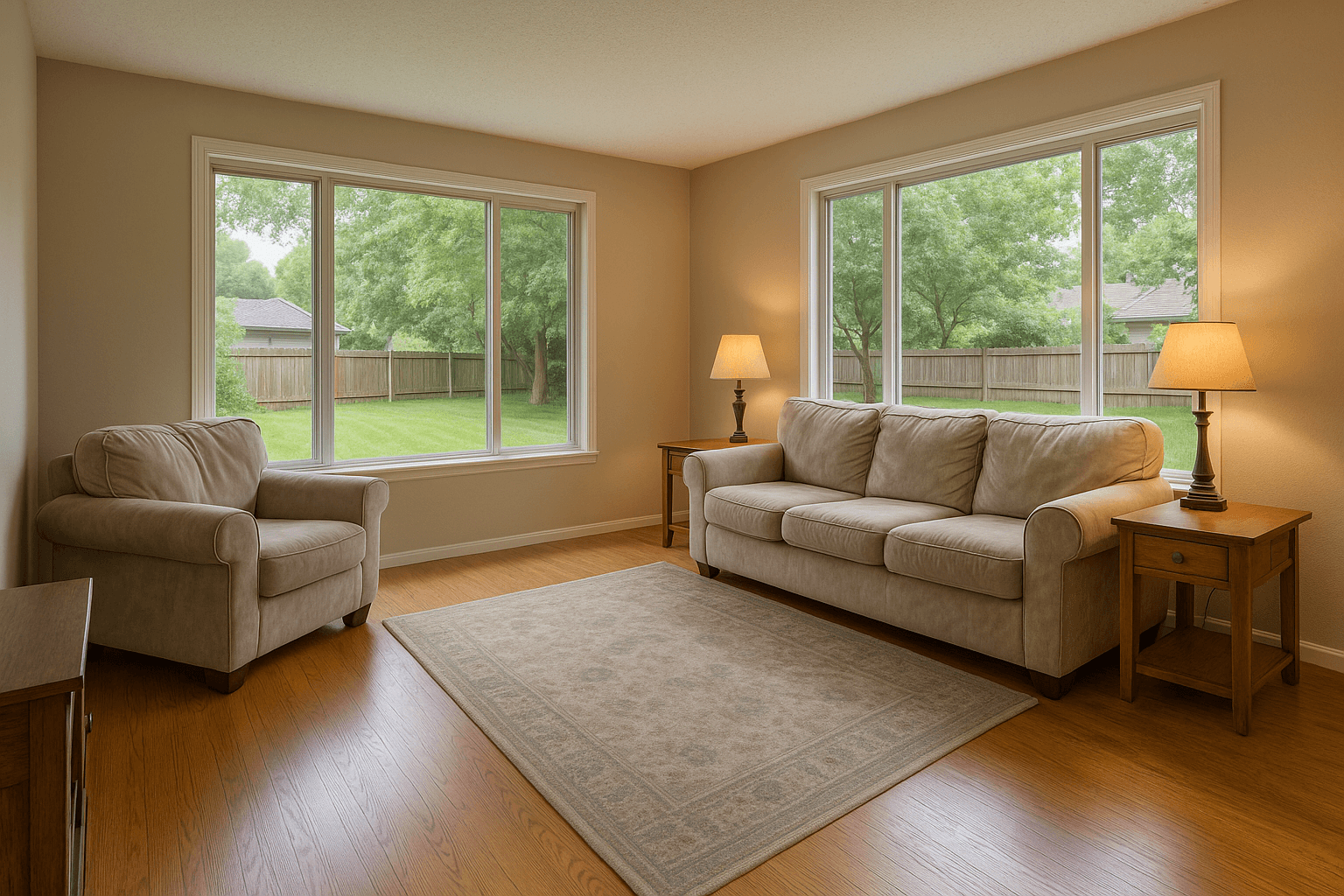
Finally, the lights. The Service lights windows from the inside, so every window you want to glow should show glass: open the blinds and pull the curtains back before you shoot. Porch lamps, landscape lighting and a pool light all give the dusk frame something to anchor on, so get them in the frame.
- Corner angle over straight-on, camera level, whole facade in frame
- A clean skyline: fewer tree branches, wires and antennas crossing the roofline
- Windows with visible glass, blinds open, interior lights on if the sellers allow it
- Cars, bins and hoses gone before you shoot, or removed in the editor before you order
Order the Service in Studio
Virtual Twilight is a Service, which in Studio means you order it and the pipeline returns the rendered frame to your shoot. It is not the Weather tool, which offers clear sky, overcast and seasonal looks and never a dusk, by design.
There are two ways in, and both end at the same priced run drawer.
- At import: tick Virtual Twilight on the exterior frames you want converted. The look, shadow treatment and sky are chosen inside the Service's configuration, and the footer states the estimate and your balance after it. Nothing is charged until you press Pay.
- From the Services dock: open a shoot with finished photos, select the exterior on the canvas, and click Virtual Twilight. The run drawer opens on that photo with the same controls, and the picker lets you add more exteriors from the open shoot.
- If the exterior is a bracket set, order HDR Merge alongside it. Studio chains the two, so the twilight runs on the merged frame rather than once per exposure.
Choose a look
Studio offers five looks, shown as photographs so you can see what you are choosing. Warm Sunset is preselected, and leaving it alone suits most houses. Each photo in an order can carry its own look, so one listing can have a warm hero frame and a cooler rear elevation.
- Warm Sunset: a soft orange and coral western sky just after sunset. The safe default for most architectural styles.
- Deep Blue Hour: the classic blue-hour sky, rich saturated blue with a subtle gradient. Pairs well with contemporary and modern homes.
- Luxury Twilight: a magazine twilight with a deep purple zenith and a warm coral horizon band. The look for high-end listings.
- Bright Marketing: a lighter twilight that keeps good ambient exposure on the property. Best where readability matters more than drama, such as entry-level listings.
- Subtle Dusk: restrained cool grey-blue tones with a faint warm horizon glow. Understated and modern.
Shadows, and a sky of your own
A dusk sky over a noon-shadowed yard is the most common tell of a cheap conversion. Studio handles this with a shadow treatment set per run: Off, Soft, Standard or Strong. Each look opens on its own default and you can move it. Off leaves the dusk render's shadows exactly as rendered. Soft is a gentle open-up of the darkest areas, Standard opens harsh ground shadows while keeping the dusk mood, and Strong is the setting for hard midday shadows. Whatever you choose, the control opens the dark end of the dusk render and nothing more: it never removes a shadow, never paints over one, and never generates ground.
On plans that include it, you can also save your own looks and use your own sky references. A saved look is a short written sky brief, kept beside the five built-ins. A sky of your own is a photograph you upload, and Studio asks you to confirm you hold the rights to it before the run starts, because that sky ships to a client.
What to check before you approve
Every frame in Studio is approved by you before it is delivered. That is the quality gate, so give the twilight thirty seconds. Open the result beside the source in compare mode and work through the list below. If a run comes back wrong, do not approve it; rerun it with a different look or shadow setting, or pick a better source frame.
- Window glow is consistent: every lit window shares the same warmth and brightness, and the glow stays inside the glass with no haloes on the siding.
- The sky reads as a real sky: a smooth gradient, no banding, cloud detail that matches the look you chose.
- Edges are crisp: roofline, chimney, tree canopy and gutters stay sharp against the sky.
- The ground has gone to dusk too: lawn, driveway and walkway pick up the evening tones, and any remaining hard shadow reads as evening, not noon.
- Light direction agrees: the bright side of the sky and the lit side of the facade make sense together.
- Nothing about the property changed: no window added or removed, no landscaping invented, no fixture moved. If it did, reject the frame.
Disclosure etiquette for the MLS
A twilight conversion changes the time of day, not the property. Boards treat it differently: some are fine with it as standard photo enhancement, and some ask for disclosure of any edit that alters the scene, as a caption note, a label on the photo or a listing flag. Rules differ by board, brokerage and state, and Better Listing Media does not warrant that any edited image complies with yours. Check your MLS's current guidance before you publish.
Where your board asks for disclosure but does not prescribe exact wording, a plain line does the job, for example: Sky and lighting digitally enhanced. Put it in the photo caption or the listing remarks, and keep the original daytime frame on file.
Studio makes the on-image version a one-click choice. The Brand tool has a Virtual Twilight chip, off on every photo by default. Turn it on and a fixed label is stamped in the corner of the delivered image, opposite your studio mark. It is optional and yours to decide; the platform never tags a photo on its own.
When to shoot real dusk instead
Virtual twilight is the right default for the large middle of the market: one converted hero frame per listing, delivered with the rest of the set. It is not a replacement for a real dusk session where the exterior is the campaign; real landscape lighting and a sky that belongs to that exact evening still have the higher ceiling. Use the Service for ordinary listings, keep the dusk shoot for the ones that earn it, and either way shoot the daytime source properly, because a crooked frame converts into a crooked twilight.
Sources
- 81% of recent buyers who searched online rated listing photos “very useful”, the highest of any website feature. NAR, Home Buyers and Sellers Generational Trends, 2026