Marketing
Start a real estate photography business: the first year
How to start a real estate photography business: the gear that matters, brackets and verticals, pricing, your first agents, and the tools to run it.
Real estate photography has a repeat customer built in: an agent who lists eight homes a year needs eight shoots, and the one who liked the last set calls you again. That is the business: a short list of agents who book you every time.
It is also a business you will almost certainly run alone. The U.S. Bureau of Labor Statistics, in its 2025 Occupational Outlook Handbook, reports that 67% of U.S. photographers are self-employed, and it lists scheduling, record-keeping, billing and advertising as part of that job. So this guide covers both halves: learning to make the photos, and setting up the small machine that sells and delivers them.
Gear that earns its keep
You do not need the newest body. You need a camera that shoots exposure brackets on a timer, a lens wide enough to show a room without bending it, and a tripod that does not move between frames.
- A camera with auto exposure bracketing and a 2-second timer or remote release, so the brackets line up
- A wide-angle lens in the 16 to 24mm range on full frame, used at its less extreme end so rooms read true to size
- A sturdy tripod with a level in the head, set to chest height for interiors
- A spare battery, two cards, and a lens cloth
- A drone only once the work justifies it; in the United States, commercial drone work requires FAA certification
Learn the craft: brackets and verticals
Two habits separate professional listing photos from phone snapshots: shooting brackets, and keeping verticals vertical.
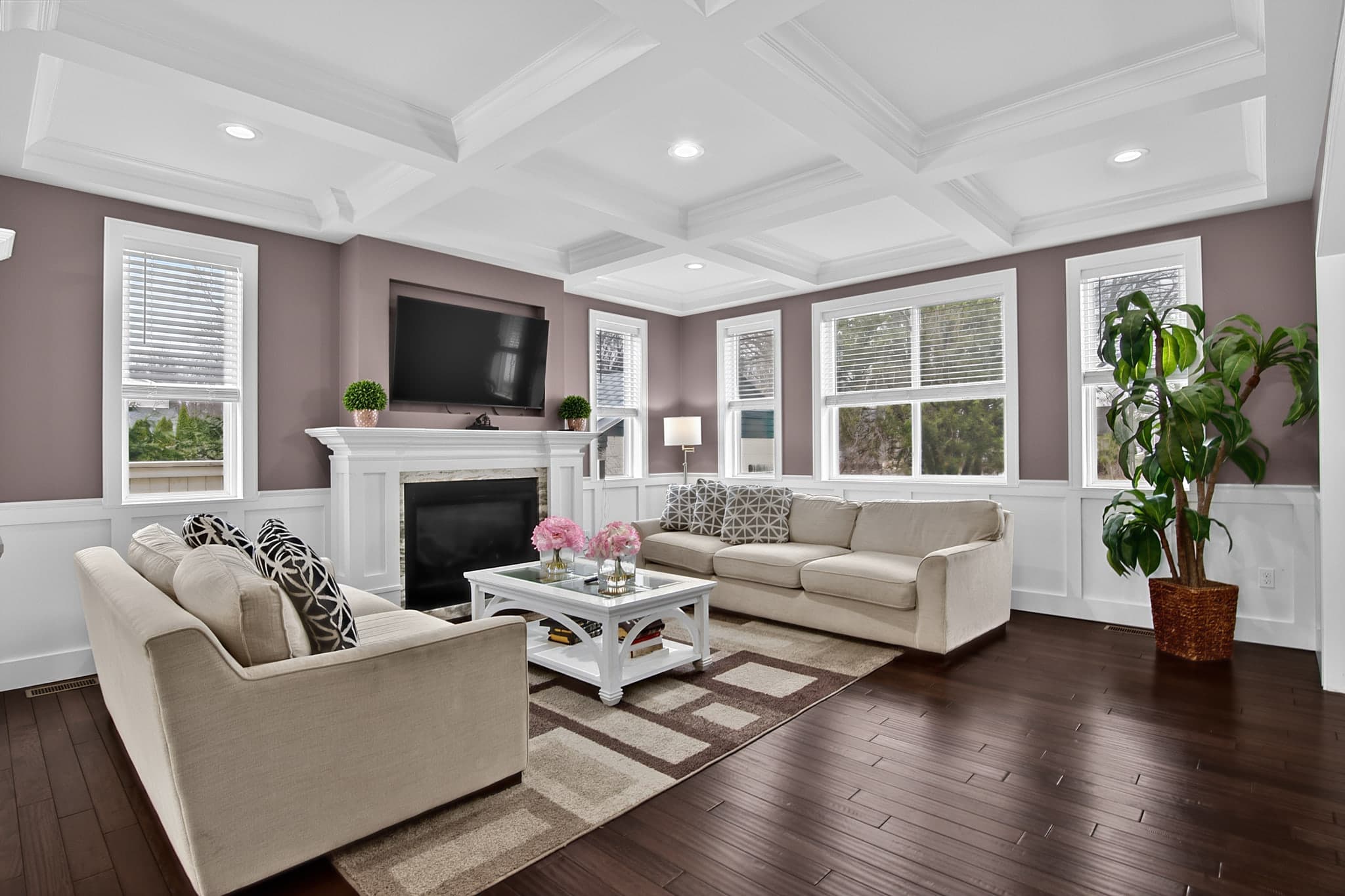
Brackets first. A camera cannot hold a bright window and a dim room in one exposure, so you shoot the same composition at several exposures and merge them later. Three to five frames per composition is the usual range: dark enough to keep the view through the glass, bright enough to open the shadows. Use the timer, do not touch the tripod, and keep the camera level. A bracket set that shifts between frames is a merge that fails.
Then verticals. Walls and door frames should be straight up and down in the final image. Tilting the camera up for more ceiling makes every wall lean inward, and buyers read leaning walls as a cramped room even if they cannot say why. Level the camera at capture, then correct what remains in the edit: Studio's Geometry tools include an Auto Geometry pass that reads the architectural lines and corrects the perspective, with manual Vertical and Horizontal controls for the frames it cannot read.
Practice on your own home and on friends' homes, and shoot the full shot list every time, so your gallery looks like a listing rather than a portfolio.
Pricing and packages
Agents buy a shoot, not a day rate. Price per property and let the property's size set the tier: a square-footage ladder makes the difference between a condo and a five-bedroom feel fair without a negotiation. Put your base package at the size most listings in your market fall into, then price up from there.
Build add-ons around what agents ask for on the day they book: a twilight frame, aerials, staging for a vacant listing. Keep the list short enough to read in one glance. Decide your travel policy before the first out-of-town request: a free radius around your base, then a distance-based fee, so the quote is the same whether you answer the email or the booking form does. And collect a deposit at booking if your market tolerates it.
Getting your first agents
Your first clients come from two places: agents you already know, and agents whose listings you have studied. Work both at once.
Start with the office. Every brokerage has a handful of agents who list often. A short email with one strong gallery and your package pricing does more than a brochure. Offer to shoot a current listing at your standard price, not free; free work earns free-work clients.
Then give every one of them somewhere to land. A storefront with your packages, add-ons, and a booking form means the agent who opens your email can book the shoot in the same sitting, and the agent who hears your name from a colleague can find your prices without asking.
- One full listing gallery, edited consistently, before you contact anyone
- Packages and add-ons published, with a square-footage tier and a travel policy
- A follow-up two days after every delivery, asking for the next listing
Booking and delivery tooling
The record-keeping and billing the BLS mentions is where new photographers lose hours. The fix is one system that holds the booking, calendar, client record, and delivery, so a shoot moves from request to download without retyping.
In Better Listing Media's Workspace, your storefront is a real website with booking built in. On the free tier it is a designed template you fill with your content, with a powered-by line in the footer; paid plans unlock the builder, so your colors, type, and logo apply to the storefront, the booking form, and the delivery portal together. The booking form prices square-footage tiers and travel fees from the rules you set, takes the intake details and deposit you configure, and charges the client through your own connected payment processor.
A booking request lands on your calendar with the property address attached. The forecast is read at that address and judged for the shoot type, so an exterior day and an interior day are rated differently, and a drive-time estimate from the previous job flags a tight turnaround before it becomes a late arrival.
When the photos are done, you deliver through a portal at your own domain or gallery slug: a cover with the property up front, the full-resolution gallery, and downloads scoped the way you want, with an expiry on the link if you set one. The client bookmarks your name, not a file-transfer service.
Editing in Studio or outsourcing
Editing is the other place a one-person business loses evenings. Three honest options: edit everything yourself, send the shoot to an editor, or order the heavy work as a Service and finish the rest yourself.
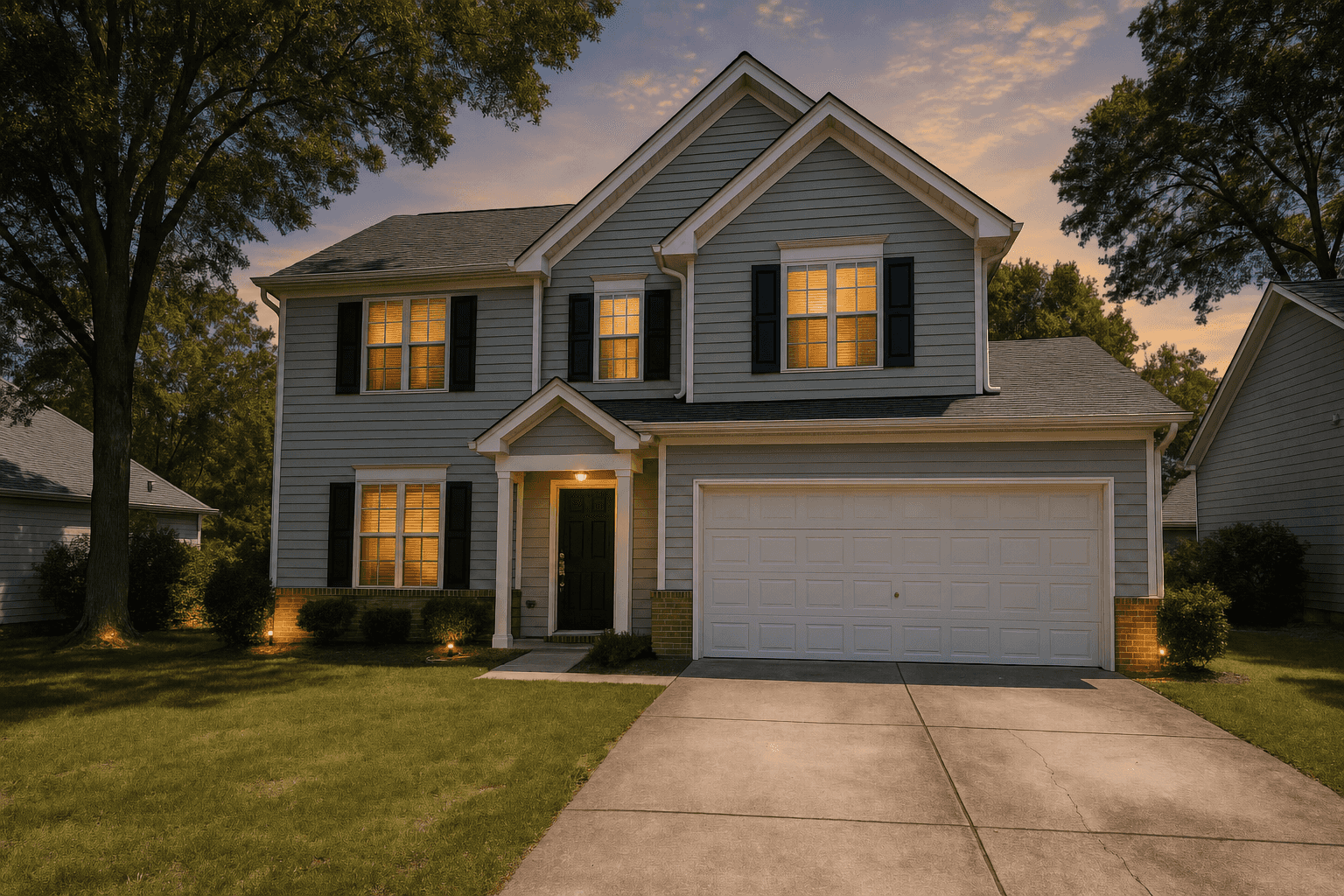
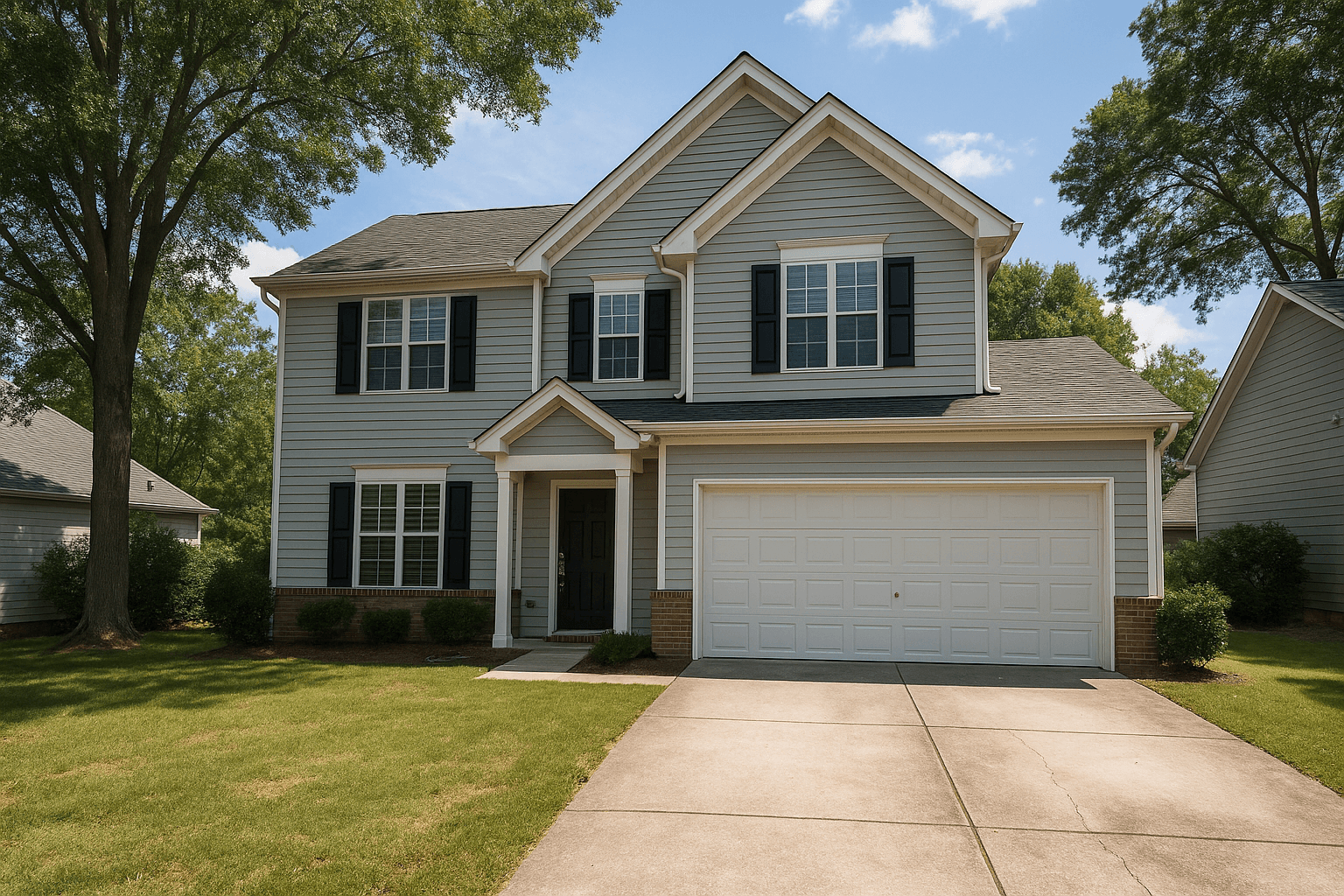
Studio is built around that third path. Upload the brackets as they came off the card (RAW, JPEG, TIFF, and PNG) and they are grouped by EXIF data into sets. HDR Merge is the Service that blends each set into one balanced frame, with window pulls, sky and lighting balance, vertical correction, and clean-up of screens, fireplaces, and the photographer and camera built in. Virtual Twilight turns a clean daytime exterior into a dusk frame in the preset look you pick, and Virtual Staging furnishes a vacant room in the furniture style you choose, with a multi-perspective option that keeps one layout consistent across every angle of the same room.
Every result comes back to you for approval; you decide what ships. In a browser, Studio carries the basic finishing tools: Adjust, Crop, and Geometry. The desktop app carries the full tool set: exposure and color, lens correction, curves, retouching, and AI tools for removing objects, replacing skies, and recoloring walls and cabinets, each metered per use with its cost shown before it runs.
If you outsource instead, hold the editor to the same standard: window views visible with no grey halo, whites that are white, straight verticals, and one consistent look across the set. Whoever edits it, you own how it looks.
The first ninety days
A workable order of operations, if you are starting from nothing:
- Weeks 1 to 2: shoot three practice homes with full brackets and the full shot list; edit them to one consistent look
- Week 3: publish your storefront with packages, a square-footage tier, add-ons, and a travel policy
- Week 4: email ten agents whose listings you have studied, with one gallery and your pricing
- Weeks 5 to 8: take every booking at your published price and ask for the next listing at delivery
- Weeks 9 to 12: review which add-ons sold, adjust the packages, and raise your base price if your calendar is full
Sources
- 67% of U.S. photographers are self-employed. The BLS lists scheduling, record-keeping, billing and advertising as part of that job. U.S. Bureau of Labor Statistics, Occupational Outlook Handbook, 2025